ADJUST VERTICAL
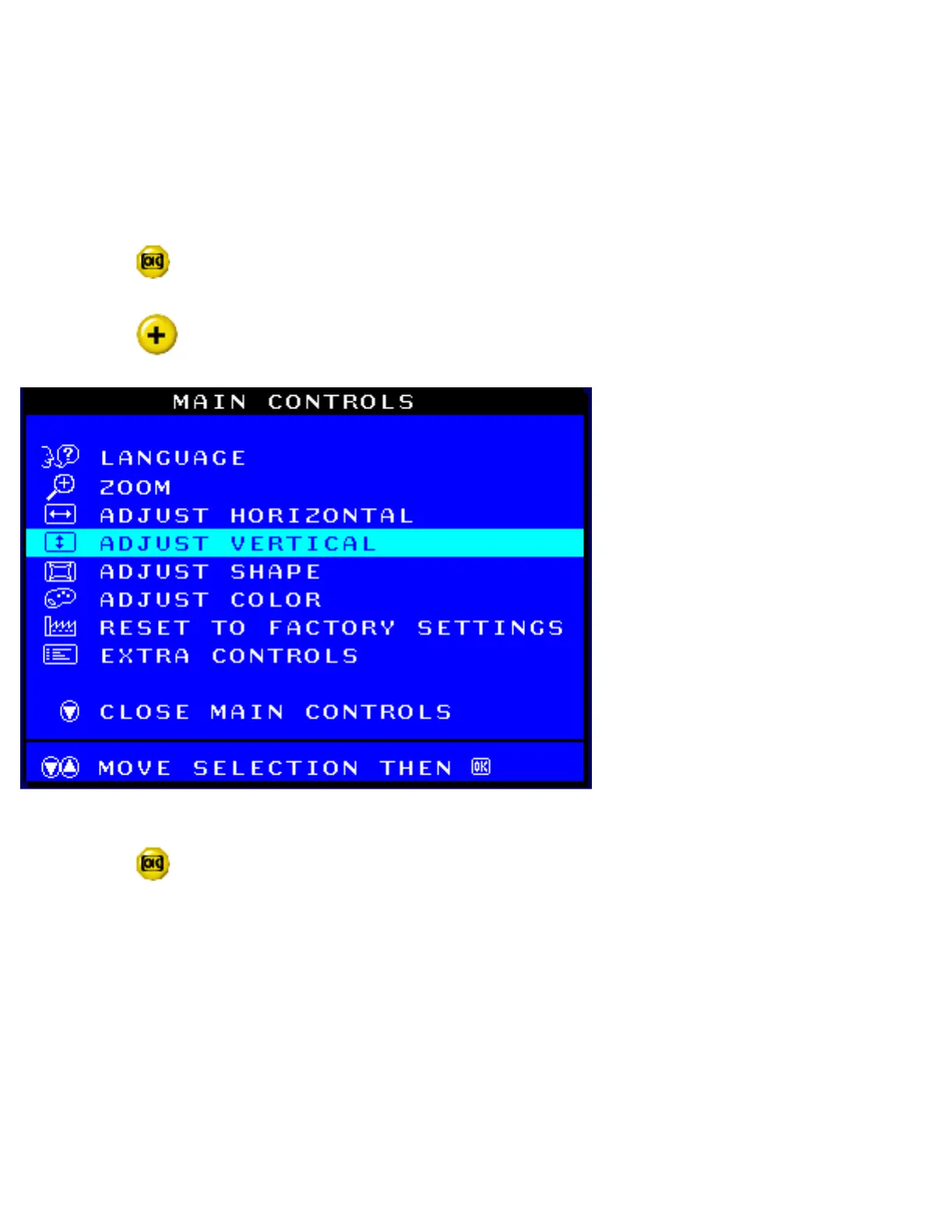
ADJUST POSITION under ADJUST VERTICAL shifts the image on your screen either up or down.
Use this feature if your image does not appear centered. ADJUST SIZE under ADJUST VERTICAL
expands or controls the image on your screen, pushing it out toward the top or bottom or pulling it in
toward the center.
1) Press the
button on the monitor. The MAIN CONTROLS window appears.
2) Press the
button until ADJUST VERTICAL is highlighted.
3) Press the button. The ADJUST VERTICAL window appears. POSITION should be
highlighted.
file:///D|/EDFU/crt_17_5/edoc/ENGLISH/OSD_3/osd_cont.htm (7 of 26)2005-04-07 ¤U¤È 03:59:03



 To Next Page