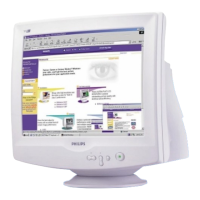
The following models can be incorporated with the Multimedia Base: 109B5, 109E5,109F5,
107B5, 107E5,107F5, 107S5, 107T5.
27. What are Philips Multimedia Base's specifications?
See detailed Multimedia Base specifications on the product information page.
28. Why is a Multimedia Base better than separate speakers?
The major advantage of the Multimedia Base is its minimal space requirements. In fact, it
hardly uses any extra space at all: monitor depth and width are unchanged. Only the monitor's
height is increased by only 3 centimeters.
29. Where can I buy a multimedia base to incorporate with my Philips monitor?
Please contact your dealer/reseller for details.
30. What does Auto Calibrate do?
It makes your monitor perform better and last longer. As a monitor becomes older, brightness
gradually deteriorates and its colors change. This well-known process effects all monitors.
Eventually after a number of years, the monitor's brightness deteriorates to below 50% of its
original value. At this stage, the usable life of a monitor is considered ended. Auto Calibrate
regularly readjusts color temperature and luminance to their original values.
31. How does Philips Auto Calibrate feature benefit me?
With Auto Calibrate, it takes a monitor's luminance 33 percent longer to deteriorate to the 50
percent level that marks the end of a display device's useful life. Thanks to Auto Calibrate, a
monitor with a normal life of 10,000 hours, for example, would last for 13,300 hours, a full one
third longer.



 To Next Page