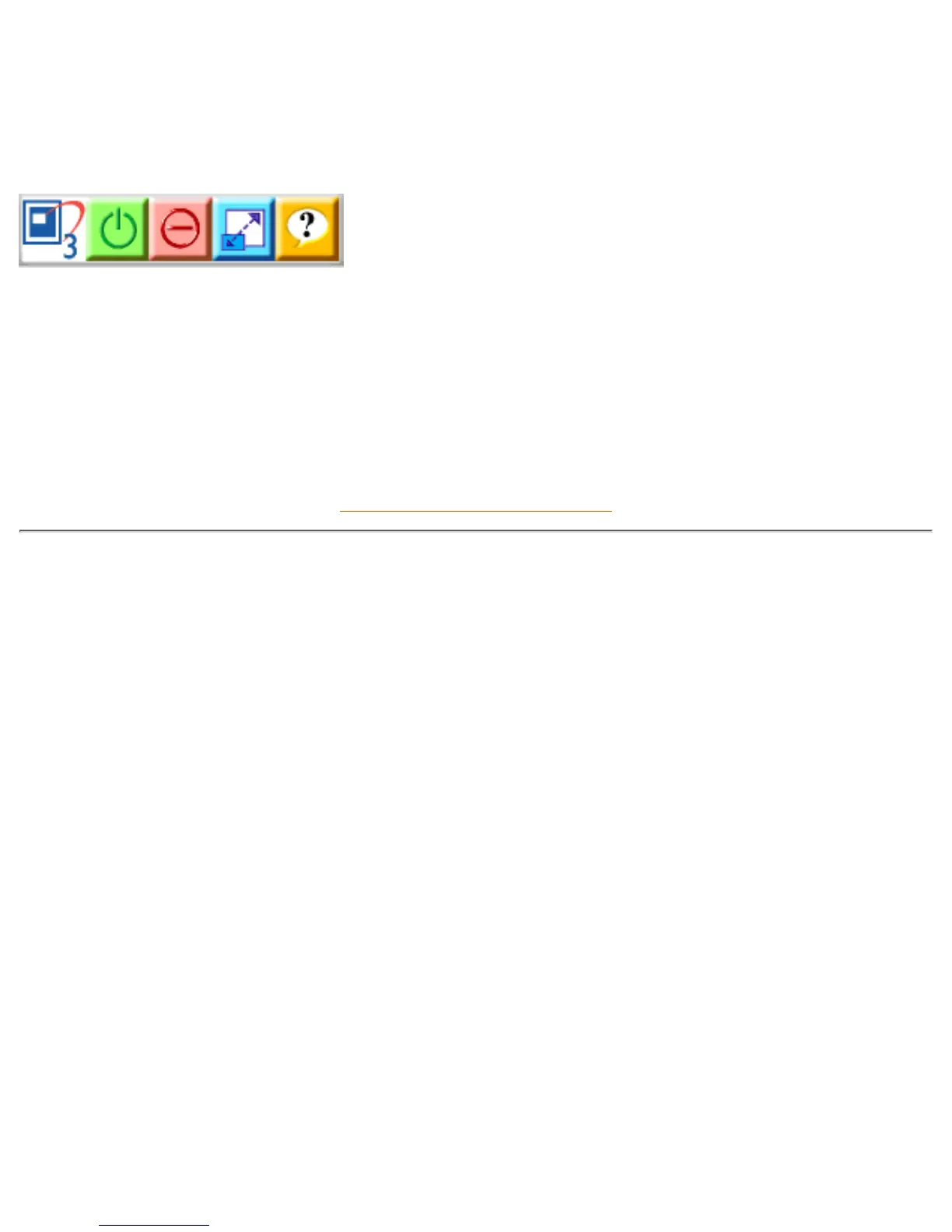
Q: How do I use the LightFrame™ 3 control bar that appears at the top my screen?
A: The control bar is another upgrade that helps you run all LightFrame™ 3s neat, new features. The illustration
below describes the tasks each button performs.
Accustomed to working with the original LightFrame™ tray icon? No problem: Its still there and can be used to
turn LightFrame™ on or off and check LightFrame™ status.
RETURN TO TOP OF THE PAGE
Technical Specifications*
CRT
• Size and deflection 19 inch / 46 cm ; 90° deflection angle
• Dot pitch / Grille pitch 0.25 mm
• Horizontal pitch 0.21 mm
• Tube type
Shadow mask, Real Flat, high contrast, anti-glare, anti-static,
anti reflection, light transmission 45%
• Phosphor P22
• Recommended display area 14.0" x 10.4" / 355 x 265 mm
• Maximum display area 14.4" x 10.8" / 365 x 270 mm
SCANNING
• Horizontal scanning 30 - 97 KHz
• Vertical scanning 50 - 160 Hz
VIDEO
• Video dot rate 203 MHz
• Input impedance
- Video 75 ohm
- Sync 2.2 kOhm
file:///D|/Rita/LF3/lf3manual/english/109B/PRODUCT/PRODUCT.HTM (5 of 8) [2002/7/7 ?? 11:15:42]


 To Next Page