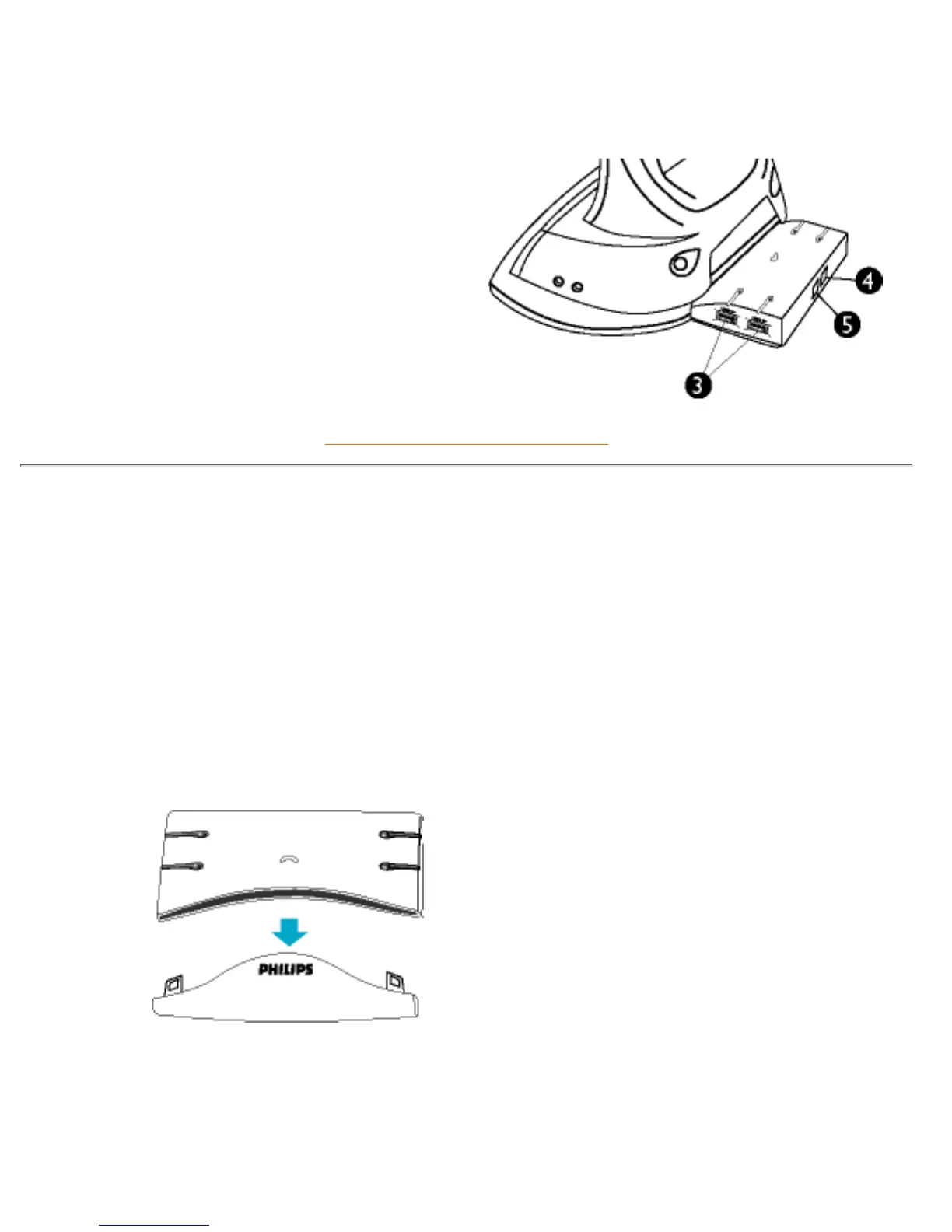
3) Down Stream Ports : 4 USB A-type
receptacles on both sides connect to
USB devices.
4) Up Stream Port : 1 USB B-type
receptacle to connect to the PC.
5) Power Socket : For the supplied AC
Adapter jack to connect to.
RETURN TO TOP OF THE PAGE
Installation
This Hub consists of two parts: functional and aesthetic. The aesthetic elements is a
removable cover. A slot for this Hub to install in can be found in the back of the LCD monitor
base.
To remove the cover, simply by pulling it apart from the Hub body.
Insert the straight into the slot until a click sound is heard.



 To Next Page