19” LCD Color Monitor 190V7
38
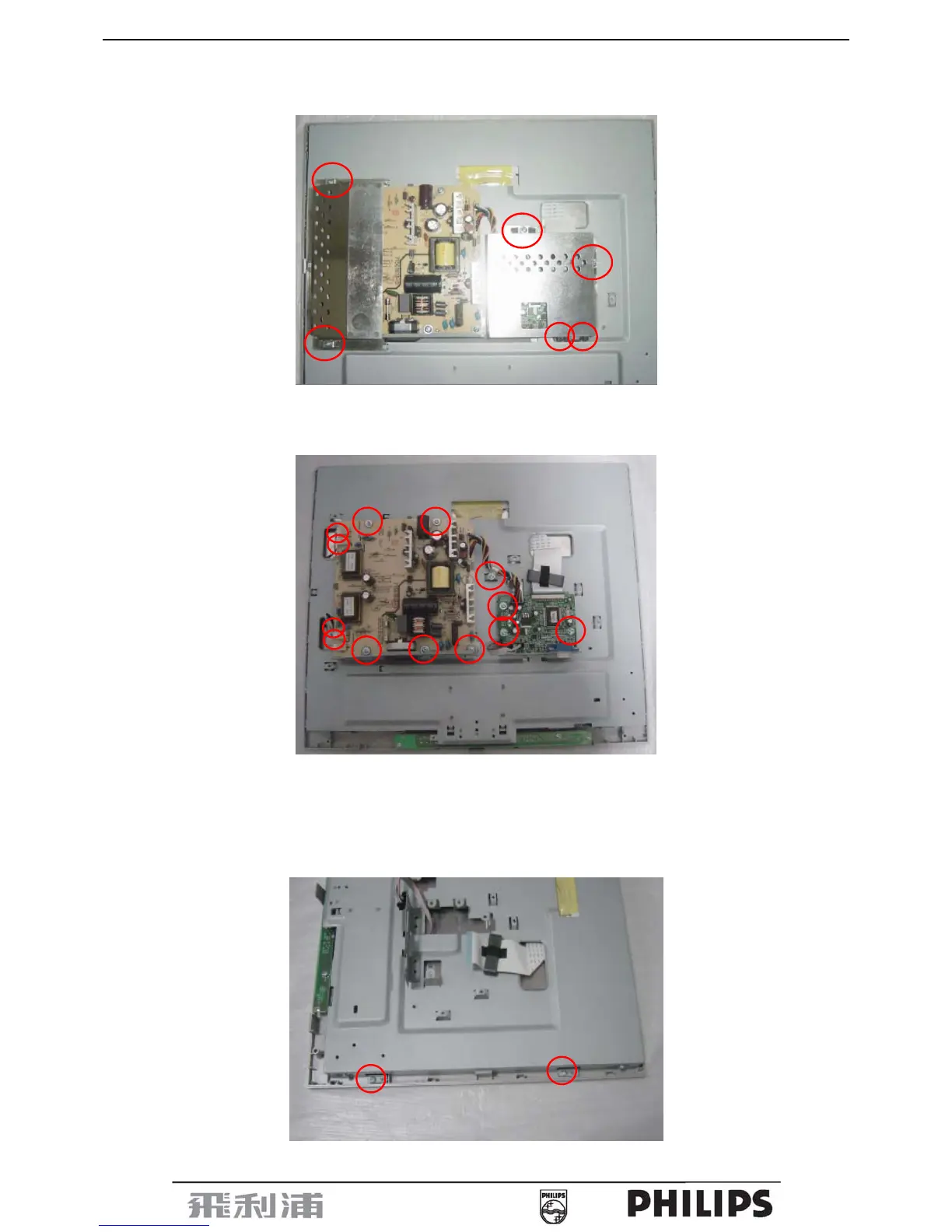
4. Remove shield as Fig.7
Remove 6 screws as Fig.7
Fig.7
5. Remove main and Power board as Fig.8
Remove 13 screws for main and Power board as Fig.8
Fig.8
6. Remove the bezel as Fig.9- Fig.11
a. Remove 2 screws at the right of bezel as Fig.9
b. Remove 2 screws at the left of bezel as Fig.10
c. Remove connect wire between main and key board as Fig.11
Fig.9



 To Next Page