4
2. Setting up the monitor
2. Setting up the monitor
2.1 Installation
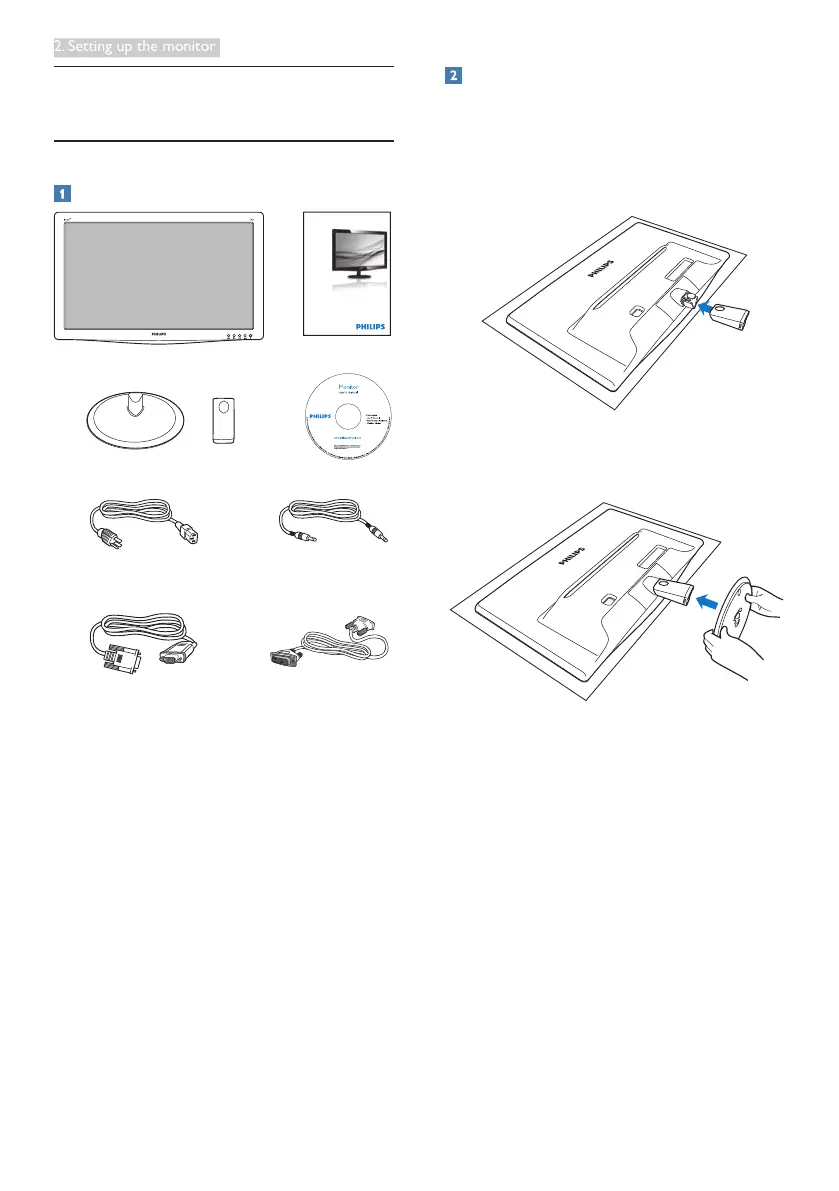
Package contents
VGA (optional)
DVI (optional)
Audio cable (optional)
Register your product and get support at
www.philips.com/welcome
196V3LA
Quick
Start
Install base stand
1. Place the monitor face down on soft
and smooth surface taking care to avoid
scratching or damaging the screen.
2. Attach the base column with the monitor
until it clicks into position.
3. Hold the monitor base stand with both
hands and firmly insert the base stand into
the base column.



 To Next Page