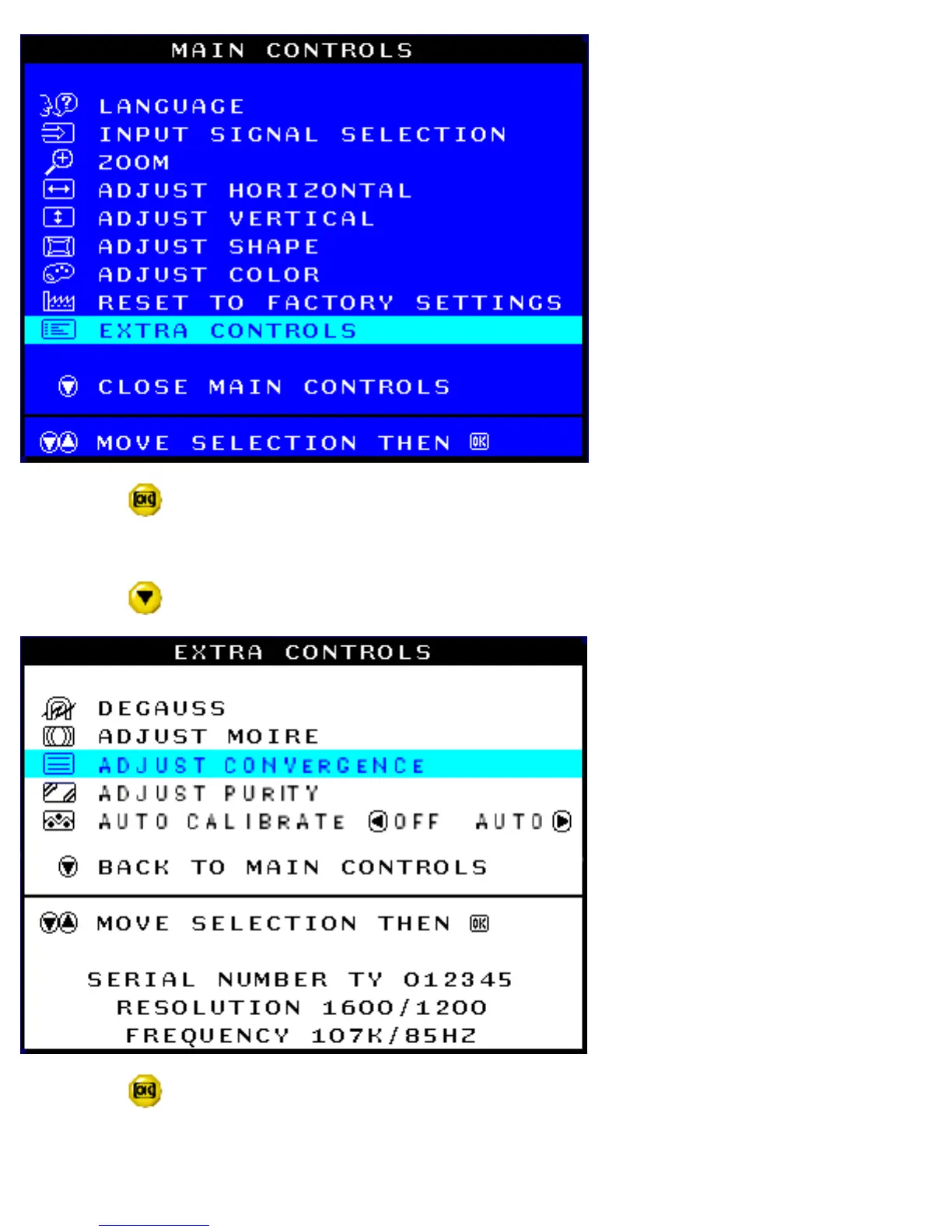
3) Press the button. The EXTRA CONTROLS window appears. DEGAUSS is highlighted. Note: If you
have not degaussed the monitor, please follow the steps under the Extra Controls - Degauss section of this
manual before adjusting the convergence.
4) Press the button until ADJUST CONVERGENCE is highlighted.
5) Press the button. The ADJUST CONVERGENCE window appears. ADJUST HORIZONTAL is
highlighted.
file:///G|/manual/english/201P/osd/osd_cont.htm (25 of 32) [10/16/1999 6:36:37 AM]



 To Next Page