T_piS manual gives the basic" instructions for
erating this DVD Playel: Some DVD s
require specific operation or allow only limit-
ed operation during playback. In these cases,
the player may not respond to all operating
commands. When this occurs, please refer to
the instructions contained with the DVD
(disc). When the symbol _ appears on the
TV screen, the operation is not permitted by
the player or the disc.
When the "X" icon appears on
the TV screen, it means the function
cannot be preformed or is not an
available option for thai disc,
Unless otherwise stated, all operations can
be performed by using the remote control.
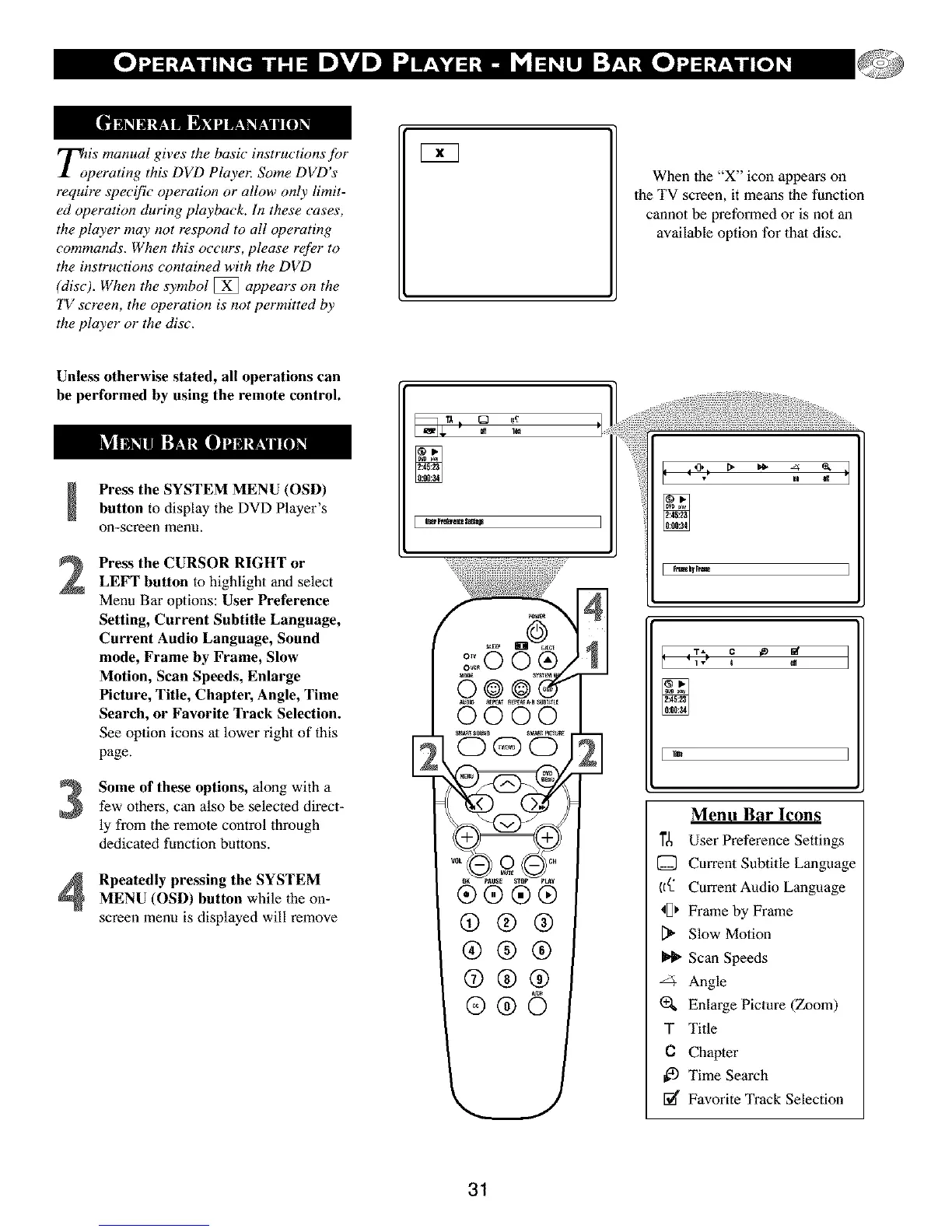
Press the SYSTEM MENU (OSD)
button to display the DVD Player's
on-screen menu.
Press the CURSOR RIGHT or
LEFT button to highlight and select
Menu Bar options: User Preference
Setting, Current Subtitle Language,
Current Audio Language, Sound
mode, Frame by Frame, Slow
Motion, Scan Speeds, Enlarge
Picture, Title, Chapter, Angle, Time
Search, or Favorite Track Selection.
See option icons al lower right of this
page.
Some of these options, along with a
few others, can also be selected direct-
ly from the remote control through
dedicated function buttons.
Rpeatedly pressing the SYSTEMMENU (OSD) button while the on-
screen menu is displayed will remove
Ill 1_1
4
Menu Bar Icons
]'_ User Preference Settings
[] CurrentSubtitLeLanguage
((_ Current Audio Language
_[) Frame by Frame
Slow Motion
Scan Speeds
Angle
EnLarge Picture (Zoom)
T Title
C Chapter
Time Search
[_€ Favorite Track Selection
31



 To Next Page