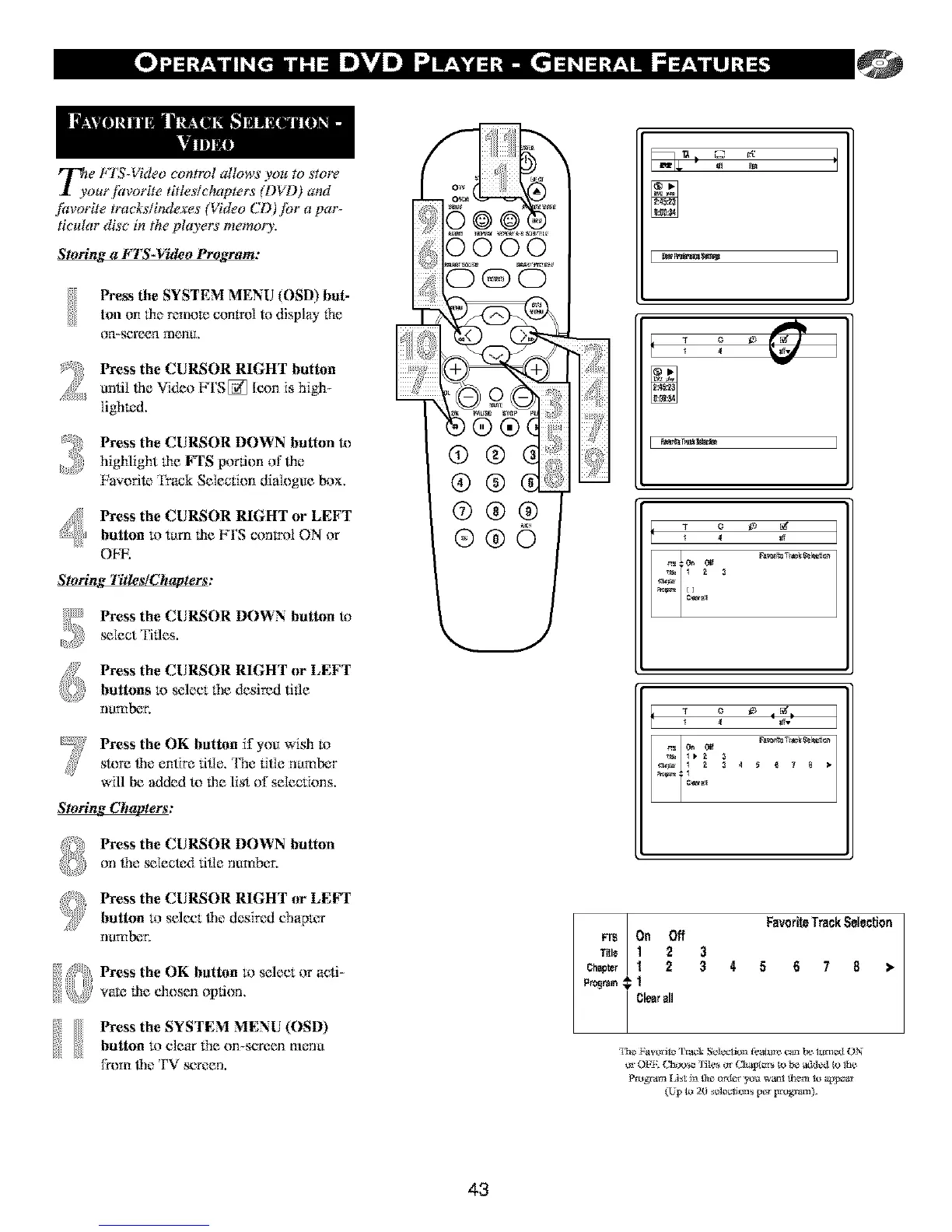
rr_e P 1S- "tdeo control allows you to store
I yourjhvorite titles/chapters (D_D) arm
fitvorite tracks/indexes (Video CD )jor a par-
titular disc in the players memory',
Storing a FTS-Video Program:
Press the SYSTEM MENU (OSD) but-
loll on the remote control todisplay fhe
on-screen menu.
Press the CURSOR RIGHT button
until lhe Video FTS[_ Icon is high-
[ighK:tl.
Press the CURSOR DOWN button to
highlight the FTS portion of lhe
Fa_.oritc Track Selection dialogue box.
Press the CURSOR RIGHT or LEFT
button to turn the FTS control ON or
OF_.
' r"
Sto mg Titles/Chapters:
Press the CURSOR DOWN button 1_
_lect Titles.
Press the CURSOR RIGHT or LEFT
buttons m select file desired title
ntnnbeL
Press the OK butt_m if you wish to
store the entire rifle. Tbe title number
will be added to lhe list of selections.
Storing Chapters:
Press the CURSOR DOWN button
on Ibe_Iectcd tl_lcnumber.
Press the CURSOR RIGHT or LEFT
button to select file desired chapmr
[ltnnber,
Press the OK button to select or acti-
yaK: lhe chosen option.
button to elear 1be on-screen menu
from ff_eTV screen.
43
rr_ On
TRI* ]
Cbagter ]
A
P_ram v ]
l 4 I_*
FavoriteTrackSelection
Off
2 3
2 3 4 5 6 7 8 •
C_ all



 To Next Page