6
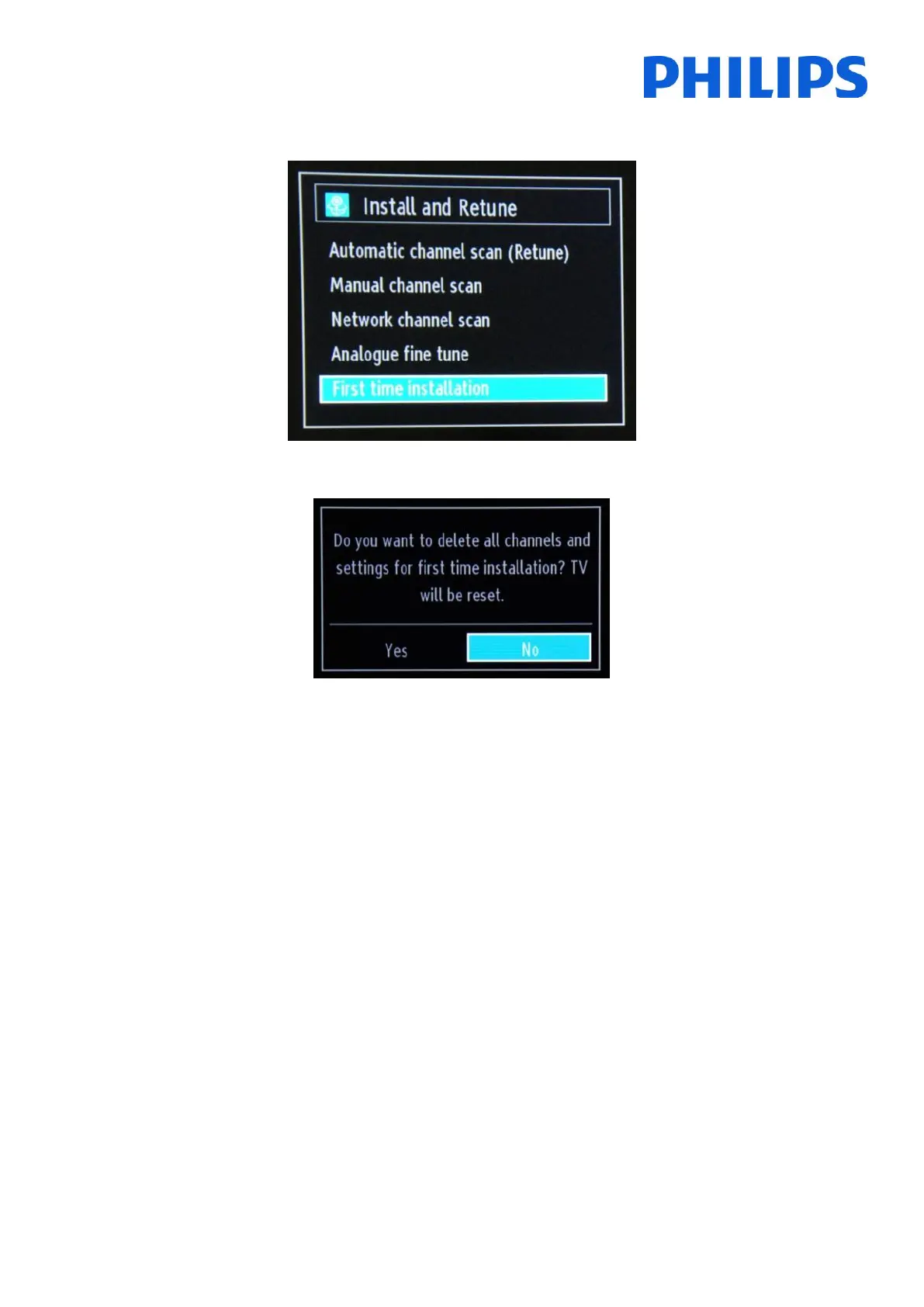
Select the last option available “First time installation” and press “OK”. The TV asks for confirmation by showing the
following screen:
If you are sure that you want to re-install the TV, select “Yes” and press OK.
The TV will reboot itself and show the “virgin state” screens with a welcome message.
Note: All settings will be reset to default values except Hotel menu values. Those values will remain the same. To reset the Hotel
TV menu use the Reset to Default Values option present in that menu.











 To Next Page