EasyManua.ls Logo

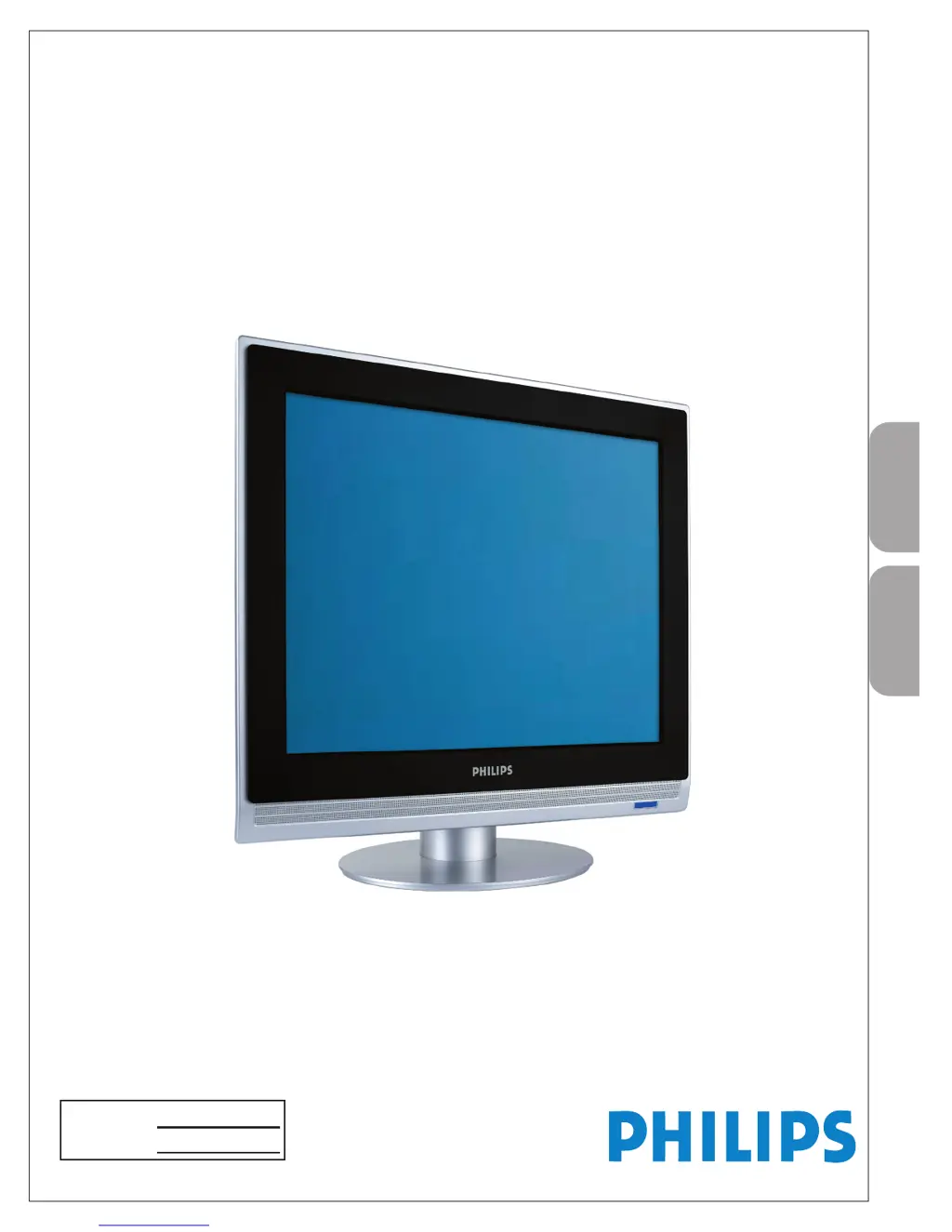
Philips 20PFL4122/93 - User Manual

Philips 20PFL4122/93
32 pages
Print Icon
To Next Page IconTo Next Page
Loading...
P41TA027813 1C
English
20PFL4122
User Manual
Quick Start Guide Inside !
用戶手冊
內附快速使用指南!
Model No.:
Serial No.:

Other manuals for Philips 20PFL4122/93

Questions and Answers

  • S
    susanwangAug 17, 2025
    What to do if my Philips LCD TV has no picture?
    • G
      Garrett SchmittAug 17, 2025
      Check the antenna connections at the bottom of the TV to ensure they are properly connected. It could also be broadcast station trouble, so try another channel. Adjust the contrast and brightness settings, or try another auto picture setting. Finally, verify that you have selected the correct AV source.
  • B
    Brian WashingtonAug 20, 2025
    What to do if my Philips LCD TV has no power?
    • W
      wilsontylerAug 20, 2025
      First, ensure the AC power cord is securely plugged into the mains socket. If it is, try unplugging the television, waiting 40 seconds, and then plugging it back in and turning it on again.
  • C
    Chad SmithAug 23, 2025
    Why is there no sound on my Philips 20PFL4122/93?
    • P
      Patrick PerezAug 23, 2025
      First, increase the volume. Next, check if the TV is muted by pressing the MUTE button on the remote control. Also, note that the TV automatically switches off the sound when no signal is detected; this is normal.
  • E
    eellisonAug 26, 2025
    What to do if my Philips LCD TV has good sound but poor color or no picture?
    • D
      Daniel CooleyAug 26, 2025
      Adjust the contrast, color, tint, and brightness settings. You might also try another auto picture setting.
  • M
    mary15Aug 28, 2025
    Why is my Philips LCD TV television not responding to the remote control?
    • J
      Jeff FordAug 28, 2025
      Check if the batteries in the remote are working and replace them if necessary. Clean the remote control sensor lens on the TV. Ensure you are within approximately twenty feet of the TV. You can also use the buttons on the top of the TV. Check if the remote control is in the correct mode.
  • J
    Jessica ColeAug 31, 2025
    Why does my Philips LCD TV have a snowish picture and noise?
    • J
      Jonathan JohnsonAug 31, 2025
      Check the antenna connection to ensure it is properly connected.
  • J
    John DeleonSep 3, 2025
    How to fix PC modes that do not work on Philips 20PFL4122/93 LCD TV?
    • L
      lindseydeanSep 3, 2025
      Check whether the connections are correct. Verify that the source is correctly selected by pressing the AV button to select the correct source. Also, ensure that you have configured the computer on a compatible display resolution.
  • D
    Devon MayerSep 5, 2025
    What to do if my Philips 20PFL4122/93 shows “Ghost” or double images?
    • C
      christensenvincentSep 5, 2025
      This issue may be due to obstructions to the antenna, such as high-rise buildings or hills. Using a highly directional antenna may improve the picture.
  • A
    Andrea HallSep 8, 2025
    What to do after improper shutdown of Philips 20PFL4122/93 LCD TV?
    • A
      Amy NortonSep 8, 2025
      If your TV has been shut down improperly (e.g., due to a power drop or unplugging the power cord), starting it up again will take longer than usual.
  • M
    Mary BradfordSep 12, 2025
    Why the software will not install on Philips 20PFL4122/93?
    • L
      lmcleanSep 12, 2025
      The operating system may be incompatible. Go to www.philips.com/usasupport to see which operating systems are supported.

Summary

Optimal Connection Methods

Best Component Video Input

Provides superior picture quality by separating RGB signals. Used with red/white audio cables.

PC Monitor Connectivity

Connecting a PC as Monitor

Guides connecting a computer to use the TV as a PC monitor via D-SUB or DVI.

Important Safety Instructions

Precautions and Safe Handling

Additional Safety Precautions

Specific advice on stand tightening, wall mounting, cleaning, and handling.

Initial TV Preparation

Wall Mounting Instructions

Instructions and cautions for safely mounting the TV using VESA standards.

Using the Remote Control

Remote Control Button Functions

Explains basic and advanced button operations for TV control and settings.

TV Installation Menu

Language and Auto Store Setup

Guides setting the TV language and performing an automatic scan for available channels.

Manual Channel Tuning

Explains manual tuning, program number setting, fine-tuning, and storing channels.

Channel Management

Details editing, swapping, naming, and sorting TV channels for organized viewing.

TV Features Menu

Auto Lock Control

Allows locking specific channels or programs to prevent viewing of unsuitable content.

Picture and Sound Settings

Picture Menu Options

Covers adjustments for Smart Picture, Contrast, Brightness, Color, Tint, Color Temp, and Format.

Sound Settings

Setting Up PC Mode

Audio Settings for TV

Troubleshooting Common Issues

Philips 20PFL4122/93 Specifications

General IconGeneral
Screen Size20 inches
Resolution1366 x 768 pixels
Display TechnologyLCD
HDMI Ports1
USB Ports1
Audio Output2 x 3W
Display resolution1366 x 768 pixels
Response time5 ms
Contrast ratio (typical)1000:1
Brightness250 cd/m²
Audio systemNicam Stereo
RMS rated power6W
Number of speakers2
SCART ports quantity1
Component video (YPbPr/YCbCr) in1
Composite video in1
Headphone outputs1
Aspect Ratio16:9
Contrast Ratio1000:1
VGA Port1
Built-in SpeakersYes
Power Consumption45 W
Screen format adjustments16:9

Related product manuals