EasyManua.ls Logo

Philips 220E - Rear View; Optimizing Performance

Philips 220E
74 pages
Print Icon
To Next Page IconTo Next Page
To Previous Page IconTo Previous Page
Loading...
Installing Your LCD Monitor
RETURN TO TOP OF THE PAGE
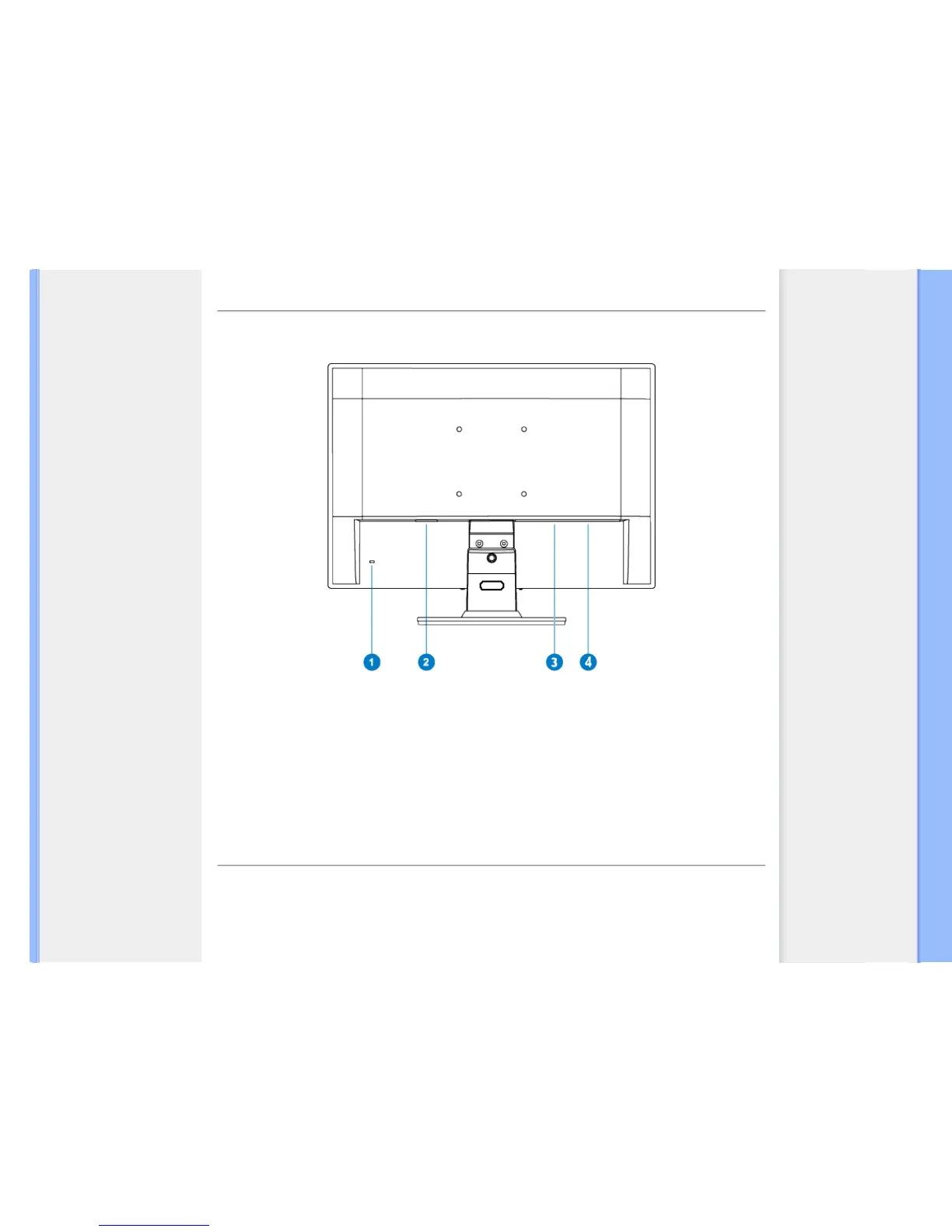
Rear View
1 Kensington anti-thief lock
2 AC power input
3
DVI-D(available for selective models
4 VGA input
RETURN TO TOP OF THE PAGE
Optimizing Performance
For best performance, ensure that your display settings are set at 1920 x 1080, 60Hz.

file:///G|/CD MANUAL/22/220E cd manua(WX)/lcd/manual/ENGLISH/220E/install/install.htm(第 2/3 页)12/23/2008 3:45:56 PM

Table of Contents

Related product manuals