5
2. Setting up the monitor
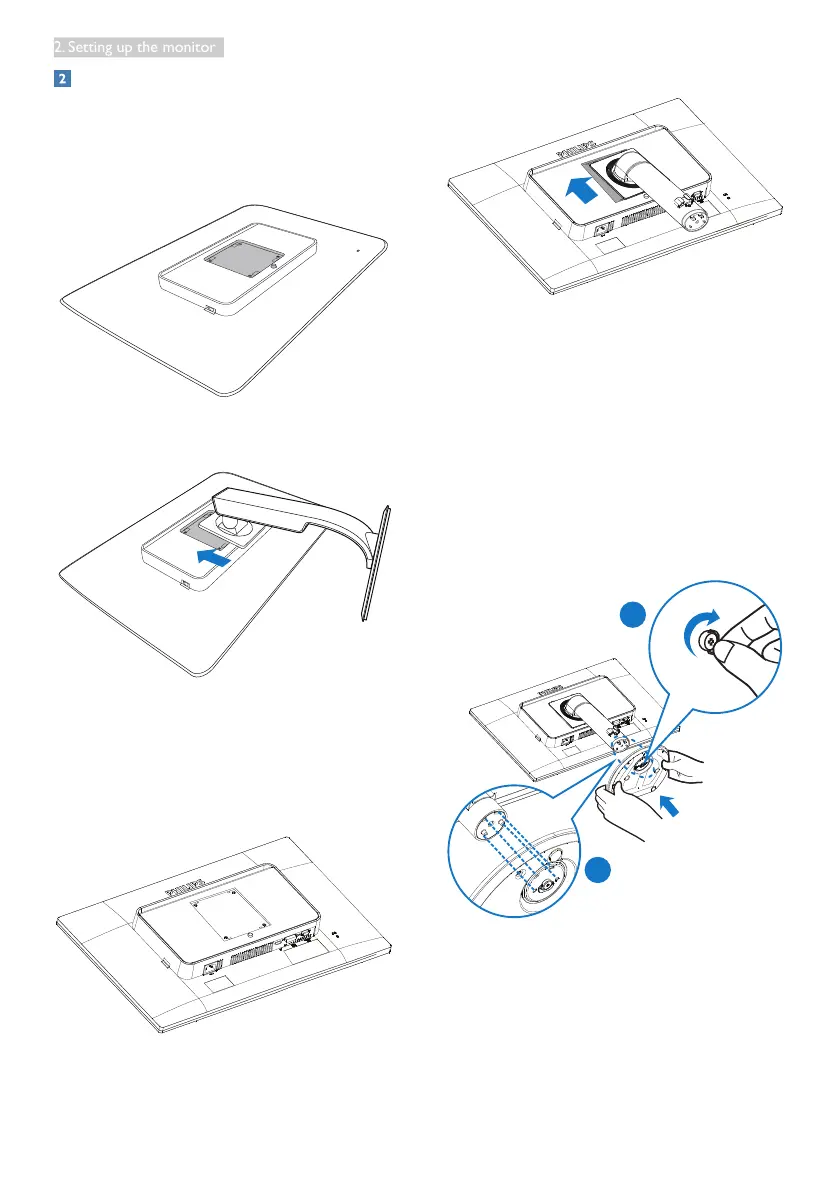
Install the base
240B4QPYE/240P4QPYE
1. Place the monitor face down on a smooth
surface. Pay attention not to scratch or
damage the screen.
2. Snap in the base in the VESA mount area.
240B4QPYC/240B4LPYC
1. Place the monitor face down on a smooth
surface. Pay attention not to scratch or
damage the screen.
2. Snap in the base in the VESA mount area.
3. Hold the base with both hands.
(1) Gently attach the base to the column
until the three guiding pins rest into the
position holes.
(2) Use your ngers to tighten the screw
located at the bottom of the base, and
secure the base to the column tightly.
1
2



 To Next Page