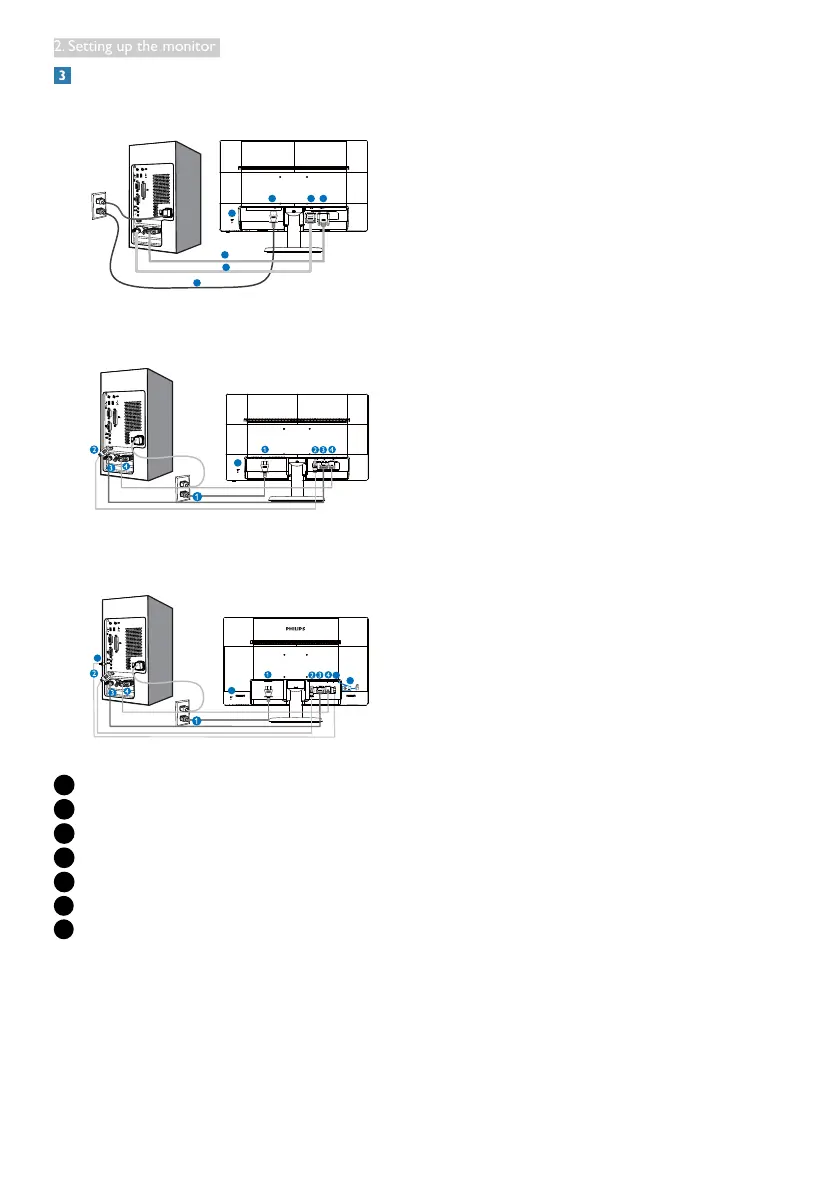
5
2. Setting up the monitor
Connecting to your PC
240V5QSB/240V5QSW
240V5QDSB
240V5QDAB
1
AC power input
2
HDMI input
3
DVI-D input
4
VGA input
5
Audio input
6
Earphone jack
7
Kensington anti-theft lock
Connect to PC
1. Connect the power cord to the back of the
monitor firmly.
2. Turn off your computer and unplug its power
cable.
3. Connect the monitor signal cable to the
video connector on the back of your
computer.
4. Plug the power cord of your computer and
your monitor into a nearby outlet.
5. Turn on your computer and monitor. If the
monitor displays an image, installation is
complete.


 To Next Page