20
ADJUSTING THE TV SOUND
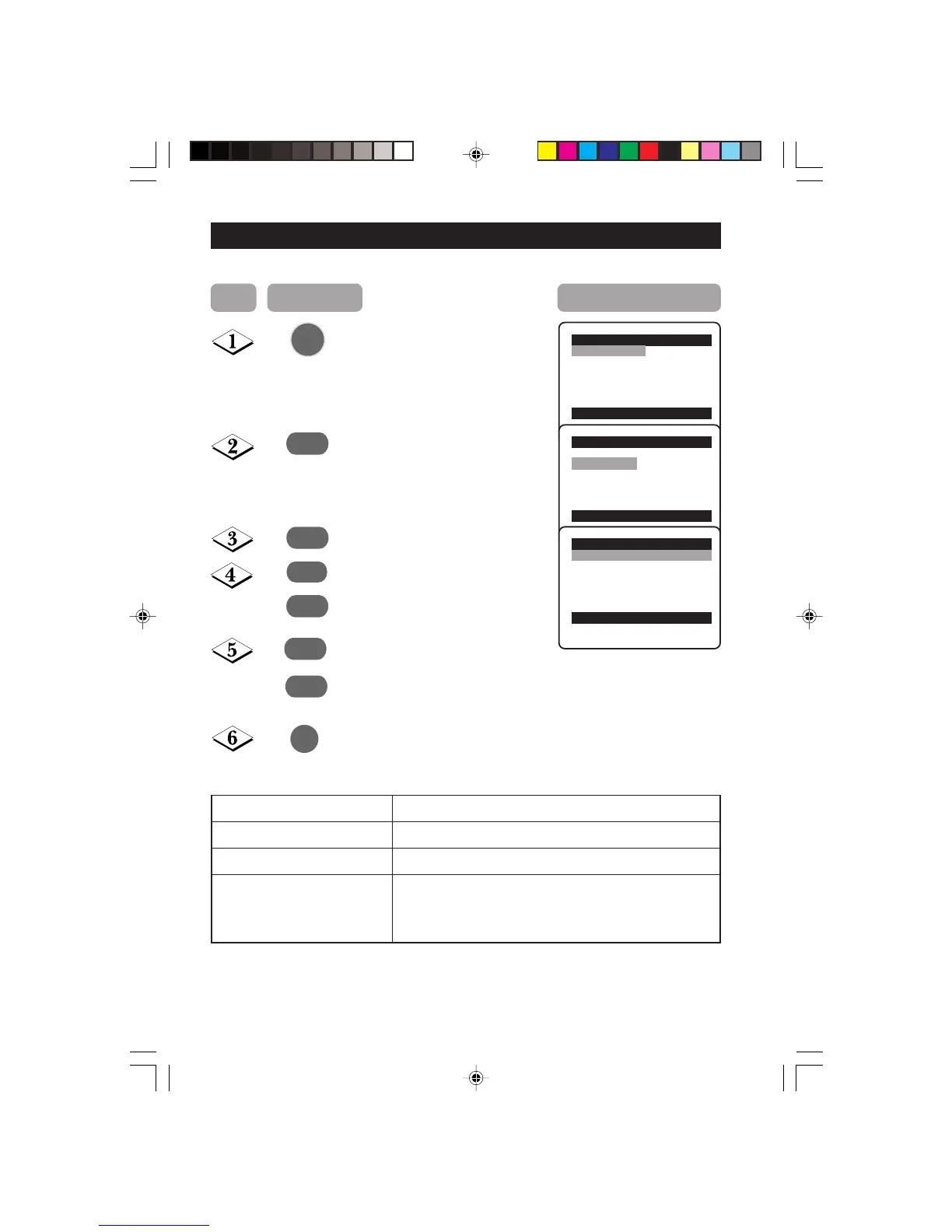
The sound menu allows you to make adjustments to the sound.
Display the main menu on screen.
Select Sound menu.
Enter Sound menu.
Select item.
Adjust level or select desired
setting.
Exit menu from screen.
Main o
✔ Picture π Brightness
■ Sound Colour
■ Features Contrast
■ Install Sharpness
Colour Temp.
More...
œ
Main o
■
Picture Treble Boost
✔ Sound π Bass Boost
■ Features AVL
■ Install
œ
Sound o
✔ Treble Boost On
■ Bass Boost
■ AVL
œ
¸
˙
˝
˙
or
˚
or
¸
Sound menu items Activities
Treble Boost Switch on or off high frequency level.
Bass Boost Switch on or off low frequency level.
AVL (Auto Volume Leveller) Select On to enable volume to remain at a pre-
determined level should there be a sudden change in
volume during commercial breaks or channel switching.
MENU
m
Step Press button Result on screen
19-20_25PT3323/E 04/11/03, 3:48 PM20








 To Next Page