Start with Standard pane
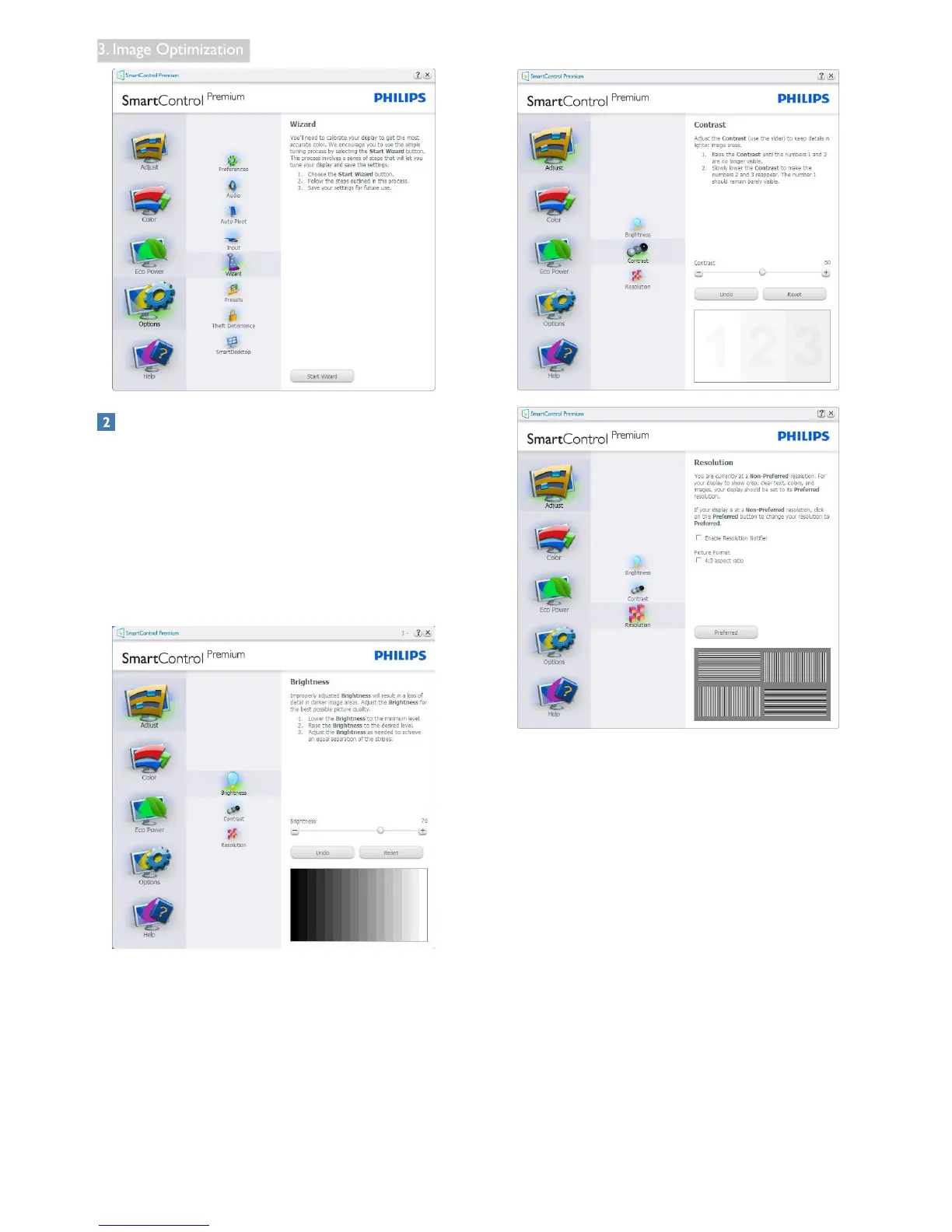
Adjust menu
• Adjust Menu allows you to adjust
Brightness, Contrast, and Resolution.
• You can follow the instruction and do the
adjustment.
• Cancel prompts user if you want to cancel
installation.
Color menu
• Color Menu allows you to adjust RGB,
Black Level, White Point, Display Gamma,
Calibration, SmartImage, and SmartKolor.
• You can follow the instruction and do the
adjustment.
• Refer to below table for sub-menu item
base on your input.
• Example for Color Calibration.



 To Next Page