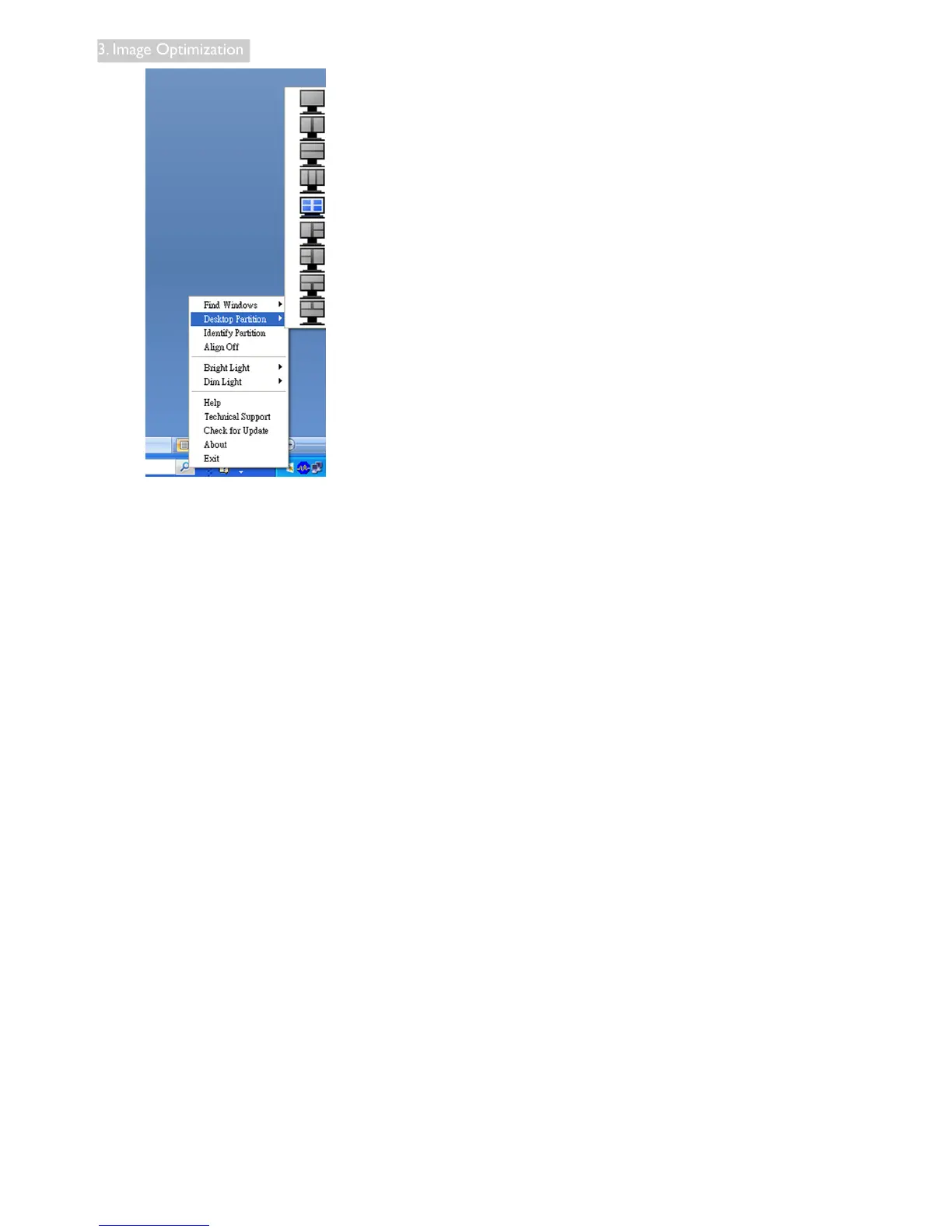
• FindWindows – In some cases, the user
may have sent multiple windows to the
same partition. Find Windows will show
all open windows and move the selected
window to the forefront.
• DesktopPartition – Desktop Partition
shows the current selected partition and
allows the user to quickly change to any of
the partitions shown in the drop down.
• IdentifyPartition – Displays the outline
grid on the desktop for the current parti-
tion.
• AlignOn/AlignOff – Enables/disables the
drag and drop auto align feature.



 To Next Page