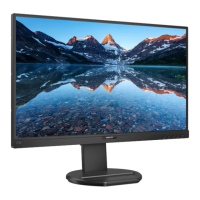
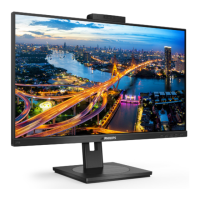
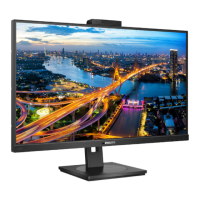
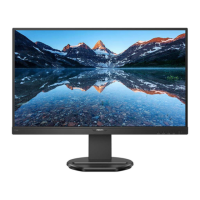
The Philips Business Monitor 5000 Series, model 27B1U5601H, is a 27-inch W-LED IPS display designed for business use, offering a range of features for enhanced productivity, connectivity, and user comfort.
Function Description:
This monitor serves as a central hub for various devices, supporting multiple inputs and offering advanced features like MultiClient Integrated KVM, MultiView, Power Delivery, and Daisy-chain functionality. It integrates a pop-up webcam with Windows Hello facial recognition for secure and convenient login, along with noise-cancelling capabilities for video conferencing. The monitor is designed with user well-being in mind, incorporating technologies to prevent computer vision syndrome (CVS).
Important Technical Specifications:
- Display Panel Type: IPS Technology
- Backlight: W-LED
- Panel Size: 27" W (68.5 cm)
- Aspect Ratio: 16:9
- Pixel Pitch: 0.2331(W) x 0.2331(H)
- Contrast Ratio (typical): 1000:1
- Native Resolution: 2560 x 1440 @ 60 Hz
- Maximum Resolution: 2560 x 1440 @ 75 Hz
- Viewing Angle: 178° (H) / 178° (V) @ C/R > 10 (Typ.)
- Display Colors: 16.7M (8 bits)
- Vertical Refresh Rate: 48-75 Hz
- Horizontal Frequency: 30-114 KHz
- Built-in Speaker: 5 W x 2
- Built-in Webcam: 5.0 megapixel webcam with microphone and LED indicator (for Windows Hello)
- Connectivity:
- Signal Input Source: HDMI, DisplayPort, USBC1 (DP Alt mode)
- 1 x HDMI 1.4 (HDCP 1.4, HDCP 2.2)
- 1 x DisplayPort 1.4 (HDCP 1.4, HDCP 2.2)
- 1 x USB-C (upstream, HDCP 1.4, HDCP 2.2)
- 1 x USB-C (upstream)
- 1 x USB-C (downstream)
- USB Ports:
- USBC x1 (downstream, up to 15W)
- USBC1 x1 (upstream, typical PD 96W, DP Alt mode)
- USBC2 x1 (upstream, data)
- USB A x4 (downstream with x1 fast charge B.C 1.2)
- Other Connectors: 1 x RJ45 (Ethernet LAN: USB 2.0: 10M/100M; USB 3.0: 1000M), 1 x DisplayPort out, 1 x Audio (In/Out): audio out / microphone in combo jack.
- Power Delivery:
- USBC: Power supply up to 15W (5V/3A)
- USBC1: USB PD version 3.0, typical 96W (5V/3A, 7V/3A, 9V/3A, 10V/3A, 12V/3A, 15V/3A, 20V/4.8A)
- USB-A: x1 fast charge B.C 1.2, up to 7.5W (5V/1.5A)
- Super Speed: USB-C/USB-A: USB 3.2 Gen2, 10 Gbps
- Stand Adjustments:
- Tilt: -5 / +30 degree
- Swivel: -180 / +180 degree
- Height adjustment: 150mm
- Pivot: -90 / +90 degree
- Power Consumption (typical):
- Normal Operation: 26.9 W (100VAC, 50Hz), 27.0 W (115VAC, 60Hz), 28.2 W (230VAC, 50Hz)
- Sleep (Standby mode): 0.4 W
- Off mode: 0.3 W
- Off mode (AC switch): 0W
- Dimensions (with stand): 613 x 537 x 225 mm
- Weight (with stand): 7.30 kg
- Environmental: ROHS compliant, 100% recyclable packaging, 100% PVC BFR free housing.
Usage Features:
- SmartImage: Provides presets (EasyRead, Office, Photo, Movie, Game, Economy, LowBlue Mode, Off) to optimize display settings (brightness, contrast, color, sharpness) in real-time based on content. EasyRead mode is specifically designed for text-based applications, reducing eye strain.
- SmartContrast: Dynamically analyzes displayed content to optimize contrast ratio, enhancing visual clarity for various content types, from gaming and video to office work, while also reducing power consumption.
- LightSensor: Automatically adjusts screen brightness based on ambient room light conditions, optimizing picture quality and reducing eye strain.
- PowerSensor™: Detects user presence via infrared signals. When a user is in front of the monitor, it operates normally; when the user leaves, it automatically reduces power consumption by up to 75%. This feature works in Landscape mode only.
- Built-in Windows Hello™ Pop-up Webcam: A secure 5.0-megapixel webcam that pops up when needed and retracts when not in use. It supports Windows Hello facial recognition for fast and secure login (Windows 10/11 required for full facial recognition functionality). The webcam includes an activity light and adjustable brightness.
- MultiClient Integrated KVM: Allows control of two separate PCs using one monitor, keyboard, and mouse set. This is enabled by connecting USB upstream cables from both devices to the monitor's USBC1 and USBC2 ports.
- Noise Cancelling: When connected via USBC1/USBC2 during video conferencing, the monitor automatically filters human sounds. This feature can be turned off via the OSD menu.
- MultiView (PIP/PBP): Enables active dual connect and view, allowing simultaneous display of content from multiple sources (e.g., PC and Notebook) side-by-side (PBP) or in a sub-window (PIP). It supports two modes: Picture-in-Picture (PIP) and Picture-by-Picture (PBP), with adjustable input sources, sizes, and positions for the sub-window.
- Power Delivery (via USBC1): Delivers up to 96 Watts of power to compatible devices, allowing high-performance laptops to be charged with a single cable. Power delivery levels are linked to monitor brightness settings.
- Daisy-chain Function: Utilizes DisplayPort Multi-Stream (MST) feature to connect multiple monitors via a single cable from one display to the next, expanding the workspace. It supports both DisplayPort and DisplayPort over USBC1 for multi-streaming.
- Ergonomic Stand: Offers extensive adjustability including tilt, swivel, height adjustment (150mm), and pivot (90 degrees) for optimal viewing comfort and posture.
- Eye Care Features: Includes Anti-glare screen, Flicker-free technology, and LowBlue Mode to reduce eye strain and fatigue during prolonged use. LowBlue Mode filters harmful shortwave blue light.
- OSD Languages: Supports a wide range of languages including English, German, Spanish, French, Italian, Dutch, Portuguese, Russian, and more.
Maintenance Features:
- Safety Precautions: Emphasizes keeping the monitor away from direct sunlight, strong lights, heat sources, and oil. Advises against blocking ventilation holes, pulling/bending cables, and subjecting the monitor to severe vibration or impact.
- Cleaning: Recommends unplugging the monitor before cleaning. The screen can be wiped with a dry cloth when off. Avoid organic solvents like alcohol or ammonia-based liquids. For extensive cleaning, isopropyl alcohol is suggested.
- Burn-in/Ghost Image Prevention: Strongly advises activating a moving screen saver or a periodic screen refresh application when the monitor is unattended or displaying static content for extended periods. Failure to do so may result in permanent burn-in, which is not covered under warranty.
- Service Information: Users are directed to contact Philips customer service for any repair or integration documentation, or if the monitor does not operate normally. The casing cover should only be opened by qualified service personnel.
- Pixel Defect Policy: Philips provides a detailed pixel defect policy, outlining acceptable levels of bright and dark dot defects for warranty coverage.
- Disposal: Provides information on proper disposal of the product and packing material in accordance with European Directive 2012/19/EU (WEEE) and encourages recycling.

 Need help?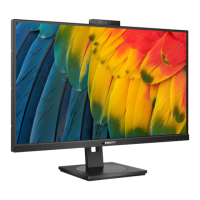

 To Next Page
 General