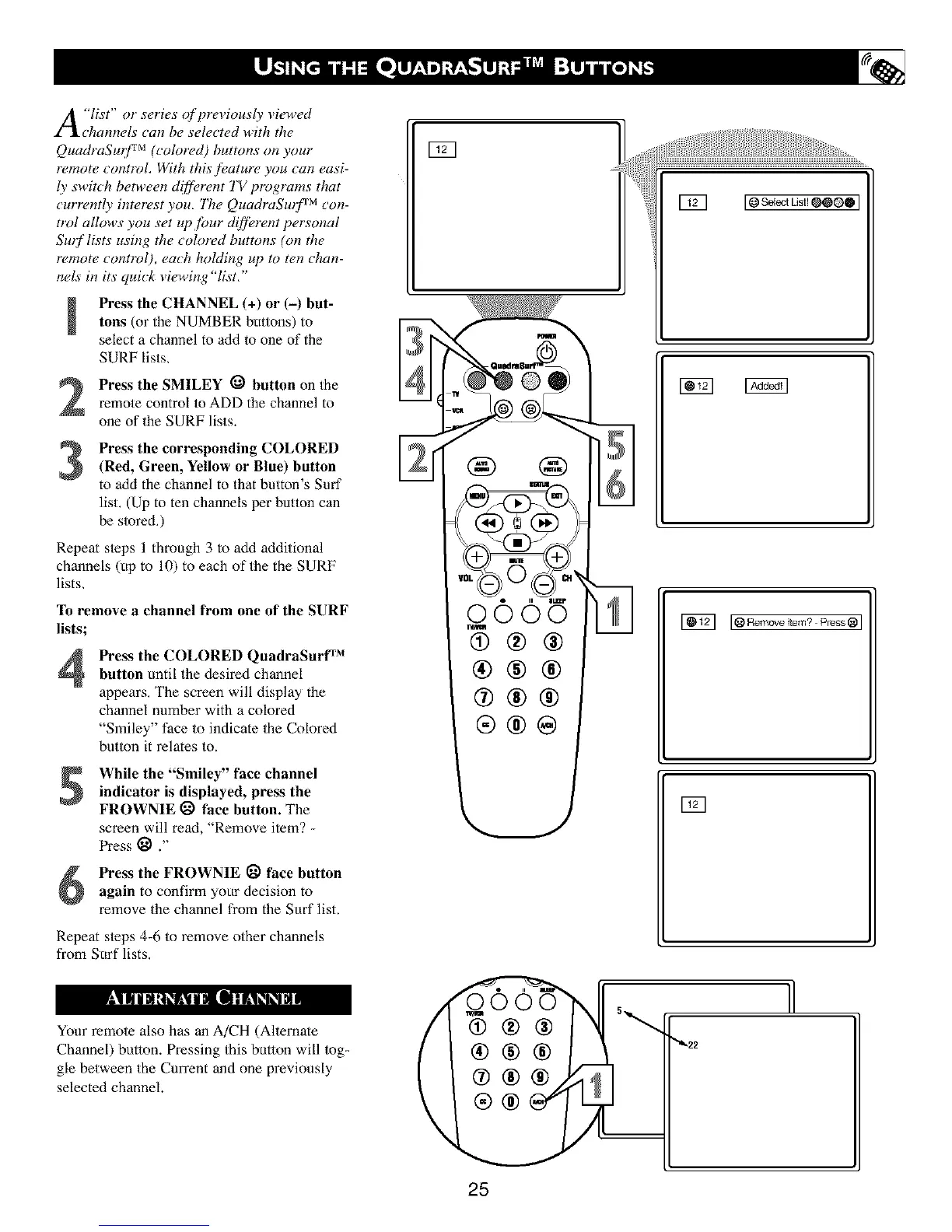
A "list" or series qf previously viewed
channels can be selected with the
QuadraSurf TM (color_,d) buttons on your
remon_ control. With this f_ature you can easi-
ly switch between diff'_rent TV programs that
_urrently inn, rest you, The QuadraSmf rMcon-
trol allows you set up ,four different personal
Smf lists using the color_d buttons (on the
remon, control), each homing up to nm chan-
nels in its qui_k viewing "list,"
Press the CHANNEL (+) or (-) but-tons (or the NUMBER buttons) to
select a channel to add to one of the
SURF lists,
Press the SMILEY @ button on theremote control to ADD the channel to
one of the SURF lists.
3
Press the corresponding COLORED
(red, Green, Yellow or Blue) button
to add the channel to that button's Surf
list. (Up to ten channels per button can
be stored,)
Repeat steps I through 3 to add additional
channels (up to 10) to each of the the SURF
lists,
To remove a channel from one of the SURF
lists;
4
Press the COLORED QuadraSurf TM
button until the desired channel
appears, The screen will display the
channel number with a colored
"Smiley" Pace to indicate the Colored
button it relates to.
S
While the "Smiley" face channel
indicator is displayed, press the
FROWNIE @ face button. The
screen will read, "Remove item? -
Press @ ."
Press the FROWNIE @ face button
again to confirm your decision to
remove the channel from the Surf list.
Repeat steps 4-6 to remove other channels
from Surf lists,
Your remote also has an A/CH (Alternate
Channel) button. Pressing Ihis button will tog-
gle between the Current and one previously
selected channel.
Fff rzs q
[_ ]@Removeltem? Press@]
II
25





 To Next Page