F;ur remote control is set to work your 7"1/
nd many infrared remote (IR) control
VCRs, Cabl_ Boxes, Satellite Systems, DBS,
DVD, etc, However; an easy onetime step may
be ne_ essarly b@Jre the remot_ will work your
VCR,
Try this initial Direct Access Method to see if
going on to the fidlowing section is necessaly,
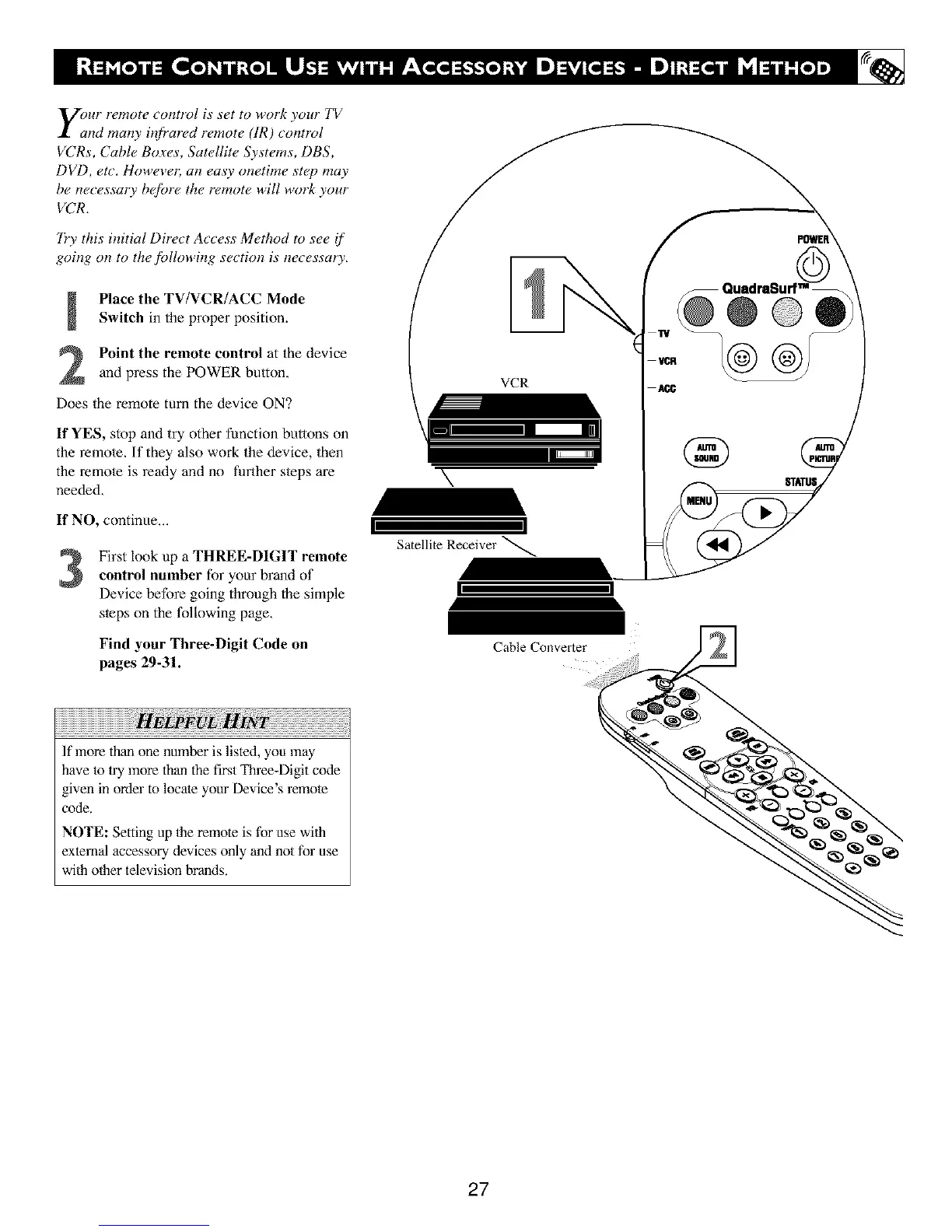
Place the TV/VCR/ACC Mode
Switch in the properposition.
Point the remote control at the device
and press the POWER button,
Does the remote turn the device ON?
If YES, stop and try other function buttons on
the remole, If they also work the device, then
the remole is ready and no further s/eps are
needed,
If NO, continue,,.
3
First look up a THREE-DIGIT remote
control number for your brand of
Device before going through the simple
sleps on the foliowing page,
Find your Three-Digit Code on
pages 29-31.
,Fw
If more than one number is listed, you may
have to |ry more than the fi_t Three-Digit code
given in orde" to locate your l_vice s "emote
code.
NOTE: Setting up 1he remote is for use wfih
external accessory devices only and not for use
wfih other television brands.
\
VCR
Satellite Receiver
Cable Converter
STATUS
27





 To Next Page