For our Spanish speaking TV owners an on-
screen LANG _UAGE option is present. With
the LANGUAGE control you can set the TV's
on-screen menu to be shown in either English
or Spanish.
!
2
3
4
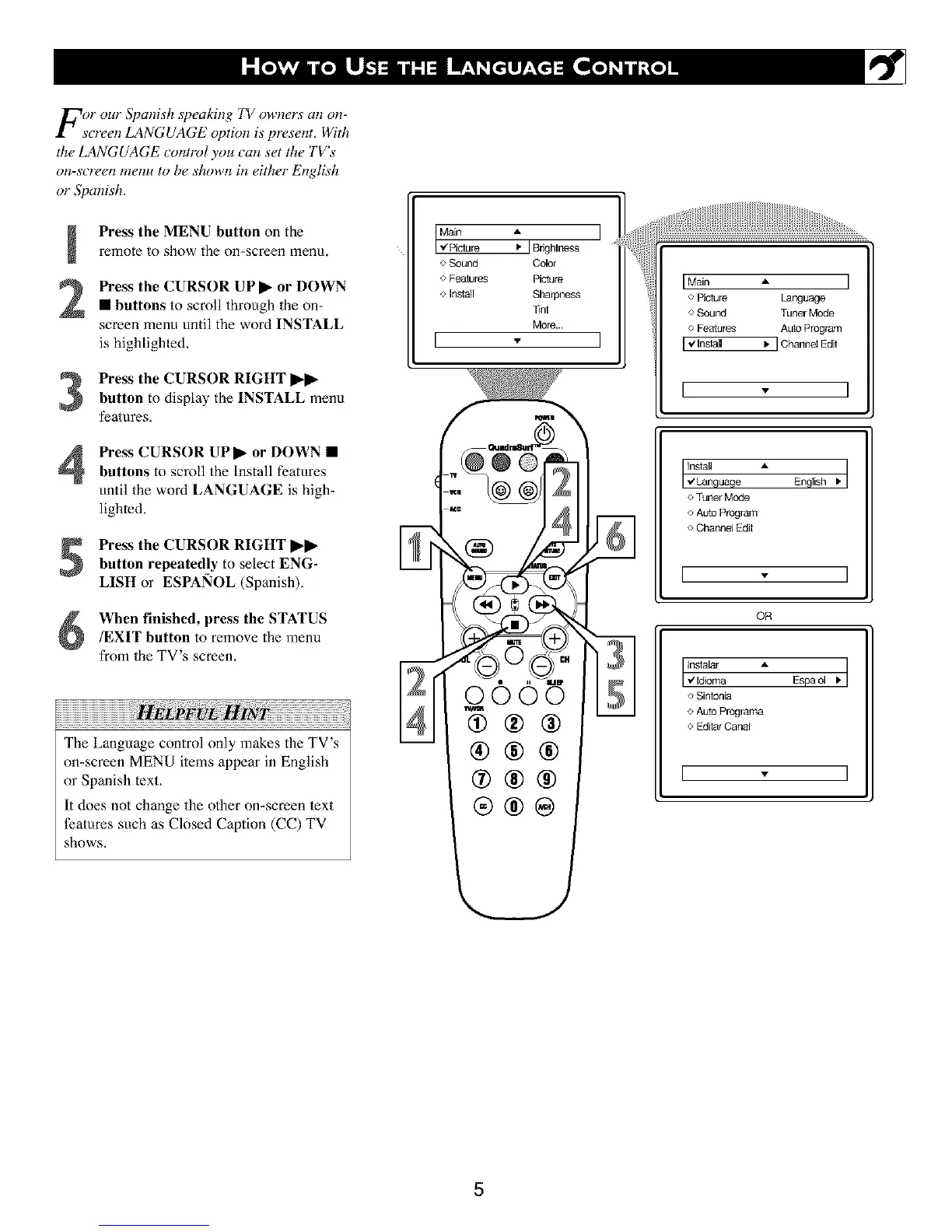
Press the MENU button on the
remote to show the on-screen menu.
Press the CURSOR UP _ or DOWN
• buttons to scroll through the on-
screen menu until the word INSTALL
is highlighled.
Press the CURSOR RIGHT _
button to display the INSTALL menu
features,
Press CURSOR UPI_ or DOWN •
buttons to scroll the Install features
until the word LANGUAGE is high_
lighted.
Press the CURSOR RIGHT I_1_
button repeatedly to select ENG-
LISH or ESPA!qOL (Spanish),
When finished, press the STATUS
/EXIT button to remove the menu
from the TV's screen,
The Language control only makes the TV's
on-screen MEN U items appear in English
or Spanish text,
It does not change the other on-screen text
features such as Closed Caption (CC) TV
shows.
<>Sound Color
<>Fea_ires Picture
<,Install Sharpness
Tint
More..
I
Main A I
o Picture Language
o Sound Tuner Mode
o Features Auto Program
[ V Install ) ] Channel Edil
I - I
_guage English _']
o Tuner Mode
o Auto Program
o Channel Edit
[ - ]
OR
_a " Espao, .]
<>Sinlonia
o Auto Programa
o Edilar Canal
[ - ]
5





 To Next Page