EN 41
4. HDMI ARC: In addition to regular HDMI
functionality, outputs TV audio to a HDMI
ARC compliant device, such as a home
theatre system.
5. AUDIO IN: Audio input from a
computer.
6. ANTENNA: Signal input from an antenna,
cable or satellite.
7. VGA: Video input from a computer.
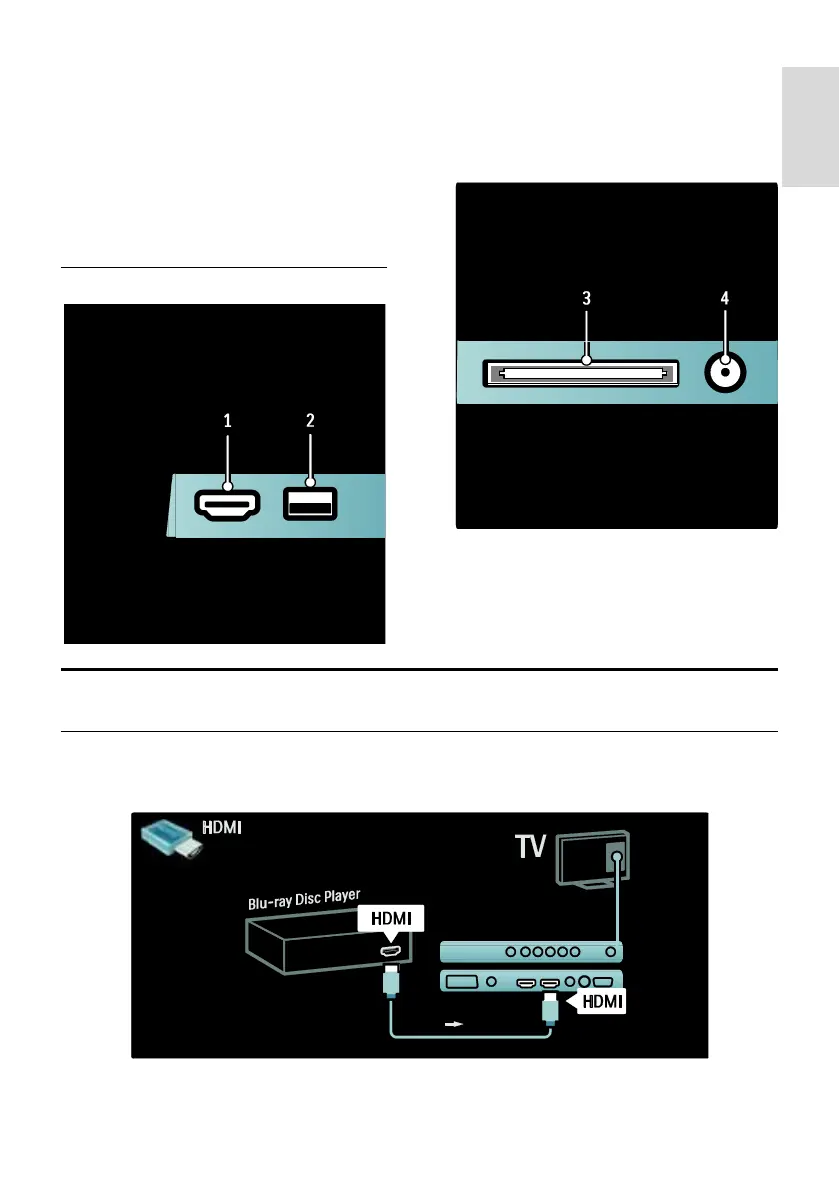
Side
1. HDMI: Digital audio and video input from
high-definition digital devices such as Blu-ray
players.
2. USB: Data input from USB storage
devices.
3. CI (Common Interface +): Slot for a
Conditional Access Module (CAM).
4. SAT (DVB-S): Digital signal input from
DVB-S broadcasts. Available on certain
models only.
Connect devices
Blu-ray disc player
Use an HDMI cable to connect the Blu-ray disc player to an HDMI connector on the back of the
TV.









 To Next Page