EasyManua.ls Logo

Philips 43PFL5766 - User Manual

Philips 43PFL5766
41 pages
Print Icon
To Next Page IconTo Next Page
Loading...
43PFL5766
5766 series
EN
User manual
FR
Manuel d'utilisation
Register your product and get support at
www.philips.com/support
EN For further assistance, please call the customer support in your
country or check the Philips website for chat support.
To obtain assistance, contact Philips customer care center;
In the U.S.A., Canada, Puerto Rico, or the U.S. Virgin Islands
1 866 309 5962
FR Pour plus de l'aide, s'il vous plaît contactez le service clientèle de
votre pays ou consultez le site Web de Philips pour obtenir une
assistance par chat.
Pour obtenir de l'aide, communiquez avec le centre de service à la
clientèle Philips au;
Dans le États-Unis, au Canada, à Puerto Rico ou aux Îles Vierges
américaines; 1 866 309 5962
Product design and user interface are for illustrative purposes only.
Actual product and user interface may vary.
Question and Answer IconNeed help?

Do you have a question about the Philips 43PFL5766 and is the answer not in the manual?

Summary

Notice

Federal Communications Commission Notice

FCC compliance details for digital devices and potential interference issues.

Modifications and Compliance Information

Guidance on unauthorized modifications, RF exposure compliance, and Canadian notice.

Getting Started

Product Features Overview

Highlights key features like Google Assistant, Google Play, and DTV/Analog TV capabilities.

Included Accessories and Manual Symbols

Lists items included with the TV and explains symbols used in the user manual.

Unpacking and Stand Installation

Instructions for safely unpacking the TV and attaching the base stands.

Lifting and Remote Battery Installation

Guidance on safely lifting the TV and installing the remote control batteries.

Remote Control Operation Guide

Detailed explanation of all buttons and functions on the TV remote control for easy operation.

Control Panel and Terminals Overview

Description of the TV's physical control panel buttons and various connection ports.

Connecting External TV Signal Sources

Steps for connecting antenna, cable, or satellite boxes via RF or composite/analog inputs.

AC Power Cord Connection Safety

Important safety note regarding AC power cord connection after device setup.

Selecting Connection Quality and Type

Guide to choosing between HDMI (highest) and Composite (basic) connections for video and audio.

Connecting Devices via HDMI and DVI

Instructions for connecting PCs, set-top boxes, and game consoles using HDMI/DVI interfaces.

HDMI-ARC and Digital Audio Output

Using HDMI-ARC for TV audio output and connecting to digital audio systems.

HDMI EDID Version Settings

Adjusting HDMI EDID version for optimal compatibility with external devices.

Connecting to Internet via Wi-Fi or Ethernet

Setup for connecting the TV to the internet using wireless or wired network connections.

PC Connection Options via HDMI;DVI

Connecting a PC using HDMI or HDMI-DVI and supported video signal formats.

Use Your TV

Powering On and Standby Mode Operations

Instructions for turning the TV on, off, and entering various standby modes.

Adjusting Volume and Muting Sound

How to control the TV's audio volume levels and mute the sound output.

Switching Channels on the TV

Methods for changing channels using the remote control's channel buttons.

Watching Channels from External Devices

Switching between TV sources and external devices using the INPUT button.

Accessing the Home Menu and Navigation

Navigating the Android TV home screen and its main sections for apps and settings.

Managing Apps from Google Play Store

Downloading and managing applications from the Google Play Store for expanded TV functionality.

Using Google Assistant for Voice Control

How to use voice commands with Google Assistant for TV control and information retrieval.

Google Duo for Video Calls

Setting up and using Google Duo for high-quality video calls directly on your TV.

Privacy Protection in Google Assistant

Information on Google Assistant's privacy features and options for deleting voice command history.

Picture Format and Display Options

Selecting display modes like Automatic, Full, Unscaled, and 4:3 for video signals.

Viewing TV Screen Information

Displaying current channel, input, and signal information on the TV screen.

Using the Options Menu for Settings

Accessing quick TV settings and configuring picture style presets via the options menu.

Closed Caption Display Settings

Configuring closed caption display options for streaming content and broadcast programs.

Multi-Audio, Speaker, and Power Settings

Selecting audio languages, configuring speakers, and managing power saving features.

Getting More From Your TV

Network & Internet Setup

Configuring network connections for apps and software updates for online TV features.

Live TV;Antenna and Channel Management

Setting up TV reception, channels, and managing channel lists for optimal viewing.

Account, App, and Device Settings

Managing Google accounts, apps, device preferences, and accessories for personalized TV operation.

Wi-Fi and Network Configuration Details

Detailed steps for setting up wireless connections, managing networks, and Ethernet connection status.

Adding Channels and Program Guide Access

Steps for adding new channels and accessing the TV program schedule for live broadcasts.

Channel Installation and Parental Controls

Customizing channel lists and setting up parental controls, rating locks, and PIN codes.

TV and Film Rating System Configuration

Understanding and configuring TV/film rating systems for content restrictions and blocking.

Canadian Ratings System and Language Options

Selecting Canadian ratings and choosing audio languages for digital broadcasts.

Open Source Licenses, Input Blocking, and PIN Change

Information on licenses, restricting inputs, and changing the parental control PIN code.

Google Account and App Permissions Management

Registering Google accounts and managing app permissions and special access for personalized TV experience.

Device Preferences

About Device Information and Updates

Checking system updates, device name, legal information, and software version.

Date, Time, and Timer Settings

Configuring automatic/manual date, time, time zone, and setting sleep timers.

Language and Keyboard Settings

Selecting the on-screen display language and performing keyboard configuration.

Inputs and Power Settings

Input Configuration and CEC Control

Managing connected inputs, CEC features, and HDMI EDID versions for device compatibility.

Power Management Features

Configuring sleep timers, picture off, and auto power off based on signal status.

Picture Settings

Picture Style and Format Configuration

Adjusting picture style presets and aspect ratios for optimal viewing quality.

Sound Settings

Sound Style and Speaker Configuration

Customizing sound styles and adjusting speaker balance for preferred audio output.

Storage, Home Screen, and Retail Mode Settings

Chromecast Built-in Features and Licenses

Screen Saver, Sleep, and Location Settings

Usage & Diagnostics and Google Play Services

Accessibility Features Configuration

Caption Display and Audio Description Settings

Customizing caption display, language, text, and audio description options for accessibility.

Hearing Impaired Features and Text-to-Speech

Enabling high contrast text and configuring text-to-speech output for hearing impaired users.

Accessibility Shortcuts and Factory Reset

Remote & Accessories: Add Accessory

Useful Tips

Frequently Asked Questions (FAQ)

Answers to common questions regarding remote issues, setup, picture, and channel problems.

Troubleshooting Tips

Power, Remote, and Slow Startup Issues

Resolving common problems related to power, remote control functionality, and slow TV startup.

Picture, Sound, and Performance Issues

Troubleshooting performance delays, picture distortions, sound problems, and connection issues.

Caption, Software Update, and Network Issues

Resolving issues with closed captions, software updates, and network connectivity problems.

Streaming Service and Google Duo Troubleshooting

Troubleshooting problems with Netflix, VUDU streaming, and Google Duo video call functionality.

Information

Glossary of Terms and Maintenance Guide

Definitions of technical terms and guidelines for cleaning the TV and general maintenance.

Servicing and IR Signal Check Procedures

Instructions for seeking professional service and verifying remote control infrared signal.

Specifications

Picture, Sound, and Channel Specifications

Detailed technical specs for picture quality, sound output, tuner coverage, and channel capabilities.

Connectivity, Input, and Power Specifications

Technical data on connectivity ports, input signals, power requirements, and operating temperature.

Warranty Information

Limited Warranty Coverage and Exclusions

Details on the one-year warranty, what is covered, exclusions, and limitations.

Obtaining Warranty Assistance and Contact

Contact information and procedures for seeking warranty service and support from the company.

License Information

Open Source Software License Offer

Information on obtaining source code for copyrighted open source packages used in the product.

Summary

Notice

Federal Communications Commission Notice

FCC compliance details for digital devices and potential interference issues.

Modifications and Compliance Information

Guidance on unauthorized modifications, RF exposure compliance, and Canadian notice.

Getting Started

Product Features Overview

Highlights key features like Google Assistant, Google Play, and DTV/Analog TV capabilities.

Included Accessories and Manual Symbols

Lists items included with the TV and explains symbols used in the user manual.

Unpacking and Stand Installation

Instructions for safely unpacking the TV and attaching the base stands.

Lifting and Remote Battery Installation

Guidance on safely lifting the TV and installing the remote control batteries.

Remote Control Operation Guide

Detailed explanation of all buttons and functions on the TV remote control for easy operation.

Control Panel and Terminals Overview

Description of the TV's physical control panel buttons and various connection ports.

Connecting External TV Signal Sources

Steps for connecting antenna, cable, or satellite boxes via RF or composite/analog inputs.

AC Power Cord Connection Safety

Important safety note regarding AC power cord connection after device setup.

Selecting Connection Quality and Type

Guide to choosing between HDMI (highest) and Composite (basic) connections for video and audio.

Connecting Devices via HDMI and DVI

Instructions for connecting PCs, set-top boxes, and game consoles using HDMI/DVI interfaces.

HDMI-ARC and Digital Audio Output

Using HDMI-ARC for TV audio output and connecting to digital audio systems.

HDMI EDID Version Settings

Adjusting HDMI EDID version for optimal compatibility with external devices.

Connecting to Internet via Wi-Fi or Ethernet

Setup for connecting the TV to the internet using wireless or wired network connections.

PC Connection Options via HDMI;DVI

Connecting a PC using HDMI or HDMI-DVI and supported video signal formats.

Use Your TV

Powering On and Standby Mode Operations

Instructions for turning the TV on, off, and entering various standby modes.

Adjusting Volume and Muting Sound

How to control the TV's audio volume levels and mute the sound output.

Switching Channels on the TV

Methods for changing channels using the remote control's channel buttons.

Watching Channels from External Devices

Switching between TV sources and external devices using the INPUT button.

Accessing the Home Menu and Navigation

Navigating the Android TV home screen and its main sections for apps and settings.

Managing Apps from Google Play Store

Downloading and managing applications from the Google Play Store for expanded TV functionality.

Using Google Assistant for Voice Control

How to use voice commands with Google Assistant for TV control and information retrieval.

Google Duo for Video Calls

Setting up and using Google Duo for high-quality video calls directly on your TV.

Privacy Protection in Google Assistant

Information on Google Assistant's privacy features and options for deleting voice command history.

Picture Format and Display Options

Selecting display modes like Automatic, Full, Unscaled, and 4:3 for video signals.

Viewing TV Screen Information

Displaying current channel, input, and signal information on the TV screen.

Using the Options Menu for Settings

Accessing quick TV settings and configuring picture style presets via the options menu.

Closed Caption Display Settings

Configuring closed caption display options for streaming content and broadcast programs.

Multi-Audio, Speaker, and Power Settings

Selecting audio languages, configuring speakers, and managing power saving features.

Getting More From Your TV

Network & Internet Setup

Configuring network connections for apps and software updates for online TV features.

Live TV;Antenna and Channel Management

Setting up TV reception, channels, and managing channel lists for optimal viewing.

Account, App, and Device Settings

Managing Google accounts, apps, device preferences, and accessories for personalized TV operation.

Wi-Fi and Network Configuration Details

Detailed steps for setting up wireless connections, managing networks, and Ethernet connection status.

Adding Channels and Program Guide Access

Steps for adding new channels and accessing the TV program schedule for live broadcasts.

Channel Installation and Parental Controls

Customizing channel lists and setting up parental controls, rating locks, and PIN codes.

TV and Film Rating System Configuration

Understanding and configuring TV/film rating systems for content restrictions and blocking.

Canadian Ratings System and Language Options

Selecting Canadian ratings and choosing audio languages for digital broadcasts.

Open Source Licenses, Input Blocking, and PIN Change

Information on licenses, restricting inputs, and changing the parental control PIN code.

Google Account and App Permissions Management

Registering Google accounts and managing app permissions and special access for personalized TV experience.

Device Preferences

About Device Information and Updates

Checking system updates, device name, legal information, and software version.

Date, Time, and Timer Settings

Configuring automatic/manual date, time, time zone, and setting sleep timers.

Language and Keyboard Settings

Selecting the on-screen display language and performing keyboard configuration.

Inputs and Power Settings

Input Configuration and CEC Control

Managing connected inputs, CEC features, and HDMI EDID versions for device compatibility.

Power Management Features

Configuring sleep timers, picture off, and auto power off based on signal status.

Picture Settings

Picture Style and Format Configuration

Adjusting picture style presets and aspect ratios for optimal viewing quality.

Sound Settings

Sound Style and Speaker Configuration

Customizing sound styles and adjusting speaker balance for preferred audio output.

Storage, Home Screen, and Retail Mode Settings

Chromecast Built-in Features and Licenses

Screen Saver, Sleep, and Location Settings

Usage & Diagnostics and Google Play Services

Accessibility Features Configuration

Caption Display and Audio Description Settings

Customizing caption display, language, text, and audio description options for accessibility.

Hearing Impaired Features and Text-to-Speech

Enabling high contrast text and configuring text-to-speech output for hearing impaired users.

Accessibility Shortcuts and Factory Reset

Remote & Accessories: Add Accessory

Useful Tips

Frequently Asked Questions (FAQ)

Answers to common questions regarding remote issues, setup, picture, and channel problems.

Troubleshooting Tips

Power, Remote, and Slow Startup Issues

Resolving common problems related to power, remote control functionality, and slow TV startup.

Picture, Sound, and Performance Issues

Troubleshooting performance delays, picture distortions, sound problems, and connection issues.

Caption, Software Update, and Network Issues

Resolving issues with closed captions, software updates, and network connectivity problems.

Streaming Service and Google Duo Troubleshooting

Troubleshooting problems with Netflix, VUDU streaming, and Google Duo video call functionality.

Information

Glossary of Terms and Maintenance Guide

Definitions of technical terms and guidelines for cleaning the TV and general maintenance.

Servicing and IR Signal Check Procedures

Instructions for seeking professional service and verifying remote control infrared signal.

Specifications

Picture, Sound, and Channel Specifications

Detailed technical specs for picture quality, sound output, tuner coverage, and channel capabilities.

Connectivity, Input, and Power Specifications

Technical data on connectivity ports, input signals, power requirements, and operating temperature.

Warranty Information

Limited Warranty Coverage and Exclusions

Details on the one-year warranty, what is covered, exclusions, and limitations.

Obtaining Warranty Assistance and Contact

Contact information and procedures for seeking warranty service and support from the company.

License Information

Open Source Software License Offer

Information on obtaining source code for copyrighted open source packages used in the product.
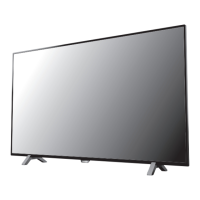
Philips 43PFL5766 Specifications

General IconGeneral
BrandPhilips
Model43PFL5766
CategoryTV
LanguageEnglish

Related product manuals