This document is a user manual for the Philips 5302 series televisions, specifically models 43PFS5302 and 49PFS5302. It provides comprehensive instructions on setting up, operating, and maintaining the device, along with technical specifications and troubleshooting tips.
Function Description
The Philips 5302 series televisions are Smart TVs designed to provide an immersive viewing experience with a range of connectivity and interactive features. They allow users to watch broadcast television, stream content from various online sources, play media from USB drives, and connect external devices such as Blu-ray players, game consoles, and computers. The Smart TV functionality enables access to an app gallery, rental video services, and web browsing. The TVs also support recording and pausing live TV with a connected USB Hard Drive.
Important Technical Specifications
The manual details specifications for three models: 32PHx5302, 43PFx5302, and 49PFx5302.
- Energy Efficiency Class: A+ for 32PHx5302, A++ for 43PFx5302 and 49PFx5302.
- Visible Screen Size:
- 32PHx5302: 80 cm / 32 inch
- 43PFx5302: 108 cm / 43 inch
- 49PFx5302: 123 cm / 49 inch
- On Mode Power Consumption (W):
- 32PHx5302: 24 W
- 43PFx5302: 34 W
- 49PFx5302: 37 W
- Annual Energy Consumption (kWh):
- 32PHx5302: 35 kWh
- 43PFx5302: 50 kWh
- 49PFx5302: 54 kWh
- (Based on 4 hours of operation per day for 365 days)
- Standby Power Consumption (W): 0.30 W for all models.
- Display Resolution (Pixels):
- PHx: 1366 x 768p
- PFx: 1920 x 1080p
- Mains Power: AC 220-240V +/-10%.
- Ambient Temperature: 5°C to 35°C.
- Reception:
- Aerial input: 75 ohm coaxial (IEC75)
- Tuner bands: Hyperband, S-Channel, UHF, VHF
- DVB: DVB-T2, DVB-C (cable) QAM
- Analogue video playback: SECAM, PAL
- Digital video playback: MPEG2 SD/HD (ISO/IEC 13818-2), MPEG4 SD/HD (ISO/IEC 14496-10)
- Digital audio playback (ISO/IEC 13818-3)
- Satellite aerial input: 75 ohm F-type
- Input frequency range: 950 to 2150MHz
- Input level range: 25 to 65 dBm
- DVB-S/S2 QPSK, symbol rate 2 to 45M symbols, SCPC and MCPC
- LNB: DiSEqC 1.0, 1 to 4 LNBs supported, Polarity selection 14/18V, Band selection 22kHz, Tone burst mode, LNB current 300mA max
- Display Input Resolution (Video formats): 480i/p, 576i/p, 720p, 1080i/p (various refresh rates).
- Display Input Resolution (Computer formats): 640x480p, 800x600p, 1024x768p, 1280x768p, 1360x765p, 1360x768p, 1280x1024p, 1920x1080p (all 60 Hz).
- Sound: HD Stereo, Output power (RMS): 16W, Dolby® Digital Plus, DTS 2.0+ Digital out™.
- Multimedia Connections:
- USB 2.0
- Ethernet LAN RJ-45
- Wi-Fi 802.11b/g/n (built-in)
- Supported USB file systems: FAT 16, FAT 32, NTFS
- Playback Formats (Containers): 3GP, AVCHD, AVI, MPEG-PS, MPEG-TS, MPEG-4, Matroska (MKV), Quicktime (MOV, M4V, M4A), Windows Media (ASF/WMV/WMA).
- Playback Formats (Video Codecs): MPEG-1, MPEG-2, MPEG-4 Part 2, MPEG-4 Part 10 AVC (H.264), VC-1, WMV9, HEVC, VP9.
- Playback Formats (Audio Codecs): AAC, HE-AAC (v1/v2), AMR-NB, Dolby Digital, Dolby Digital Plus, DTS 2.0 + Digital Out, MPEG-1/2/2.5 Layer I/II/III (includes MP3), WMA (v2 to v9.2), WMA Pro (v9/v10).
- Playback Formats (Subtitles): Formats: SAMI, SubRip (SRT), SubViewer (SUB), MicroDVD (TXT), mplayer2 (TXT), TMPlayer (TXT). Character encodings: UTF-8, Central Europe and Eastern Europe (Windows-1250), Cyrillic (Windows-1251), Greek (Windows-1253), Turkish (Windows-1254), Western Europe (Windows-1252).
- Playback Formats (Image Codecs): JPEG.
- Playback Formats (Limitations): Maximum supported total bit rate for a media file is 30Mbps. Maximum supported video bit rate for a media file is 20Mbps. MPEG-4 AVC (H.264) is supported up to High Profile @ L4.1. VC-1 is supported up to Advanced Profile @ L3.
- Wi-Fi Certified: This TV supports Miracast certified devices.
- Supported media server software (DMS): Can use any DLNA V1.5 certified media server software (DMS class). Can use Philips TV Remote app (iOS and Android) on mobile devices.
Usage Features
- Smart TV: Connects to the Internet for app access, video rentals, and web browsing. The Philips TV Remote App allows control from smartphones and tablets.
- Pause TV & Recordings: Requires a USB Hard Drive (minimum 250GB, USB 2.0 compatible) to pause live TV and record digital broadcast channels.
- Connectivity: Features multiple HDMI inputs (including MHL and ARC support), USB ports for media playback and keyboard/mouse connection, CVBS/Y Pb Pr, optical audio out, Ethernet LAN, and a headphone jack.
- Antenna & Satellite: Supports both terrestrial (DVB-T/T2) and cable (DVB-C) antenna connections, as well as satellite (DVB-S/S2) dish connections.
- Network: Wired and wireless network connections are supported for Smart TV features and media streaming. Includes options for network configuration, Wi-Fi Miracast, and TV network naming.
- Picture Settings: Offers various picture styles (Personal, Vivid, Standard, Movie, Photo), advanced settings for contrast, sharpness, colour, video contrast, gamma, and noise reduction. Eco mode and picture mute are available for power saving.
- Sound Settings: Includes sound styles (Personal, Original, Movie, Game, News), advanced settings for treble, bass, surround mode, auto volume levelling, and audio out delay.
- Channels: Provides features for channel installation (automatic and manual), organizing channels (favourites lists, reordering), channel lists, and parental rating/lock.
- Teletext/Text pages: Access to text pages from broadcast channels.
- Interactive TV (HbbTV): Supports interactive services from broadcasters.
- Universal Access: Features for hearing impaired (Hearing Impaired mode, Hard of hearing, Mixed volume) and visually impaired (Audio description, Speakers/Headphones).
- Sleep Timer & Switch Off Timer: Automatically switches off the TV after a set period or if no signal/activity is detected.
- EasyLink (HDMI CEC): Allows control of connected HDMI-CEC compatible devices with the TV remote.
- USB Keyboard & Mouse: Connect USB keyboards and mice for easier navigation and text input.
- Shop Setup: Special mode for retail environments with promotion banners and specific demo settings.
Maintenance Features
- Software Updates: The TV's software can be updated via the Internet or a USB drive to ensure optimal performance and access to new features.
- Troubleshooting: The manual provides a dedicated section for common issues related to TV operation, connections, picture, sound, and network, along with solutions.
- Online Help & Consumer Care: Users can access online support via www.philips.com/support for FAQs, software downloads, and contact information for consumer care hotlines.
- Cleaning: The TV screen and cabinet can be cleaned with a soft, damp cloth. Avoid using substances like alcohol or household cleaners.
- Safety and Care: Important safety instructions are provided, including warnings about electric shock, fire, TV placement, and handling batteries. It also advises against attempting repairs by oneself to avoid injury or voiding the warranty.
- Environmental Information: Details on the European Energy Label, power consumption, and proper disposal of old products and batteries are included to promote environmental responsibility.
- Copyrights and Open Source Software: Information on various copyrighted technologies (MHL, HDMI, Dolby Digital Plus, DTS, Microsoft, Java, Wi-Fi Alliance, Kensington, MHEG) and open-source software used in the TV, including their licenses and sources.

 Need help?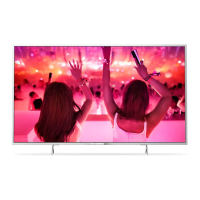




 To Next Page
 General