EasyManua.ls Logo

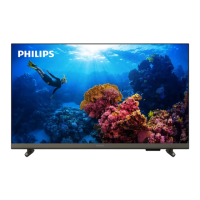
Philips 43PFT4233 - User Manual

Philips 43PFT4233
30 pages
Print Icon
To Next Page IconTo Next Page
Loading...
43PFT4233
Register your product and get support at:
www.philips.com/welcome
EN User Manual

Questions and Answers

  • B
    Barbara Cross DVMAug 18, 2025
    What to do if my Philips 43PFT4233 TV is on, but there is no picture?
    • B
      brittanyhubbardAug 18, 2025
      If your Philips TV is on but showing no picture, ensure the antenna is properly connected. Also, verify that the correct device is selected as the TV source.
  • T
    Tiffany JohnsonAug 20, 2025
    Why is my Philips TV remote control not working properly?
    • M
      Michael HudsonAug 20, 2025
      If your Philips TV remote control isn't working, first, check that the batteries are correctly inserted, paying attention to the + and - orientation. If that doesn't work, replace the batteries if they're weak or flat. You may also want to clean the remote control and the TV sensor lens.
  • A
    Alan OdonnellAug 23, 2025
    How to fix a Philips TV that cannot be switched on?
    • T
      Teresa KingAug 23, 2025
      If your Philips TV cannot be switched on, try these steps: First, disconnect the power cable from the power outlet and wait one minute before reconnecting it. Second, check that the power cable is securely connected to the TV and the power outlet.
  • M
    Mitchell FitzpatrickAug 26, 2025
    How to improve poor Philips TV reception from antenna?
    • M
      Mary RomeroAug 26, 2025
      If you are experiencing poor TV reception on your Philips TV from the antenna connection, ensure the antenna is properly connected. Loudspeakers, unearthed audio devices, neon lights, high buildings, and other large objects can affect reception quality. Try improving reception by changing the antenna direction or moving devices away from the TV. If reception on a particular channel is poor, fine-tune that channel.
  • T
    Terri WatsonAug 28, 2025
    Why is the sound quality poor on my Philips 43PFT4233, but the pictures are showing?
    • S
      sylviamarshAug 28, 2025
      If the pictures are showing but sound quality is poor on your Philips TV, check that all cables are properly connected. Also, ensure that the sound is not muted and that the sound settings are correctly configured.
  • A
    Anthony HernandezAug 30, 2025
    How to resolve poor picture quality from connected devices on a Philips TV?
    • S
      stonecourtneyAug 30, 2025
      If you are experiencing poor picture quality from connected devices on your Philips TV, check that the devices are connected properly. Also, ensure that the picture settings are correctly set.
  • P
    Patrick CrawfordSep 1, 2025
    What to do if the standby light on my Philips 43PFT4233 TV is red and blinking?
    • M
      msandovalSep 1, 2025
      If the standby light on your Philips TV is red and blinking, disconnect the power cable from the power outlet. Wait for the TV to cool down before reconnecting the power cable. If the light continues to blink, please contact Philips Customer Care Centre.
  • L
    Lisa LeeSep 4, 2025
    How to stabilize a computer display on a Philips 43PFT4233 TV?
    • A
      Amanda HartmanSep 4, 2025
      If the computer display on your Philips TV is not stable, check that your PC uses the supported resolution and refresh rate. Additionally, set the TV picture format to unscaled.
  • S
    Sandra BarrSep 7, 2025
    Why didn't my Philips 43PFT4233 save picture settings?
    • O
      omahoneySep 7, 2025
      If your Philips TV did not save your picture settings, check that the TV location is set to the home setting. This mode allows you to change and save settings.
  • F
    Felicia StewartSep 9, 2025
    Why is sound coming from one speaker only on my Philips 43PFT4233 TV?
    • F
      francisrichardSep 9, 2025
      If your Philips TV pictures are showing but sound comes from one speaker only, verify that the sound balance is set to the center.

Summary

Caution

Terms of Warranty

Guidelines for safe usage and repair, emphasizing professional service for TV issues.

Pixel Characteristics

Explanation of normal pixel imperfections like dead or bright pixels on LCD/LED displays.

Mains Fuse Replacement

Procedure for replacing the TV's main fuse with correct specifications.

Important Safety Information

Risk of Electric Shock or Fire

Precautions to prevent electric shock and fire, including avoiding water and heat sources.

Risk of Short Circuit or Fire

Warnings about short circuits and fires from moisture, heat, and loose power plugs.

Risk of Personal Injury or Damage to the TV

Safe handling, mounting, and power connection to prevent injury or TV damage.

Risk of Injury to Children

Safety measures to prevent children from climbing or accessing the TV.

Risk of Swallowing Batteries

Warning about children swallowing batteries and keeping them out of reach.

Risk of Overheating

Ensuring adequate ventilation around the TV to prevent overheating.

Risk of Injury, Fire, or Power Cord Damage

Precautions against injury, fire, or power cord damage from objects on the cable.

Risk of Damage to Hearing

Advice on avoiding hearing damage from prolonged headphone use at high volumes.

Overview of Your TV

Using the TV

Switching the TV On or Off

Instructions for powering the TV on and off, and understanding the standby indicator.

Switch Channels

Methods for changing channels using the remote control or TV buttons.

Setting Up Channels

Connecting the TV

Rear Ports

Description of connectors and ports located on the back panel of the TV.

Side Ports

Identification of ports and connectors available on the side of the TV.

Troubleshooting

General Issues

Solutions for common problems like TV not switching on or remote control not working.

Channel Issues

Troubleshooting steps for channels not appearing in the list.

Picture Issues

Solutions for problems like no picture, sound without picture, or poor reception.

Sound Issues

Troubleshooting tips for poor sound quality or sound from only one speaker.

HDMI Connection Issues

Troubleshooting for problems related to HDMI devices, HDCP, and audio disruptions.

Computer Connection Issues

Solutions for unstable computer display issues when connected via PC.

Contact Us

Information on how to get further support by referring to FAQs or contacting Philips Customer Service.

Philips 43PFT4233 Specifications

General IconGeneral
Screen Size43 inches
Resolution1920 x 1080 pixels
Display TypeLED
Smart TVNo
HDMI Ports2
USB Ports1
Screen shapeFlat
VESA mountingYes
Refresh Rate60 Hz
Digital signal format systemDVB-T/T2/C
Dimensions (W x H x D)970 x 570 x 80 mm

Related product manuals