
 Need help?
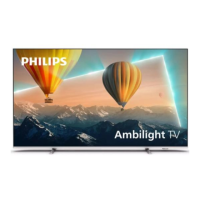
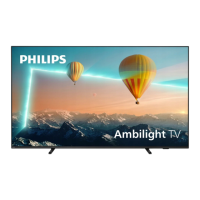
Do you have a question about the Philips 43PUS8057/60 and is the answer not in the manual?
Explains the Home launcher, Apps, Live TV, and Play Next channel features.
Emphasizes reading safety instructions before using the TV.
Instructions for TV stand setup and VESA wall mounting guidelines.
Instructions for connecting and securing the power cable.
Guidance on connecting the antenna cable to the TV.
Instructions for connecting the satellite F-type connector.
Details the functions of each button on the remote control.
Instructions for replacing remote control batteries.
Describes how to turn the TV on, switch to standby, and turn off completely.
Steps for initial channel installation during TV setup.
Procedure for scanning and installing digital or analogue channels.
Detailed guide for satellite channel installation and tuning.
Instructions for installing antenna channels, including Channel Installation Mode.
Steps for installing cable channels, including full and quick scans.
Information on automatic and manual channel updates.
Setting up PIN codes to lock channels, inputs, or programs.
Guide to connecting the TV to a network via Wi-Fi or Ethernet.
Steps to sign in to your Google Account for full Android TV features.
Options for adjusting picture modes, display modes, and other visual settings.
Adjusting sound modes, speaker output, and digital audio settings.
Resetting all TV settings and data to factory defaults.
Instructions for updating TV software via local USB or internet.
Details on power requirements, ambient temperature, and power saving features.
Technical specifications for aerial and satellite reception.
Specifications for screen sizes and display resolution.
Supported video and computer input resolutions and refresh rates.
Details of TV ports and connectivity options.
Specifications for audio output power and sound features.
Supported connections, file systems, playback formats, and codecs.
How to use the TV's built-in Help function for diagnostics and information.
Addresses common issues: TV not on, remote problems, picture/sound, network, Bluetooth, and language.
Contacting Consumer Care for support, repair, and finding TV model numbers.
Covers general safety, electric shock, fire, injury, battery hazards, overheating, and lightning risks.


 To Next Page
 General