This document serves as a repair manual for Philips 2014 TV models, providing comprehensive information for technicians to diagnose and fix issues. The manual outlines the connectivity options, customer menu structure, and service mode functionalities, along with detailed block diagrams of the internal circuitry. It also includes instructions on how to access Philips service information online, which is crucial for obtaining up-to-date repair guides and parts.
Function Description
The Philips 2014 TV models covered by this manual are Full HD televisions designed for home entertainment. They offer a range of functionalities including:
- Television Viewing: Standard television viewing via an antenna input, allowing users to access broadcast channels.
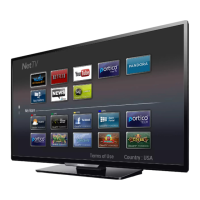
- Smart TV Capabilities (Net TV): Integrated internet connectivity, both wired (Ethernet) and wireless (Wi-Fi built-in), enables access to online content and applications. This includes popular streaming services like Netflix, YouTube, Pandora, and Vudu, as well as a general "App Gallery" for additional applications.
- External Device Connectivity: Extensive options for connecting external devices such as Blu-ray players, gaming consoles, sound systems, and computers. This includes multiple HDMI inputs, AV inputs (shared audio L/R in, CVBS/YPbPr), a PC-In VGA port, and USB ports.
- Audio Output: Digital audio output (Coaxial) for connecting to external audio receivers or soundbars, and a headphone out jack for private listening.
- System Control: The TV incorporates a system control unit that manages various functions, including power management, input switching, and communication with other internal components.
- Picture and Sound Processing: Advanced internal circuitry for processing video and audio signals to deliver high-quality picture and sound. This includes digital signal processing, A/D conversion, and audio amplification.
- User Interface: A user-friendly customer menu allows users to customize picture, sound, and network settings, as well as manage channels and preferences.
Usage Features
The Philips 2014 TV models are designed with a focus on user convenience and a rich entertainment experience:
- High Definition Display: All models are Full HD, providing a clear and detailed picture for an immersive viewing experience.
- Internet Connectivity: Built-in Wi-Fi and an Ethernet port offer flexible options for connecting to the internet, enabling access to a wide array of online content without the need for additional adapters.
- Smart TV Platform (Net TV): The Net TV platform provides a gateway to various online applications and streaming services, transforming the television into a central hub for digital entertainment. Users can browse the web, watch movies, listen to music, and play games directly from their TV.
- Multiple HDMI Inputs: With three HDMI inputs, users can easily connect multiple high-definition devices simultaneously, such as a cable box, a gaming console, and a Blu-ray player, and switch between them seamlessly.
- EasyLink (HDMI-CEC): This feature enhances convenience by allowing connected HDMI-CEC compatible devices to communicate and control each other. For example, a user can control a Blu-ray player with the TV remote, or the TV can automatically switch to the Blu-ray player's input when it's turned on. EasyLink supports functions like one-touch play, power status control, system info display, remote control pass-through, system audio control, and system standby.
- USB Multimedia Playback: The USB port allows users to connect USB storage devices to play back photos, videos, or music directly on the TV, offering a simple way to enjoy personal media.
- PC Connectivity: The PC-In VGA port enables the TV to be used as a large monitor for a computer, suitable for presentations, web browsing, or gaming on a bigger screen.
- Customizable Settings: The customer menu offers extensive options for personalizing the viewing and listening experience. Users can adjust picture settings (e.g., backlight, contrast, brightness, color, tint, sharpness, advanced settings like color alignment, noise reduction, light sensor, black stretch, dynamic contrast, gamma, 120PMR, MPEG artifact reduction, color enhancement, custom color management, film mode) and sound settings (e.g., equalizer, balance, DTS TruSurround, auto volume leveling, TV speakers, headphone volume, digital output format, delta volume). Pre-set modes like Personal, Standard, Vivid, Sports, Movie, Game, and Energy Saving are also available for quick adjustments.
- Caption Settings: Support for captions, enhancing accessibility for viewers with hearing impairments or those who prefer captions.
- Sleep Timer: A convenient feature that automatically turns off the TV after a set period, useful for falling asleep while watching.
- Child Lock: Parental control features to restrict access to certain channels or content, ensuring a safe viewing environment for children.
- Network Preferences: Users can manage their network connections, including Wi-Fi settings and Ethernet configurations.
- Language Selection: Multiple language options for the on-screen display, catering to a diverse user base.
Maintenance Features
The manual provides essential information for technicians to perform maintenance and repairs, ensuring the longevity and optimal performance of the TV:
- Field Repairable Models: A specific list of models (e.g., 49PFL4609/F7, 50PFL4909/F7) is identified as field repairable, indicating that these models are designed for component-level repair by authorized technicians.
- Service Mode Access: The manual details how to enter a "service mode" using a specific remote control sequence (062596 Info). This mode provides access to advanced diagnostic and configuration options not available in the customer menu.
- Debugging Messages: Within the service mode, technicians can access debugging messages, which are crucial for identifying software or hardware faults.
- Test Modes: The service mode includes various test modes, such as static display tests and constant color change tests, to help diagnose display issues.
- Option Codes: The service mode allows technicians to view and adjust "option codes," which are internal settings that configure the TV's features and functionalities. These codes are critical for customizing the TV for specific regions or correcting factory settings.
- Initialization Function: A feature to initialize the TV, effectively performing a factory reset, which can resolve many software-related issues. The manual provides specific instructions for initializing the set back to an out-of-box condition.
- Detailed Wiring Interconnect Diagrams: Comprehensive diagrams illustrate the connections between different internal components (e.g., Digital Main CBA, Power Supply CBA, IR Sensor CBA, Function CBA, LCD Panel Assembly). These diagrams are invaluable for tracing signals and identifying faulty connections or components.
- Block Diagrams: Block diagrams for AV inputs, digital video output, system control, power supply, and LED drive provide a high-level overview of the TV's architecture, helping technicians understand the signal flow and functional relationships between different modules.
- Software Information and Updates: The customer menu includes a "Software" section where users can view software information, check for updates, and manage Netflix, Vudu, and YouTube deactivation. This allows for software-related troubleshooting and ensures the TV runs on the latest firmware.
- Digital Rights Management (DRM) and License Information: Access to DRM and license details, which can be relevant for troubleshooting content playback issues.
- Wireless Connect Code: Information related to the wireless connection code, useful for re-establishing Wi-Fi connections.
- Component-Level Repair Information: The block diagrams and wiring diagrams, combined with the option codes and test modes, facilitate component-level repair. For example, the power supply block diagram shows the AC input, bridge rectifier, switching controls, and various voltage outputs, enabling technicians to troubleshoot power-related issues by testing individual components. Similarly, the LED drive diagram helps diagnose backlight problems.
- Online Service Information Access: The manual guides technicians on how to access Philips service information through the Encompass website, including login credentials and navigation steps to find service manuals, supported models, warranty claims, and technical support. This online resource is essential for obtaining the most current and detailed repair documentation.
- Product Support Resources: The online portal offers various product support resources, including manuals, documentation, FAQs, software and drivers, and information on parts and accessories, providing a comprehensive knowledge base for technicians.

 Need help?
 General


 To Next Page
