This document describes the Philips 49BDL5057P Signage Solutions display, a device designed for public information display and various commercial applications.
Function Description:
The Philips 49BDL5057P is a public information display that can be used for various applications, including video walls, media playback, and interactive browsing. It supports multiple input sources, including HDMI, DVI, and DisplayPort, allowing for flexible connectivity with external equipment such as PCs, DVD/VCR/VCD players, and audio devices. The display can be installed in both landscape and portrait orientations. It features an Android-based operating system, providing a platform for media playback, web browsing, and custom applications. The device also includes advanced control features for managing multiple displays in a daisy-chain configuration, as well as remote control capabilities.
Important Technical Specifications:
- Model: 49BDL5057P
- Screen Size (Active Area): 1232.00 mm (48.5" diagonal)
- Aspect Ratio: 16:9
- Number of Pixels: 1920 (H) x 1080 (V)
- Pixel Pitch: 0.55926 (H) x 0.55926 (V) [mm]
- Displayable Colors: 10 bits(D), 1.07 Billion colors
- Brightness (typical): 700 cd/m²
- Contrast Ratio (typical): 1300:1
- Viewing Angle: 178 degrees
- Power Input: 100-240V~, 50-60Hz, 5.5A
- Power Output: 100-240V~, 50-60Hz, 2.5A
- Power Consumption (Max): 240 W
- Power Consumption (typ.): 95 W
- Power Consumption (Standby & Off): <0.5 W (RS232 in active)
- Dimensions (Without Stand): 1092.8 x 623.0 x 71.1 mm
- Weight (Without Stand): 19.0 Kg
- Gross Weight (Without Stand): 24.9 Kg
- Energy Efficiency Class: B
- Visible Screen Size: 123.2 cm / 48.50 inch
- On Mode Power Consumption (W): 110W
- Annual Energy Consumption (kWh): 161 kWh
- Standby Power Consumption (W): 0.50 W
- Off Mode Power Consumption (W): 0.50 W
- Display Resolution (Pixels): 1920 x 1080p
- Network Standby (W): 0.66 W
- Operating Temperature: 0~40°C
- Storage Temperature: -20~60°C
- Operating Humidity: 20 ~ 80% RH (No condensation)
- Storage Humidity: 5~95% RH (No condensation)
- Operating Altitude: 0 ~ 3,000 m
- Storage / Shipment Altitude: 0~9,000 m
- Internal Speaker: 1 Way 1 Speaker, 10 W (RMS), 8Ω Impedance, 82 dB/W/M Output Sound Pressure, 160 Hz~13 KHz Frequency Response.
- Input/Output Terminals:
- Speaker Output: Internal Speakers (10W (L) + 10W (R) [RMS]/8Ω)
- Audio Output: 3.5mm phone jack x 1 (0.5V [rms] (Normal) / 2 Channel (L+R))
- Audio Input: 3.5mm phone jack x 1 (0.5V [rms] (Normal) / 2 Channel (L+R))
- RS232C: 2.5mm Phone jack x 2 (in/out)
- RJ-45: RJ-45 Jack x 1 (8 pin) (10/100 LAN Port)
- HDMI Input: HDMI Jack x 2 (Type A) (18 pin) (Digital RGB:TMDS (Video + Audio), MAX: Video - 720p, 1080p, 1920 x 1080/60 Hz (WUXGA), Audio - 48 KHz/ 2 Channel (L+R), Supports LPCM only)
- DVI-I (DVI-D&VGA) Input: DVI-I jack (Digital RGB:TMDS (Video), Analog RGB: 0.7V [p-p] (75Ω), H/CS/V:TTL (2.2kΩ), SOG: 1V [p-p] (75Ω), MAX: 720p, 1080p, 1920 x 1080/60 Hz (WUXGA))
- DVI-I (DVI-D & VGA) Output: DVI-I Jack x 1 (29 pin) (Digital RGB:TMDS (Video), Analog RGB: 0.7V [p-p] (75Ω), H/CS/V:TTL (2.2kΩ), SOG: 1V [p-p] (75Ω), MAX: 720p, 1080p, 1920 x 1080/60 Hz (WUXGA))
- Displayport in/out: Displayport Jack x 2 (20 pin) (Digital RGB:TMDS (Video + Audio), MAX: Video - 720p, 1080p, 1920 x 1080/60 Hz (WUXGA), Audio - 48 KHz/ 2 Channel (L+R), Supports LPCM only)
- USB B: Touch connector to PC.
- USB PORT B: Connects USB storage device.
- USB PORT A: Connects USB storage device.
- MICRO USB: Connects USB storage device.
- MICRO SD CARD: Connects MICRO SD CARD.
Usage Features:
- Installation: The display can be mounted on a wall using a standard wall-mounting kit (VESA Grid 400(H) x 400(V) mm) or placed on a tabletop stand. It supports portrait orientation by rotating 90 degrees counter-clockwise. An Edge Alignment Kit is provided for precise alignment in multi-display setups.
- Connectivity: Multiple displays can be daisy-chained using RS232C for control and DVI or DisplayPort for digital video, or DVI-I for analog video. OPS video connection is also supported.
- Remote Control: A remote control with AAA batteries is included. It allows for basic operations like power on/off, volume control, input source selection, and OSD menu navigation. An ID Remote Control feature enables controlling individual displays in a multi-display setup by assigning unique IDs.
- Android OS and Media Playback: The display runs on an Android platform, offering a launcher for apps, file management, media playback (video, audio, picture, PDF), and web browsing. Media files should be organized in specific folders within the
/philips/ directory on internal storage, USB, or SD card. Playlists can be created and managed for continuous media display.
- OSD Menu: The On-Screen Display (OSD) menu provides extensive settings for picture (brightness, contrast, sharpness, black level, tint, color, noise reduction, gamma, color temperature), screen (H/V position, clock, clock phase, zoom mode, custom zoom), audio (balance, treble, bass, volume, audio out, maximum/minimum volume, mute, audio source, sync. volume, card OPS audio), PIP (sub mode, PIP size, PIP position, PIP change, PIP source, PIP audio), and Configuration (switch on state, panel saving, RS232 routing, boot on source, WOL, DDC/CI, light sensor, human sensor, power LED light, configuration1 reset, OSD turn off, OSD H/V position, OSD transparency, information OSD, logo, monitor ID, tiling matrix, auto ID, heat status).
- Advanced Options: Includes settings for IR control (Normal, Primary, Secondary, Lock All), keyboard control (Unlock, Lock All), tiling (for video walls), off timer, date and time, schedule (for automated power on/off and input source selection), HDMI with One Wire (CEC control), auto signal detection (All, Failover), rotation (Auto Rotate, OSD Rotate, Image Rotate), and language.
- System Tools: Features include Clear Storage (to clear data in Philips folders), Factory Reset (to restore default settings), Import & Export (to save/load display settings and third-party APKs), and Clone Media File (to copy media files from internal, SD, or USB Philips folders).
- Custom App: Users can set up a custom application to launch when the source is switched to "Customer mode."
- Security: Includes SIM card lock (for 4G module connected devices) and credential storage management.
- Developer Options: Provides Android developer options for advanced users.
- Quick Info: A quick info display (accessed via "Info + 77" on the remote) shows network and monitor information, including MAC address, IP address, Android/Scalar FW versions, monitor ID, operation hours, and heat status.
- Boot Animation Customization: Allows users to customize the Android boot animation by providing a
bootanimzation.zip file containing PNG images and a desc.txt file for animation parameters.
- Android App Installation: Supports installing Android applications via File Manager (from USB/SD card), Adb Shell, or Customized Intent.
- Platform Web API: Provides a local web server to offer display information in JSON format for external control and integration.
Maintenance Features:
- Safety Precautions: Emphasizes keeping the display away from heat sources and direct sunlight, ensuring proper ventilation, and using approved power cords. It warns against severe vibration, high impact, knocking, or dropping the display.
- Cleaning: Recommends unplugging the display before cleaning. The screen can be wiped with a dry cloth when off, but organic solvents, alcohol, or ammonia-based liquids should be avoided. The cabinet can be cleaned with a soft, dry cloth or a mild detergent solution.
- Burn-in Prevention: IMPORTANT: Always activate a moving screen saver or periodic screen refresh for static content to prevent "burn-in," "after-imaging," or "ghost imaging" on the LCD panel. Severe burn-in is not repairable and not covered under warranty.
- Service: Casing covers should only be opened by qualified service personnel. For repairs or integration, contact the local service center. If the display does not operate normally, contact a technician.
- Battery Handling: Provides instructions for inserting and replacing batteries in the remote control, along with cautions regarding incorrect use, mixing battery types, and handling dead batteries.
- End-of-Life Disposal: Encourages recycling and proper disposal of the product and its components (including batteries) in accordance with local, state, and federal regulations. It highlights compliance with European Directive 2012/19/EU (WEEE), China RoHS, India E-Waste (Management) Rules, 2016, Turkey RoHS, and Ukraine RoHS.

 Need help?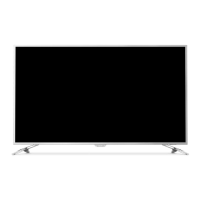



 To Next Page
 General