49BDL5057P
38
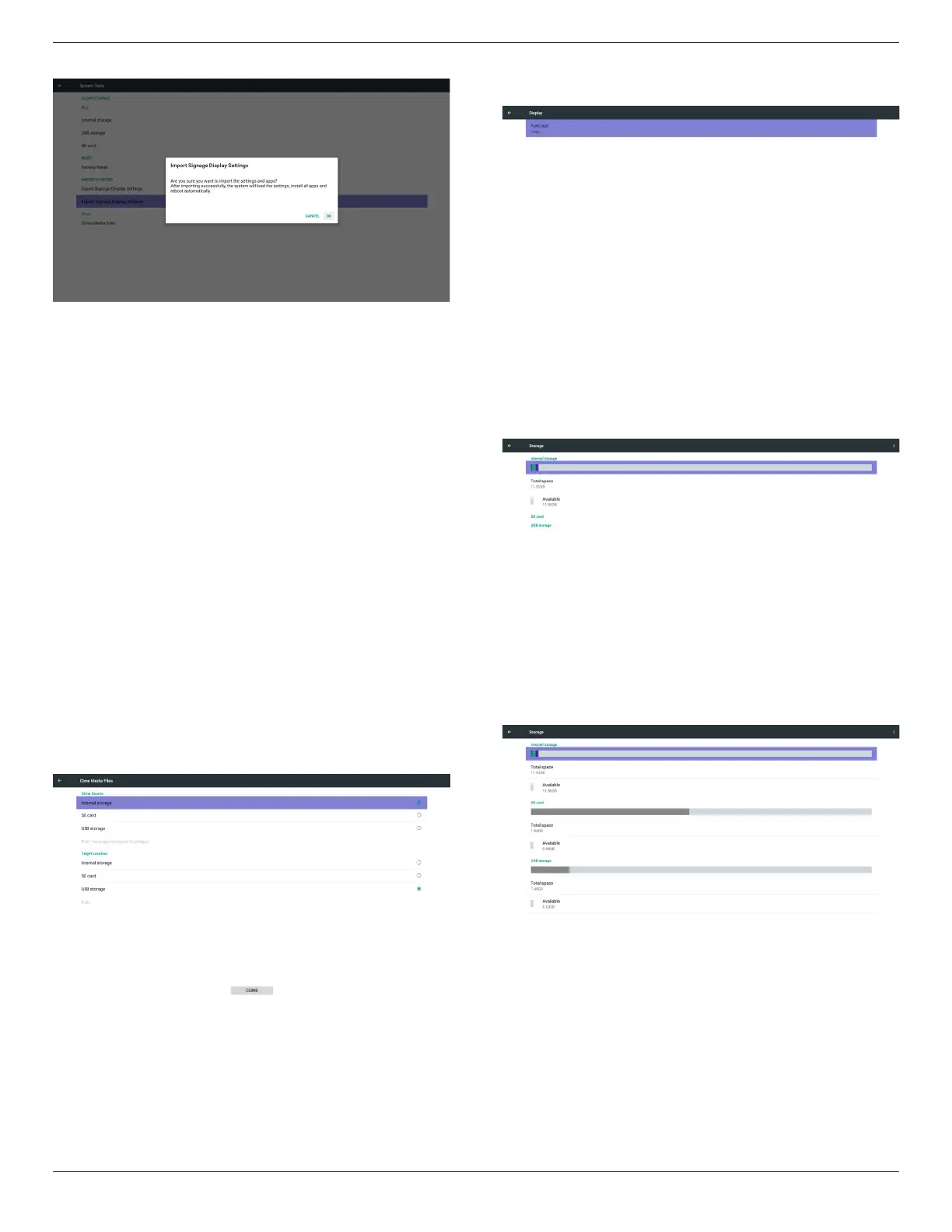
Shownoticationdialogbeforedatabaseimport
5.8. Clone Media File
ClonemedialefromInternal,SDorUSBPhilipsfolder.
1.TheclonedfoldernameunderPhilipsfolder
(1)philips/photo
(2)philips/music
(3)philips/video
(4)philips/cms
(5)philips/pdf
(6)philips/browser
2.Theclonedleextensionnameis“.cms”
CloneSource
(1)Internalstorage
(a)checkFTP
(b)check/Philips/
(2)SD/USB
Filesunderroot
TargetLocation
(1)Internalstorage
Saveto/Philips/
(2)SD/USB
Savetoroot
5.9. Display
Usercanmodifythefontsize,canchoose:Small/Normal/Large/Huge
5.10. Storage
DisplaycurrentPDAndroidstorageinformation.
Note
(1)UseroptionkeyonRCUtoshowsettingoption
SDCARDandUSBSTORAGE:
NeedtoinsertSDcardorUSB,theinformationwillshowuptotal
spaceandavailableofSDcardorUSBstorage.




 To Next Page