49BDL5057P
24
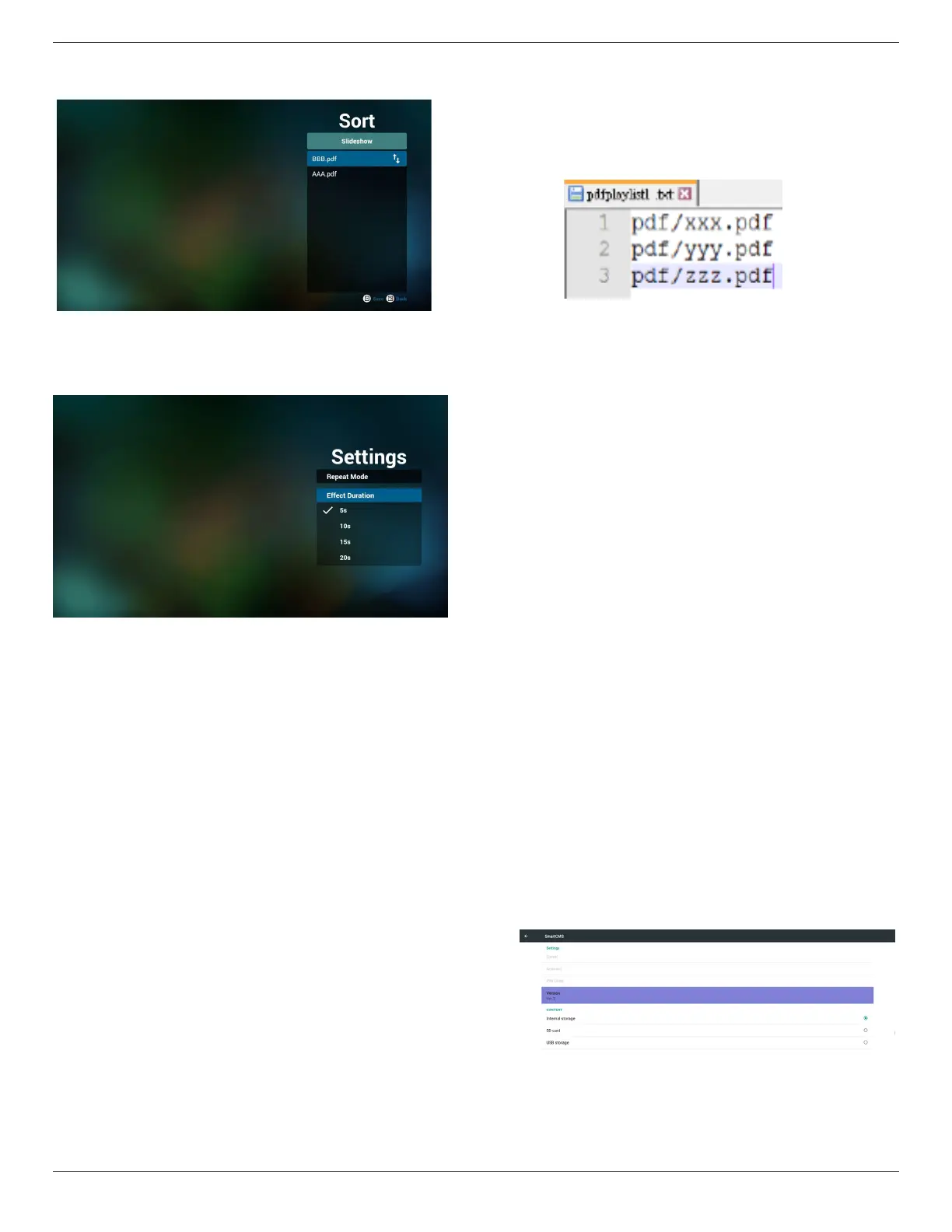
7. Ifyouchoose“Sort”intheslidebar,youcanchangetheorderof
lesonebyone.
8. Select“Settings”onhomepage,thispagehastwoparts,“Repeat
Mode”and“EffectDuration”.
RepeatMode:playmode.
EffectDuration:photoeffectduration.
Media Hotkey:
Play:Playbackle.
Pause:Pausepage.
Fastforward:gotonextpage,ifthepageisendofthele,itwillgo
tonextle.
Rewind:backtolastpage,ifthepageisrstofthele,itwillbackto
lastle.
Stop:returntorstpageofle
Color Hotkey:
Blue:Zoomin.(+10%)
Yellow:Zoomout.(-10%)
OK:Restorezoom
Arrow keys:
Up/Down/Left/Right:Adjustpage.(Whenthepagehaszoomedin/
out)
Left:PreviousPage.(Whenthepagehasnotzoomedin/out)
Right:NextPage.(Whenthepagehasnotzoomedin/out)
Combination key:
Numberkey+OKkey:selectspecicpage,andpressokkeyto
changepage.
-Pressnumberkey.
-PressOKkey,thebottomofthepagewillshowthepagenumber,
ifpagenumberovertotalpagenumber,itwillnotchangepageand
showcurrentpagenumberatthebottomofthepage.
9. ImportTextFile
Step1.Createpdfplayertextle.
- Filename:pdfplaylistX.txt,“X”meansplaylist
number(1,2,3,4,5,6,7).
Ex.pdfplaylist1.txt,pdfplaylist2.txt
- Content:
Step2.CopypdfplaylistX.txtto“philips”folderofinternalstorage.
YoumayuseFTPtodothis.
- Filepath:/storage/emulated/legacy/philips(forDL,PL)
Ex./storage/emulated/legacy/philips/pdfplaylist1.txt
Step3.Preparepdflesto“pdf”folderunder“philips”folder,
internalstorageonly.
- Ex./storage/emulated/legacy/philips/pdf/xxx.pdf
/storage/emulated/legacy/philips/pdf/yyy.pdf
/storage/emulated/legacy/philips/pdf/zzz.pdf
Step4.Startpdfplayerapp,itwillautoimportpdfplayertextle.
Note:Oncetheplaylistle(text)isimported,ifanuserchange
playlistbyremotecontroller,thischangewillnotbewritten
toplaylisttextle.
4.7. CMND & Play
1)Server
SetupCMND&Playserveraddress
2)Account
SetupCMND&Playaccount
3)PINCode
SetupCMND&PlayPINcode
(4)Version
Therearetwooptions,Ver.2andVer.3
Ver.2
use2.0/2.2agreement
Ver.3
use3.0/3.1agreement
(5)Content
Thereareinternalstorage/SDcard/USBstorage3optionsfor
selecting.
WhenVer.2,Server/Account/PINcodewillbegrayandunavailable.





 To Next Page