49BDL5057P
18
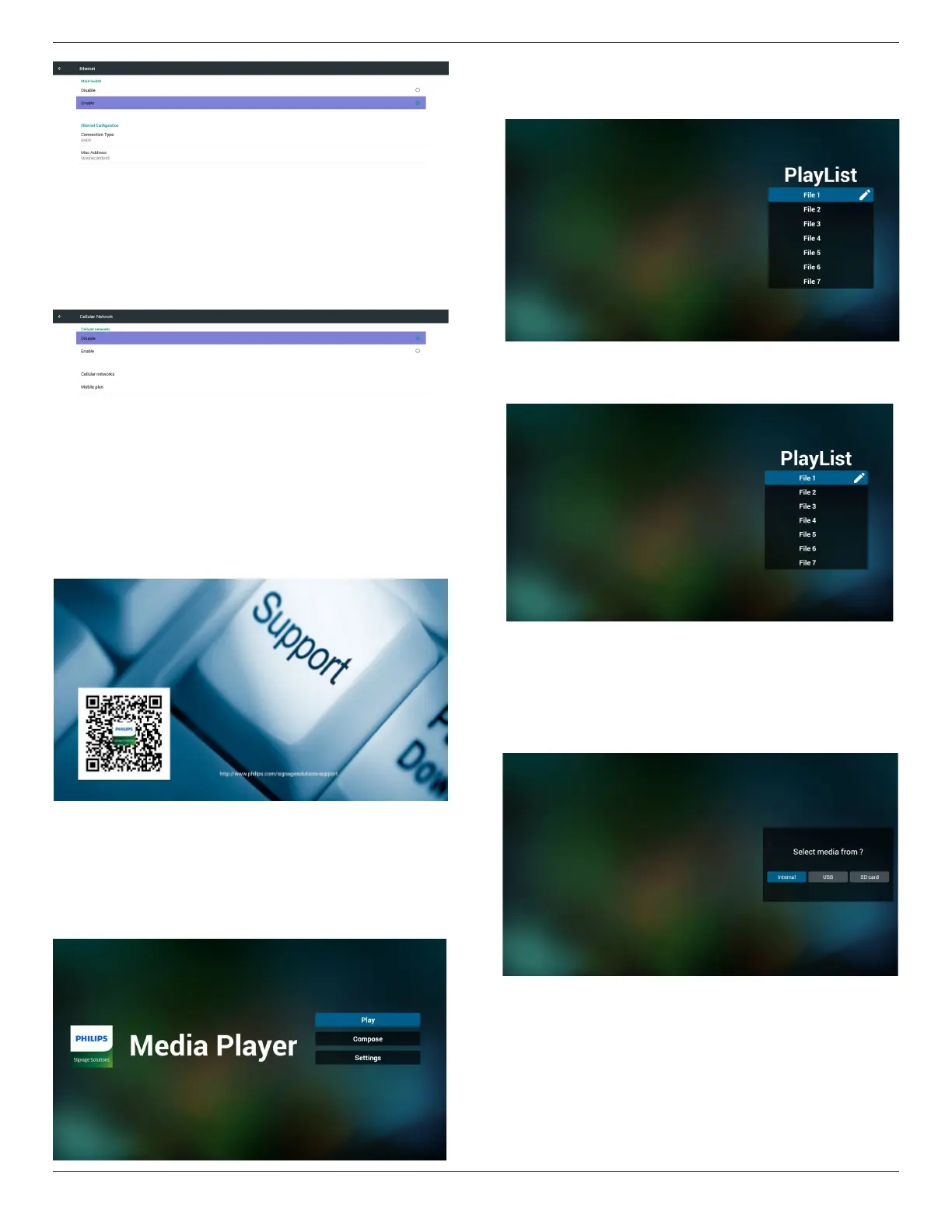
5)CellularNetwork(Optional,ifdevicehasGSM/LTEmodule)
6)Helppage:
DisplayQRcodepage.
4.4. Media Player introduction:
1. HomepageofMediaPlayer,thispagehasthreeitems:“Play”,
“Compose”and“Settings”.
Play:selectplaylisttoplay.
Compose:editplaylist.
Settings:settingplayproperties.
2. Select“Play”onhomepage,rstyoushouldchooseoneplaylistto
playbetweenFILE1andFILE7.
Thepenciliconmeanstheplaylistisnon-empty.
3. Select“Compose”onhomepage,rstyoushouldchooseone
playlisttoeditbetweenFILE1andFILE7.
Thepenciliconmeanstheplaylistisnon-empty.
4. Ifanemptyplaylistischosen,theappwillguideyoutoselectthe
mediasource.
Allmedialesshouldbeplacedin/philips/ofrootdirectory.
Forexample,
-videosin/root/philips/video/
-photosin/root/philips/photo/
-musicin/root/philips/music/
5. Youcouldeditordeleteanon-emptyplaylist,justchoosethe
desiredplaylistwhichiswithpencilicon.




 To Next Page