49BDL5057P
40
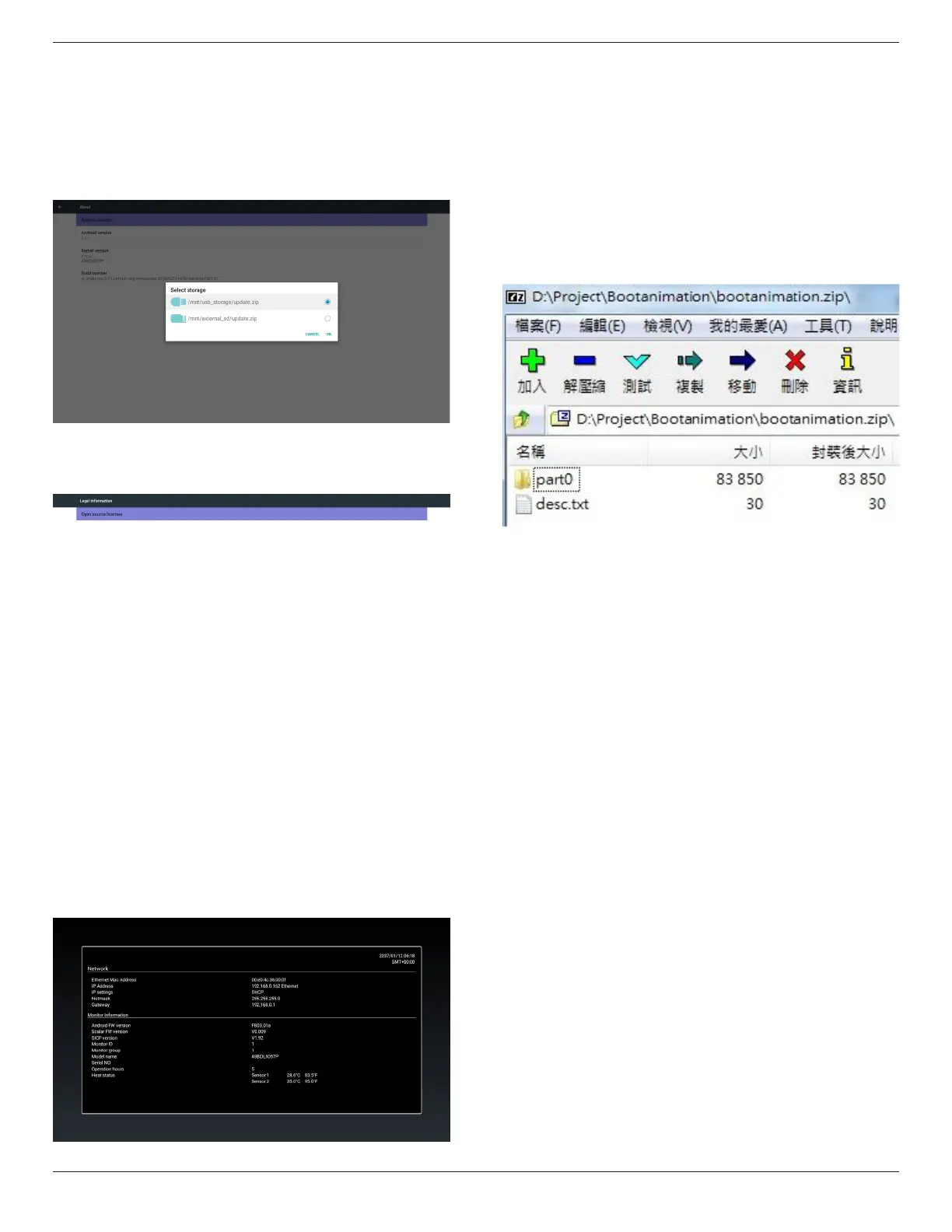
2. Afterselectupdate.ziple,PDwillrestartandstarttoupdate.
3. Ifnotfoundupdate.zip.ThedialogisnocontentandtheOkbutton
willbegrayanduseless.
Note:
(1)OnlysupportAndroidFullimage.
(2)Filenameshouldbeupdate.zip.
(3)Theleshouldbelocatedinrootofstorage.
5.15.2. Legal Information
Showtheopensourcelicenses.
5.16. Supplementary
5.16.1. Quick Info
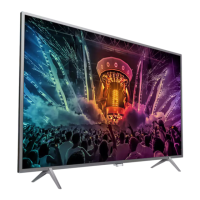
Youcanpress“Info+77”tostartupquickinfo.
Quickinfowillshow“Network”and“MonitorInformation”,asbelow:
Note:
Operationhours:Itisupdatedeveryminute.
Heatstatus:Itisupdatedevery5seconds.
5.16.2. How to custom an Android boot
animation?
1. Overview
TheAndroidbootanimationisusedscripttoloadPNGleswhen
thedeviceboots.Itiscontainedwithinanuncompressedziplecalled
Bootanimzation.zip.
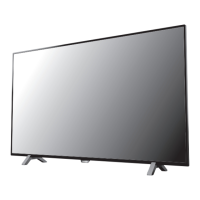
2. InsidetheBootanimzation.ziple
TheBootanimzation.zipasfollow:
• Theimagefolder(ContainsPNGimagesnamedinincremental
numbers)
• Thedesc.txtle
(1)Theimagefolder
ThesecontainPNGimagesnamedinnumbers,startingfrom
somethinglike0000.pngor0001.pngandproceedingwith
incrementsof1.Therehastobeatleastonefolderandthereisno
knownupperlimittothenumberoffolders.
(2)Thedesc.txtle
Thisledeneshowtheimagesinthefolder(s)aredisplayedduring
thebootanimation,inthefollowingformat:
- WidthHeightFrame-rate
- modeLoopdelay-timeFolder1
- modeLoopdelay-timeFolder2
Anexampleofadesc.txtleis:
- 1920108030
- p10part0
- p00part1
a.Therstline
1920and1080denethewidthandheightofthescreen
resolution.
30istheframerateinfps(framespersecond)i.e.numberof
imagestodisplaypersecond.
b.Thesecondandthirdlineshaveasameformat.
Therst‘p’denesplaymodeisimmediatelystopplayingwhen
bootcomplete.
Thenumberafter‘p’denesrepeatmode
- specifying0wouldmakethepartloopindefinitelytillthe
devicehasbootcomplete.
- specifying1wouldmakethepartplaybackonce.
Thenextnumberdenesthedelaytime(ms).Forexample,ifset
10,whenallimageleshasbeenplayback,systemwilldelay10ms.
Thepart0andpart1areimagefoldername.





 To Next Page