
 Need help?
Do you have a question about the Philips 49PUS6482 and is the answer not in the manual?
Describes the new Home launcher and its features for navigating content and apps.
Explains how to find and use apps, including the Philips TV Collection for premium apps.
Emphasizes reading safety instructions before using the TV for safe operation.
Provides instructions for mounting the TV stand or a VESA-compliant wall mount.
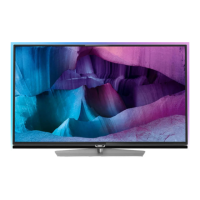
Offers advice on positioning the TV for optimal viewing and Ambilight effect.
Details how to connect the power cable and safety precautions for unplugging.
Explains how to connect an antenna for DVB-T and DVB-C input signals.
Details how to connect a satellite dish using an F-type connector.
Provides a detailed overview of all buttons on the remote control and their functions.
Explains how to use voice search, including app setup and voice command usage.
Describes the IR sensor and how to ensure proper remote control signal transmission.
Covers battery replacement and disposal for the remote control.
Explains how to switch the TV on, to standby, and completely off.
Details how to use the TV's joystick key for basic operations when the remote is unavailable.
Guides on how to install TV channels, including satellite and antenna options.
Explains how channel lists work, icons, radio stations, and how to open/search channels.
Describes how to filter and sort channel lists by type or status.
Covers tuning to channels, switching channels, and locking/unlocking channels.
Guides on creating, managing, and using favourite channel lists.
Explains how to access and use Teletext pages and sub-pages.
Various options for customizing Teletext display, like freeze, dual screen, enlarge.
How to set Text language and Text 2.5 for better graphics.
Introduction to interactive TV features like HbbTV and MHEG.
Detailed guide on installing satellites, including Unicable and MDU systems.
How to adjust satellite installation settings based on country and tuner type.
How to manually update installed channels.
How to reinstall all channels while keeping other settings.
Procedure to perform a complete TV reinstallation, resetting all settings.
How to check and improve digital channel reception quality.
Instructions for copying channel lists between TVs using a USB drive.
General advice on connecting devices, using quality cables, and device recognition.
Explains HDMI ARC for audio return, combining signals with HTS devices.
Information on HDMI quality, cable types, and HDCP copy protection.
How to use MHL for connecting smartphones/tablets and charging.
How to operate HDMI CEC compatible devices with the TV remote.
Information about using CI+ modules and smart cards for premium channels.
Connecting Home Theatre Systems via HDMI ARC or standard HDMI.
Connecting smartphones/tablets wirelessly or via MHL.
Pairing and managing Bluetooth devices for wireless connectivity.
Connecting game consoles via HDMI or YPbPr for optimal quality.
Connecting and formatting USB Hard Drives for pause/record features.
Connecting and configuring USB keyboards for text input.
Viewing photos, music, and videos from a USB flash drive.
Connecting a computer to use the TV as a PC monitor.
Connecting the TV to a home network for internet access.
What's needed for wireless connection and how to make it.
Steps for connecting the TV to the network using an Ethernet cable.
Signing into a Google Account for full Android TV capabilities.
Overview of the Home screen and its organization into channels.
Finding and managing apps, including favourite apps and the Apps page.
How to start and stop applications from the Home screen.
Locking apps based on age rating or setting up restricted profiles.
Checking TV memory usage and free space for apps.
How to open and use the TV's internet browser.
Exploring various options within the internet browser, like tabs and bookmarks.
Using the TV Menu as an alternative to the Home menu for TV functions.
Steps to open and navigate the TV Menu.
How to switch between connected devices in the Sources menu.
Setting specific options for connected TV input devices.
Assigning icons and names to connected devices.
Updating the Sources menu with recently connected devices.
Information on connecting the TV to a network.
Pairing, selecting, and removing wireless Bluetooth devices.
Steps to pair a Bluetooth device with the TV.
Detailed settings for picture adjustment, including styles, colour, contrast, sharpness, and brightness.
Selecting preset picture styles like Vivid, Natural, Game, etc.
Adjusting basic picture parameters like color, contrast, sharpness, and brightness.
Accessing advanced picture settings for colour and enhancement.
Settings for HDR content playback, including upscaling.
Reducing noise and MPEG artefacts in the picture.
Optimizing motion settings for different video content.
Overview of sound settings, including styles and expert mode.
Selecting preset sound styles like Movie, Music, Game, or News.
Accessing advanced sound settings like DTS TruSurround and Clear dialogue.
Various advanced sound settings including volume control and output options.
Setting TV sound output to TV speakers or an audio system.
Configuring digital audio output settings for optical and HDMI ARC.
Adjusting Ambilight styles, brightness, saturation, and Ambilight+Hue.
Setting Ambilight to follow video, audio, or preset colours.
Power saving settings like energy saving level and screen off timer.
General TV settings including USB Hard Drive, keyboard, and location.
Connecting and operating HDMI CEC compatible devices with the TV remote.
Adjusting HDMI Ultra HD settings for compatibility with Ultra HD devices.
Resetting TV settings to factory defaults or performing a full reinstallation.
Configuring clock, region, and language settings on the TV.
Locking apps based on age rating or setting up restricted profiles.
Setting up a profile to show only allowed apps in the Home menu.
How to stop apps, clear cache, or uninstall apps for performance.
Benefits of registering your TV and where to do it.
How to access the on-screen help system.
Solutions for common TV problems.
Troubleshooting issues related to powering on and remote control.
Troubleshooting channel-related issues like no digital channels found.
Troubleshooting picture-related issues like no picture or distorted picture.
Troubleshooting sound issues like no sound or poor quality.
Troubleshooting HDMI and USB connection issues.
Accessing online support for Philips TV related problems.
Troubleshooting network issues like Wi-Fi not found or internet connection problems.
Contacting Consumer Care for support and repairs.
Important safety instructions for TV usage.
Precautions to prevent electric shock or fire hazards.
Precautions to prevent injury to children from TV toppling.
Warning about coin-type batteries in the remote control.
Precautions to prevent TV overheating due to confined spaces.
Safety measures during lightning storms.
Safety guidelines for lifting, carrying, and mounting the TV.
Precautions to avoid hearing damage from high volume.
Instructions for cleaning and maintaining the TV screen.
Legal terms and conditions of use for the TV product.
Terms of use, privacy policy, and privacy settings for Smart TV.
Terms of use specific to the Philips TV Collection apps.
Trademark information for MHL technology.
Trademark information for HDMI technology.
Copyright and trademark information for Dolby Audio.
Trademark and patent information for DTS Premium Sound.
Trademark information for Wi-Fi Alliance.
Trademark information for Kensington security products.
Acknowledgment of other registered and unregistered trademarks.
 General
| Screen Size | 49 inches |
|---|---|
| Resolution | 3840 x 2160 (4K UHD) |
| Display Technology | LED |
| Smart TV | Yes |
| Operating System | Android TV |
| Audio Output | 20 W |
| HDMI Ports | 4 |
| USB Ports | 2 |
| Ambilight | Yes |
| Refresh Rate | 60 Hz |
| Wi-Fi | Yes |
| Ethernet | Yes |
| Bluetooth | Yes |
| Weight | 12.5 kg |


 To Next Page