Need help?
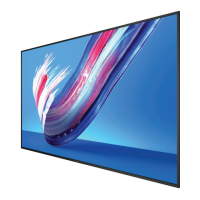
Do you have a question about the Philips 50BDL3550Q and is the answer not in the manual?
General safety guidelines for operation and maintenance of the display.
FCC compliance statement and warnings for US users regarding radio interference.
Instructions for safely unpacking the display and checking package contents.
Guidance on securely mounting the display on a wall, including VESA specifications.
Explanation of the remote control's buttons and their functions for operating the display.
Accessing and navigating the main settings menu for display configuration.
Setup and management of Wi-Fi and Ethernet network connections.
How to navigate and interact with the On-Screen Display menus using the remote.
Philips' acceptable levels for pixel defects to qualify for warranty repair.
Instructions for safely cleaning the display's front panel and cabinet.
Guide to diagnosing and resolving common display symptoms and issues.
Detailed technical specifications for the display's screen and performance metrics.
 General
| Resolution | 1920 x 1080 |
|---|---|
| Panel Resolution | 1920 x 1080 |
| Brightness | 500 cd/m² |
| Contrast Ratio | 1200:1 |
| Display Type | LCD |
| Response Time | 8 ms |
| Aspect Ratio | 16:9 |
| Viewing Angle (Horizontal) | 178° |
| Viewing Angle (Vertical) | 178° |
| Operating System | Android |
| USB Ports | 2 |
| DisplayPort Input | 1 |
| DVI-D Input | 1 |
| RS232 Input | 1 |
| RJ45 Input | 1 |
| VESA Mounting | Yes |
| VESA Mount | 200 x 200 mm |
| Operating Temperature | 0 to 40 °C |
| Storage Temperature | -20 to 60 °C |
| Standby Power Consumption | <0.5 W |
| Screen Size | 50 inches |
| Input Ports | HDMI, DisplayPort, DVI-D, USB, RS232, RJ45, Audio |

 To Next Page