10
Professional Menu
App
10.1
About the Professional Menu
App
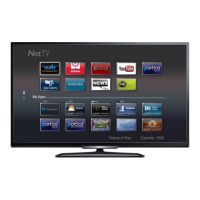
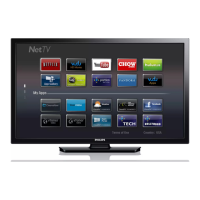
From the Professional Menu App, you can start any
activity you can do with the TV.
The left part of the Professional Menu App is
organised in rows…
• Recommended
• TV Channels
• Cast
• Apps
• Games
• More
The upper right part of the Professional Menu App is
organised in rows…
• Manage Account
• Set Alarm
• Weather
• Menu Language
• Current Time
10.2
Open the Professional Menu
App
Professional Mode OFF - Please refer to Chapter
"Android TV Home Screen".
Professional Mode ON - To open the Professional
Menu App and open an item…
1 - Open the Professional Menu App by pressing
Home / .
2 - Select an activity by using the arrow keys and
press OK to start the activity.
3 - To close the Professional Menu App without
changing the current activity, press .
When opening the Professional Menu App, the
background application/content playback will stop.
You have to select the application or content
from the Professional Menu App to resume.
10.3
Recommended
To open the Professional Menu App and open
Recommended…
1 - Open the Professional Menu App.
2 - Select Recommended and press OK to open
or start it.
3 - Select Recommended TV Channels. Choose a
channel from the list and press OK.
4 - Select Apps. Choose an App from the list and
press OK.
10.4
TV Channels
Channel Lists
About Channel Lists
After a channel installation, all channels appear on
the channel list. Channels are shown with their name
and logo if this information is available.
With a channel list selected, press the
arrows (up) or (down) to select a channel,
then press OK to watch the selected channel. You
only tune to the channels in that list when
using or keys.
Radio stations
If digital broadcasting is available, digital radio
stations are installed during installation. Switch to a
22


 To Next Page
 Loading...