Features Menu • The Tinier Control
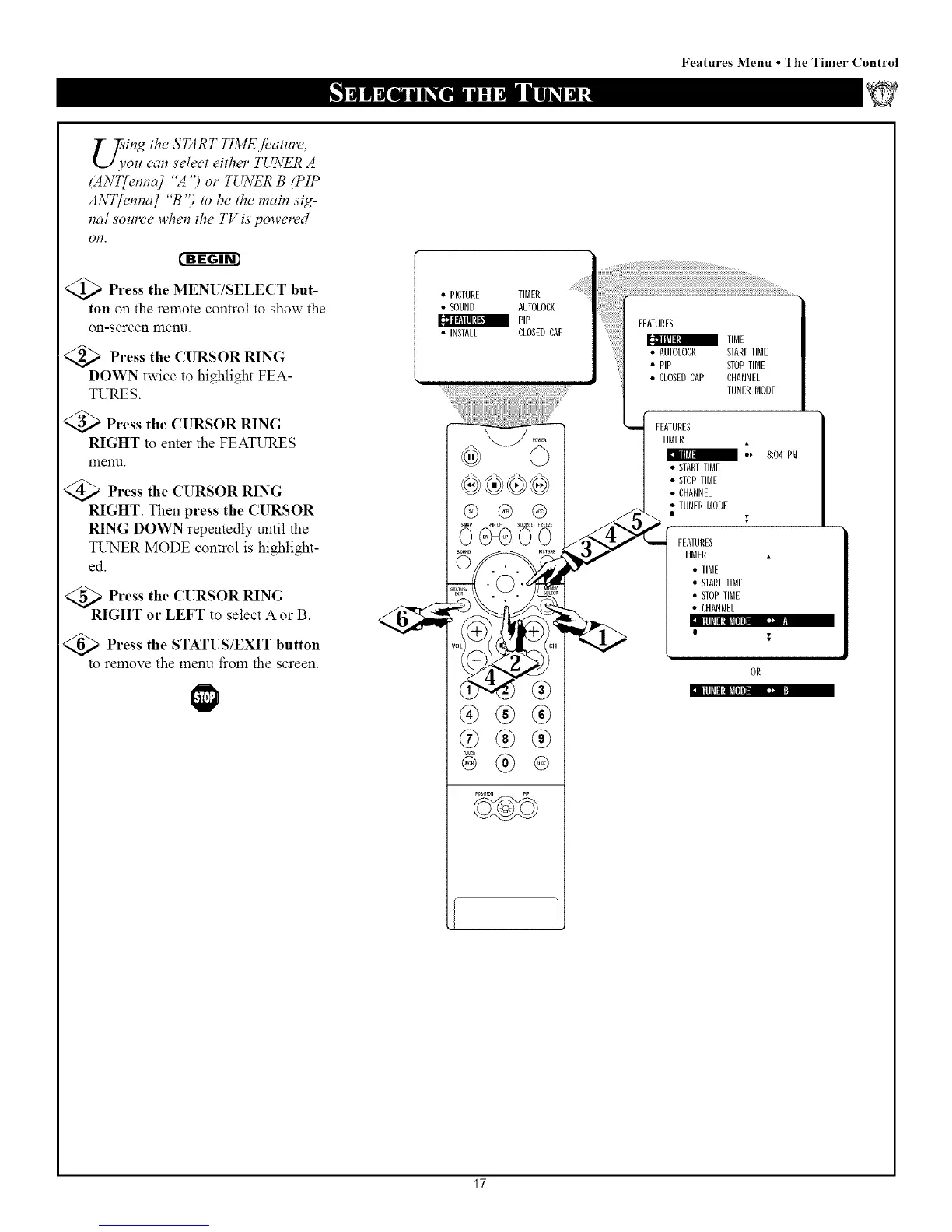
'ing the START TI3dE Jbature,
,ozt can select either TUNER A
(ANT[enna] "A ") or TUNER B (PIP
ANT{enna] "B ") to be the main sig-
nal source when the TV is powered
Ofl.
cffg-gr_
)Press the MENU/SELECT but-
ton on the remote control to show the
on-screen menu.
Press the CURSOR RING
DOWN twice to highlight FEA-
TURES.
Press the CURSOR RING
RIGHT to enter the FEATURES
menu.
Press the CURSOR RING
RIGHT. Then press the CURSOR
RING DOWN repeatedly until the
TUNER MODE control is highlight-
ed.
' T • • _
Press the (l RSOR RING
RIGHT or LEFT to select A or B.
Illlfll!l_Jlli]-- •
Press the STATUS/EXIT button
to remove the menu fiom the screen.
• PICTURE TIMER
• SOUND AUTOLODK
PiP
• INSIALL CLOSEDCAP
ooo
®®®
®®®
!iiii!ii................
FEATURES
TIME
AUTOLOCK STARTTIME
• PiP STOPTIME
• CLOSEDCAP CHANNEL
TUNERMODE
FEATURES
TIMER
/ •, 8:04 PM
STARETIME
STOPTIME
CHANNEL
IUNERMODE
I
FEATURES
TIMER
• TIME
• STARTTIME
• STOPTIME
• CHANNEL
o $
Illlfll[l_[ll_]. • :
17


 To Next Page
 Loading...







