Features Menu • The Timer Control
y_h u can select a sT_ecific channel
at the television will tune to
when the timer turns the set on.
Follow these steps to select the chan-
nel.
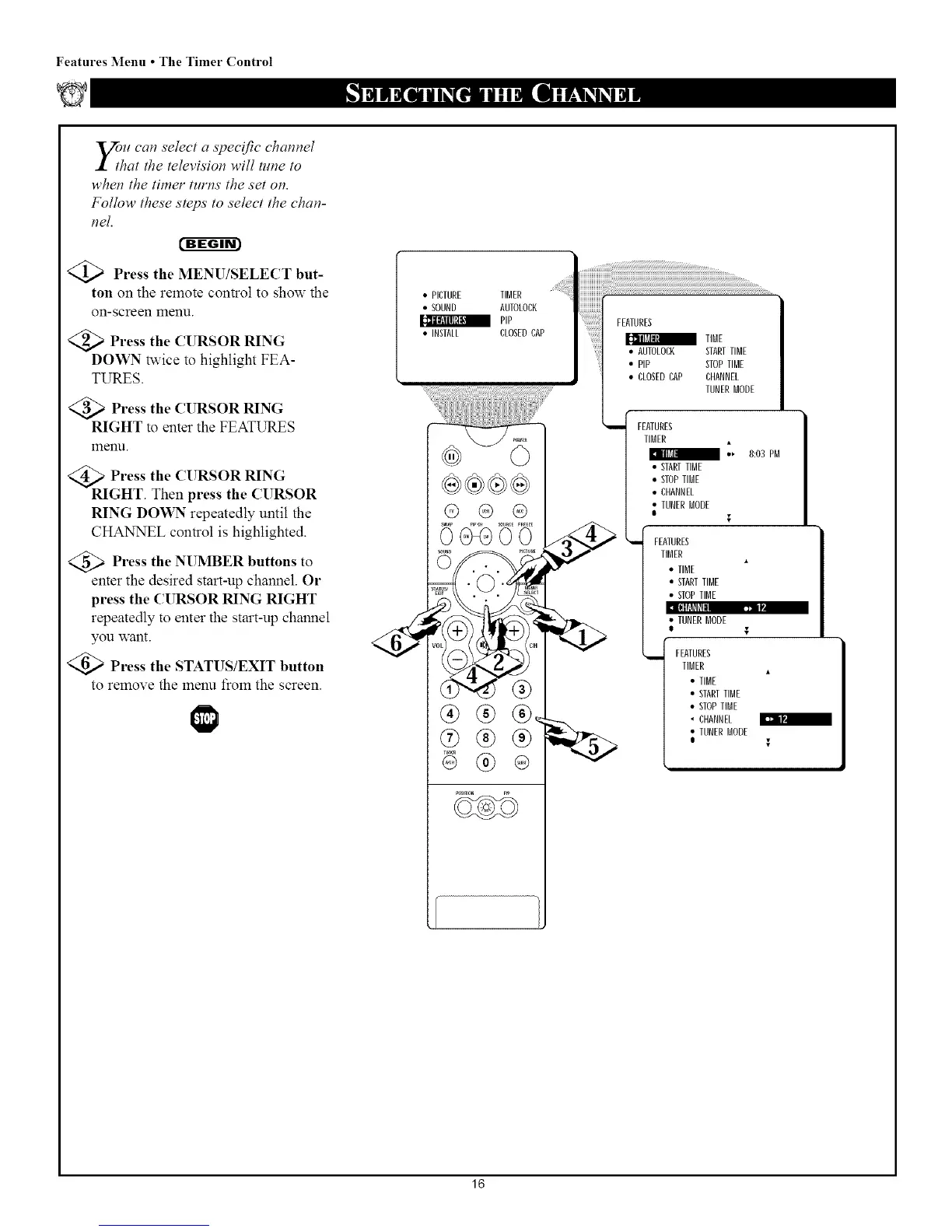
<_ Press the MENU/SELECT but-
ton on the remote control to show the
on-screen menu.
<_ Press the CURSOR RING
DOWN _vice to highlight FEA-
TURES.
<_a Press the CURSOR RING
RIGHT to enter the FEATURES
menu.
>Press the (l RSOR RING
RIGHT. Then press the CURSOR
RING DOWN repeatedly until the
CHANNEL control is highlighted.
Press the NUMBER buttons
to
enter the desired start-up channel. Or
press the CURSOR RING RIGHT
repeatedly to enter the start-up channel
you want.
Press the STATUS/EXIT button
to remove the menu from the screen.
• PICTURE TIBER
• SOUND AUTOLOCK
a pip
• INSTALL CLOSEDCAP
@ @ ®
®®®,
I [_=JN
®
• CLOSEDCAP CHANNEL
TUNERBODE
FEATURES
TIBER
/ "" 8:03 PB
STARTIIBE
STOPIIBE
CHANNEL
lURER BODE
I
i FEATURES
TIBER
• TIBE
• STARTTIBE
• STOPTIBE
TUNERBODE
FEATURES
IIBER
• TIBE
• STARTTIBE
• STOPTIBE
• CHANNEL
• IUNERBODE
16


 To Next Page
 Loading...







