Features Menu • The AutoLock Control
t_
Ohll Cal) acccss gt SCFGC1) [hgl[
ows yoztr AutoLock settings.
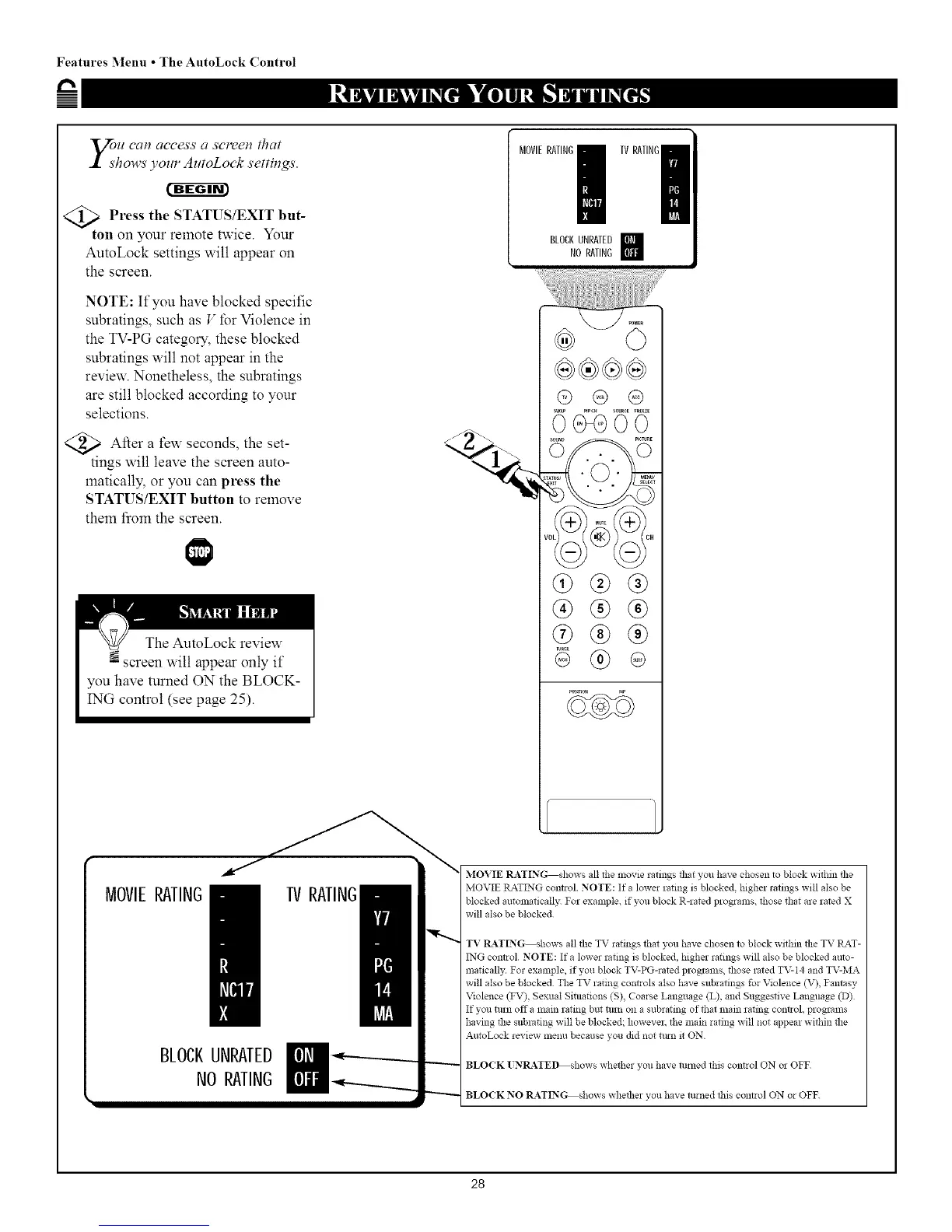
<_ Press the STATUS/EXIT but-
ton on your remote twice. Your
AutoLock settings will appear on
the screen.
NOTE: If you have blocked specific
subratings, such as V for Violence in
the TV-PG category, these blocked
subratings will not appear in the
review. Nonetheless, the subratings
are still blocked according to your
selections.
<_ After a seconds, set-
few the
tings will leave the screen auto-
maticalty, or you can press the
STATUS/EXIT button to remove
them fiom the screen.
MOVIERATING!
BLOCKUNRAIED
NORAIING
%
@®@®
@ ® @
@@@
@@@
@@@
@ ®
28



 To Next Page