RemoteControl*WorkingAccessoryDevices
your TV remote is ccq)abIe of work-
! ing not only yore_ T_ but also
inJ?ared remote (1R) controlled
devices such as V('Rs, cable TV con-
verter boxes, satellite receivers, DVD
plco'e1% and laser disc plco,ers.
If you want to use your TV remote to
operate a VCR or other accessory
device, you will need to petfornt this
initial cheek exphtined in this see-
tion. You may also need to go to the
sections on the "Direct Access
Method" and the "7eareh Method"
in the pages that follow.
cg_-ar_
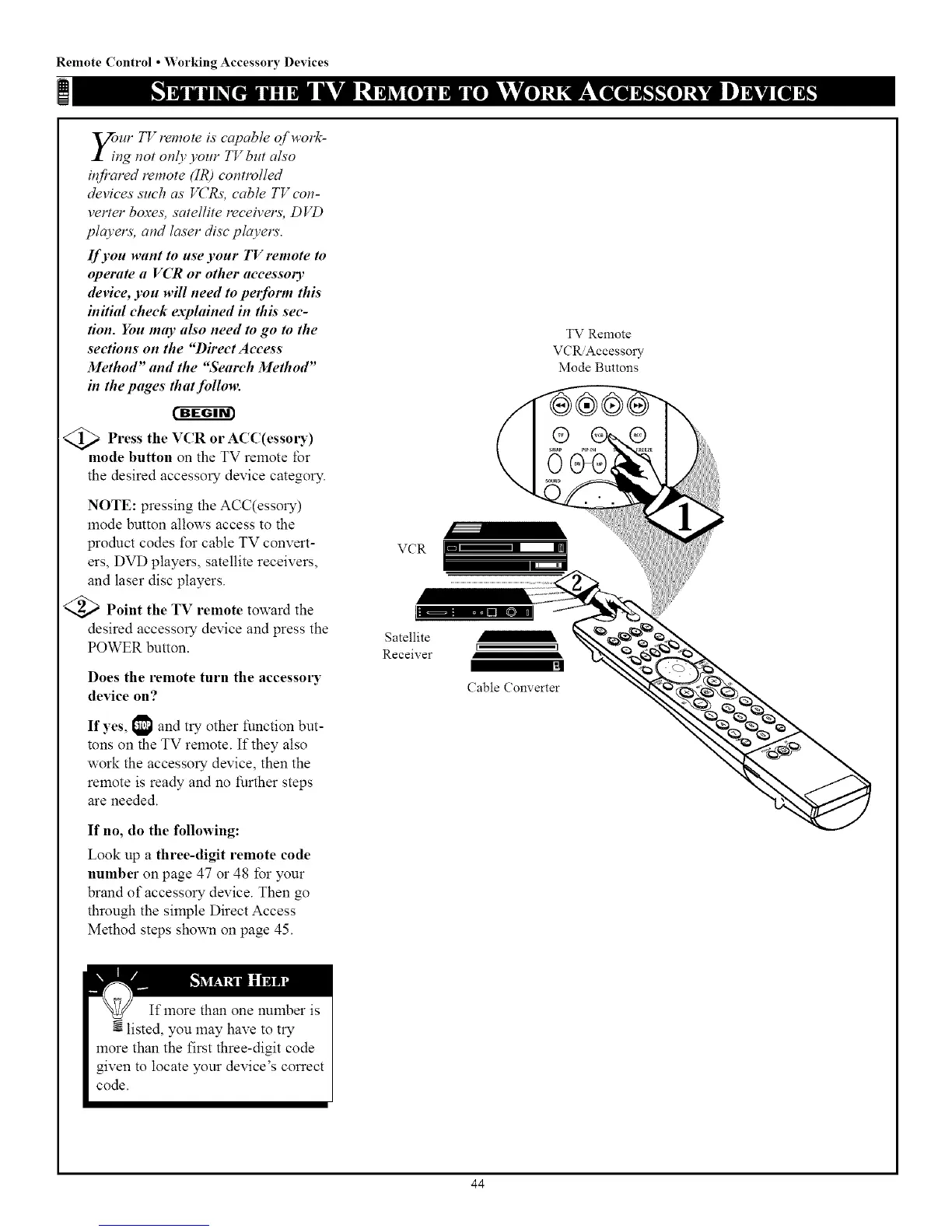
<_ Press or ACC(essm3")
the VCR
mode button on the TV remote for
the desired accessory device category.
NOTE: pressing the ACC(essory)
mode button allows access to the
product codes t\_r cable TV convert-
ers, DVD players, satellite receivers,
and laser disc players.
<_ Point the TV remote toward the
desired accessory device and press the
POWER button.
Does the remote turn the accessory
device on?
If yes, 1_1 and try other function but-
tons on the TV remote. If they also
work the accessory device, then the
remote is ready and no further steps
are needed.
If no, do the following:
Look up a three-digit remote code
number on page 47 or 48 for your
brand of accessory device. Then go
through the simple Direct Access
Method steps sho_xmon page 45.
VCR
Satellite
Receiver
TV Remote
VCR Accesso W
Mode Buttons
I 1
Cable Converter
44



 To Next Page