Remote Control • Working Accessory Devices
w that you have looked up the
ree-digit Remote Control Direct
Entl T Code Jot your brand of acces-
sory device, yolt are rea@ to Jollow
the simple steps shown below.
Please read through all the steps
before beginning.
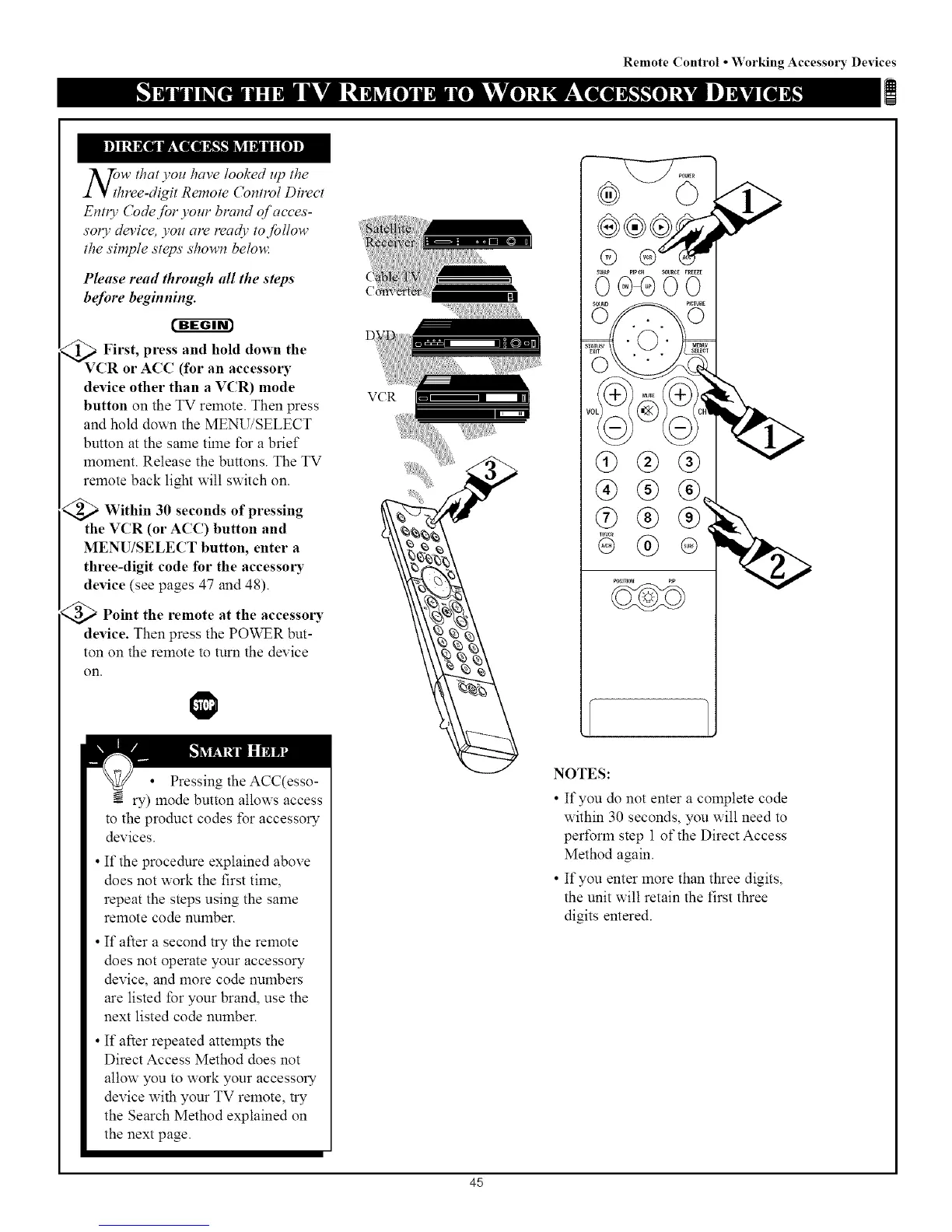
_V First, and hold down the
press
CR or ACC (for an accessm'y
device other than a VCR) mode
button on the TV remote. Then press
and hold do_x_ the MENU/SELECT
button at the salne tilne for a brief
moment. Release the buttons. The TV
remote back light will switch on.
_ Within 30 seconds of pressing
the VCR (or ACC) button and
MENU/SELECT button, enter a
three-digit code for the accessing
device (see pages 47 and 48).
<_ Point the remote at the accessoly
device. Then press the POWER but-
ton on the remote to turn the device
on.
Pressing the ACC(esso-
ry) mode button allows access
to the product codes for accessory
devices.
If the procedure explained above
does not work the first time,
repeat the steps using the same
remote code number.
If after a second try the remote
does not operate your accessory
device, and more code numbers
are listed for your brand, use the
next listed code nulnber.
If after repeated attempts the
Direct Access Method does not
allow you to work your accessory
device with your TV remote, try
the Search Method explained on
the next page.
VCR
0)®®
NOTES:
• If you do not enter a complete code
within 30 seconds, you will need to
perform step 1 of'the Direct Access
Method again.
• If you enter more than three digits,
the unit will retain the first three
digits entered.
45



 To Next Page