29
7. Technical Specifications
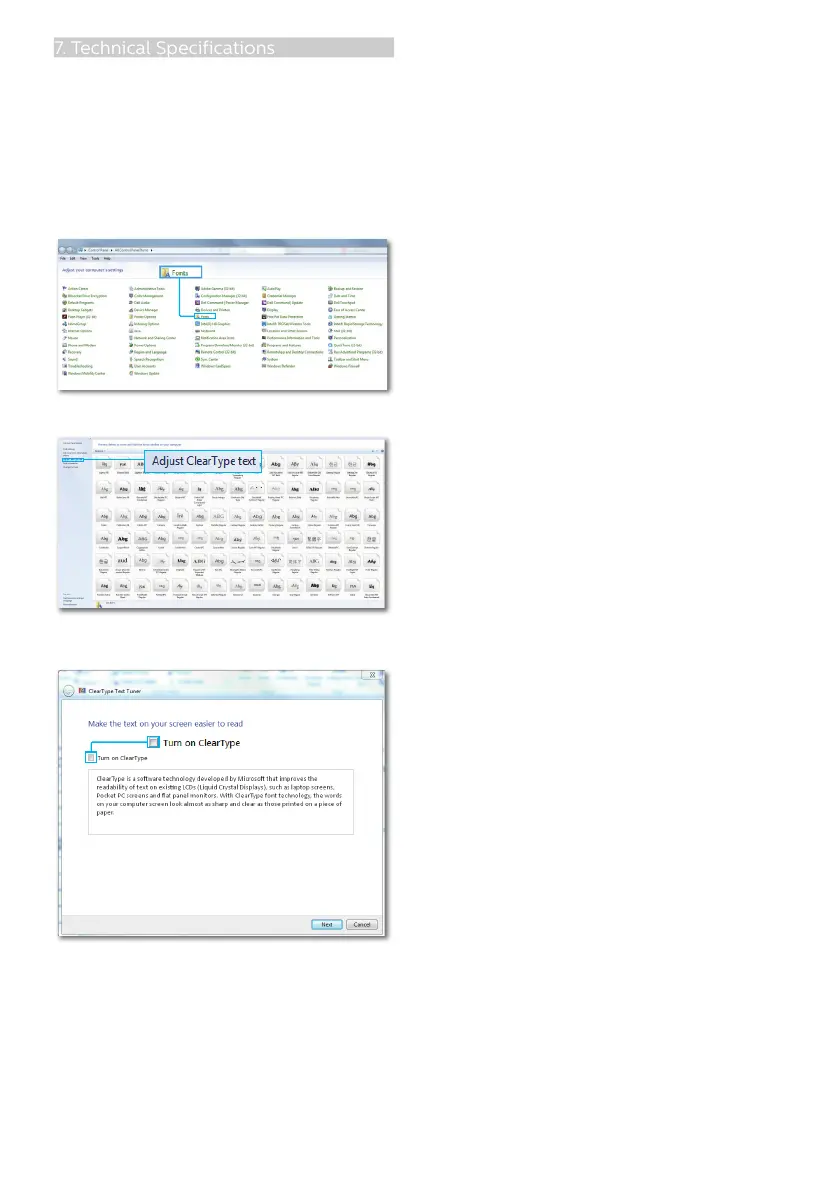
3. If you feel the texts in your display
is a little fade away, you can adjust
your fonts setting in your PC/
Notebook as following steps.
Step 1: Control panel/All Control Panel
Items/Fonts
Step 2: Adjust Clear Type Text
Step 3: Uncheck "Clear Type"








 To Next Page