
 Need help?
Do you have a question about the Philips 55PML9008 and is the answer not in the manual?
How to access settings, frequent settings, and quick menus from the Home screen.
Highlights, favourite apps, live TV, YouTube, and Netflix sections on the Home screen.
Finding model/serial numbers and using the TV Help and User Manual.
Running TV diagnose tests and self-diagnostics for troubleshooting.
Troubleshooting tips, switch-on, remote, channel, picture, sound, and network issues.
Detailed description of buttons and functions on the TV remote control.
How to replace remote batteries and clean the remote control.
Operating the TV using the physical joystick on the TV set.
Reading safety guidelines and positioning the TV correctly for optimal viewing.
Steps to connect the power cable and switch on the TV for the first time.
Connecting terrestrial antennas and satellite dishes to the TV.
Connecting HDMI video devices, ARC/eARC, and optical audio out.
Viewing mobile device content and using Screen Mirroring functionality.
Connecting the TV to a wired or wireless network for internet access.
Initial Smart TV configuration and browsing/installing apps.
Information on using Netflix, Rakuten TV, Amazon Prime Video, and YouTube apps.
Selecting Ambilight styles, personal colors, and Ambisleep modes.
Adjusting brightness, saturation, wall color, and switch-off behavior.
Using Ambilight in standby and the Aurora app for ambiance.
Searching, updating, and reinstalling channels via antenna or cable.
Opening, filtering, and managing channel lists and favorite channels.
Opening, updating, and searching TV programs by genre.
Features of Freeview Play, how to use it, and TV Guide integration.
Viewing photos, videos, and music files stored on a USB drive.
Accessing and playing media files from a home network source.
Pausing, rewinding, subtitles, and other playback settings for videos.
Playing music files, repeat, shuffle, and music playback settings.
Choosing preset picture styles and customizing picture settings.
Fine-tuning color, contrast, sharpness, and using expert mode settings.
Adjusting motion smoothness, picture aspect ratio, and format.
Selecting preset sound styles and adjusting personal sound settings.
Controlling HDMI sound systems via EasyLink 2.0.
Adjusting volume, audio output, eARC, and digital output formats.
Managing connection settings, EasyLink, screensavers, and HDMI Ultra HD.
Configuring eco settings, screen off timer, and location (Home/Shop).
Setting TV language, region, subtitle preferences, and clock.
Searching for and installing software updates via internet or USB.
How Alexa works and steps to set up and use voice control on the TV.
Requirements and steps to enable Google Assistant for voice commands.
Details on energy efficiency, disposal, and compliance standards.
Details on power, reception, display, sound, and supported resolutions.
Copyright information for HDMI, HEVC, AMD, DTS, Dolby, and Wi-Fi technologies.
Important safety warnings regarding electric shock, injury, and stability hazards.
Precautions for handling batteries to prevent burns and explosions.
Instructions for safely cleaning the TV screen and frame.
Warranty terms, pixel characteristics, and third-party service disclaimers.
 General
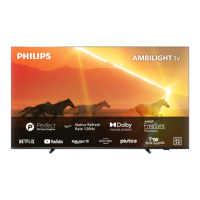
| Screen shape | Flat |
|---|---|
| Response time | - ms |
| Display diagonal | 55 \ |
| Display brightness | 1000 cd/m² |
| Display technology | Mini LED |
| Native aspect ratio | 16:9 |
| Native refresh rate | 120 Hz |
| Contrast ratio (typical) | - |
| Display diagonal (metric) | 139 cm |
| Game features | Auto Low Latency Mode (ALLM), Variable Refresh Rate (VRR) |
| Processor cores | 2 |
| AMD FreeSync type | FreeSync Premium |
| Audio formats supported | MP3, AAC, WAV, WMA, WMA-PRO, FLAC |
| Image formats supported | PNG, BMP, GIF, HEIF, JPEG |
| Video formats supported | H.264, MPEG1, VP9, MPEG2, H.265, MPEG4, HEVC, AVI, MKV |
| Subtitle formats supported | SRT, ASS, SSA, SUB, SMI, TXT |
| Picture processing technology | Philips P5 Perfect Picture Engine |
| High Dynamic Range (HDR) supported | Yes |
| High Dynamic Range (HDR) technology | Dolby Vision, High Dynamic Range 10+ (HDR10 Plus), Hybrid Log-Gamma (HLG) |
| Wi-Fi standards | Wi-Fi 5 (802.11ac) |
| Bluetooth version | 5.0 |
| Video apps | Amazon Prime Video, Google TV, Netflix, YouTube |
| Operating system installed | tvOS |
| Tuner type | Analog & digital |
| Analog signal format system | PAL, SECAM |
| Digital signal format system | DVB-C, DVB-S, DVB-S2, DVB-T, DVB-T2, DVB-T2 HD |
| Product color | Anthracite |
| Panel mounting interface | 300 x 300 mm |
| Audio decoders | DTS, Dolby Atmos, Dolby Digital |
| RMS rated power | 40 W |
| PC in (D-Sub) | No |
| Headphone outputs | 1 |
| Consumer Electronics Control (CEC) | EasyLink |
| AC input voltage | 220 - 240 V |
| AC input frequency | 50/60 Hz |
| Energy efficiency scale | A to G |
| Power consumption (standby) | 0.3 W |
| Power consumption (typical) | - W |
| Package depth | 160 mm |
| Package width | 1360 mm |
| Package height | 840 mm |
| Package weight | 20200 g |
 Weight and Dimensions
| Stand width | 735 mm |
|---|---|
| Depth (with stand) | 254 mm |
| Height (with stand) | 739 mm |
| Weight (with stand) | 14600 g |
| Depth (without stand) | 82 mm |
| Width (without stand) | 1231 mm |
| Height (without stand) | 721 mm |
| Weight (without stand) | 14300 g |



 To Next Page