Home
Philips
Monitor
55BDL2050Q
Page 20
Philips 55BDL2050Q - Page 20
35 pages
Manual
Save Page as PDF
To Next Page
To Next Page
To Previous Page
To Previous Page
Loading...
13
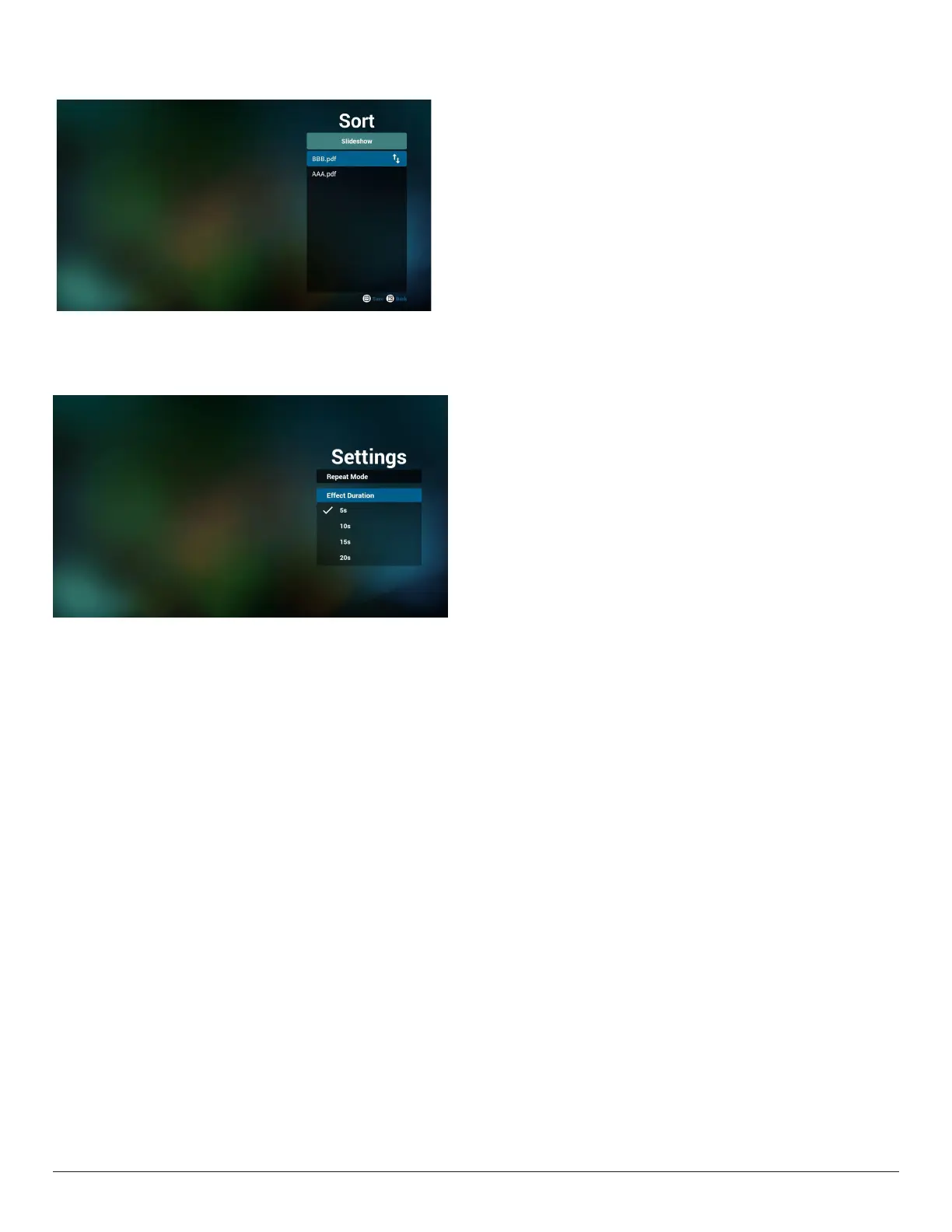
7.
If
y
ou choose “Sort” in the slide bar
, y
ou can change the
order
of
les one b
y one.
8.
Select “Settings”
on home page, this page has two parts,
“Repeat Mode
” and “Eect Dur
ation”
.
Repeat Mode : pla
y mode.
Eect Dur
ation : photo eect duration.
19
21
Table of Contents
Main Page
Table of Contents
7
Unpacking and Installation
8
Unpacking
8
Package Contents
8
Installation Notes
8
Mounting on a Wall
9
Parts and Functions
11
Control Panel
11
Input/Output Terminals
12
Remote Control
14
Connecting External Equipment
15
Connecting External Equipment (DVD/VCR/VCD)
15
Connecting a PC
15
Connecting Audio Equipment
16
Connecting USB
16
Operation
17
Media Player Introduction
17
PDF Reader Play
19
OSD Menu
21
Navigating the OSD Menu
21
OSD Menu Overview
22
Compatibility of the USB Device
25
Input Mode
27
Cleaning and Troubleshooting
29
Cleaning
29
Troubleshooting
30
Technical Specifications
31
Related product manuals
Philips Q-Line 55BDL3010Q
35 pages
Philips X-Line 55BDL3105X
50 pages
Philips X Line 55BDL4105X
54 pages
Philips D Line 55BDl4650D/00
73 pages
Signage Solutions 55BDL3202H
47 pages
Philips 50BDL4550D
71 pages
Philips 50BDL2050Q
35 pages
Philips 5214U Series
45 pages
Philips 247E4LHAB/57
96 pages
Philips Momentum 5000
34 pages
Philips Momentum 5000 Series
31 pages
Evnia Momentum 5000 27M1F5800
34 pages




 To Next Page