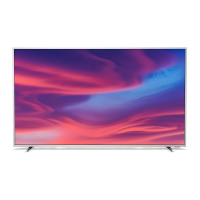
This document is a user manual for a Philips Television, specifically the 7906 Series. It covers various aspects of the television's functionality, setup, and maintenance.
Function Description
The Philips 7906 Series Television is an Android TV designed to provide a comprehensive entertainment experience. It integrates smart TV features, allowing users to access a wide range of content from apps and live TV. The TV's core functionality revolves around its Android Home screen, which serves as a central hub for navigating entertainment options, managing channels, and accessing settings. Users can customize their Home screen by adding channels from their favorite apps, including Live TV, Google Play Movies & TV, and YouTube. The TV supports digital and analogue channel installation, offering options for skipping, editing, and searching channels. It also features recording and time shift capabilities for digital TV broadcasts, allowing users to pause, replay, and record live television. Connectivity is a key aspect, with support for HDMI devices, USB storage, Bluetooth wireless devices (like speakers and headphones), and network connections (both wired and wireless) for internet access. The television can also function as a PC monitor when connected to a computer via HDMI.
Important Technical Specifications
The 7906 Series Televisions operate on Android 10.
Power:
- Mains power: AC 220-240V +/-10%
- Ambient temperature: 5°C to 35°C
- Power saving features: Sleep timer, Switch off timer, Picture off, No Signal Auto Power Off, Auto sleep.
Reception:
- Aerial input: 75 ohm coaxial (IEC75)
- Tuner bands: Hyperband, UHF, VHF
- DVB: DVB-T2
- Video playback: NTSC, SECAM, PAL
- Digital video playback: MPEG2 SD/HD (ISO/IEC 13818-2), MPEG4 SD/HD (ISO/IEC 14496-10)
- Digital audio playback (ISO/IEC 13818-3)
Display Type:
- Diagonal screen sizes: 126 cm / 50 inch, 139 cm / 55 inch, 164 cm / 65 inch, 177 cm / 70 inch, 189 cm / 75 inch
- Display resolution: 3840 x 2160 (Ultra HD)
Supported Video Only Resolution (Refresh Rate):
- 480i - 60 Hz
- 576i - 50 Hz
- 1080i - 50 Hz, 60 Hz
Supported Computer/Video Resolution (Refresh Rate):
- 640 x 480 - 60Hz
- 576p - 50Hz
- 720p - 50 Hz, 60 Hz
- 1920 x 1080p - 24 Hz, 25 Hz, 30 Hz, 50 Hz, 60 Hz
- 2560 x 1440 - 60 Hz
- 3840 x 2160p - 24 Hz, 25 Hz, 30 Hz, 50 Hz, 60 Hz
Connectivity:
- TV Side: USB 2.0 (x1), Headphones (Stereo mini-jack 3.5mm), HDMI 1 with ARC (Ultra HD - HDR)
- TV Bottom: Digital Audio out (Optical), USB 2.0 (x1), Network (LAN RJ45), Antenna (75 ohm), HDMI 2 (Ultra HD - HDR), HDMI 3 (Ultra HD - HDR), HDMI 4 (Ultra HD - HDR)
- HDMI ports support HDCP 2.2.
- Ethernet LAN RJ-45
- Wi-Fi 802.11n Dual Band (built-in)
- BT 5.0
Sound:
- Output power (RMS): 20W
- Dolby MS12 V2.5
- Dolby Atmos
- DTS - HD (M6)
- Surround Virtualizer + Height Virtualizer
- Dolby Bass Enhancement
- Dolby Dialogue Enhancement
- Dolby Volume (AVL/Night Mode)
- AI Sound
Multimedia Playback Formats:
- Containers: PS, TS, M2TS, TTS, AVCHD, MP4, M4V, MKV, ASF, AVI, 3GP, Quicktime
- Video Codecs: AVI, MKV, HEVC, H264/MPEG-4 AVC, MPEG-1, MPEG-2, MPEG-4, VP9, HEVC (H.265).
- Audio Codecs: MP3, WAV, AAC, WMA (v2 up to v9.2), WMA-PRO (v9 and v10)
- Subtitles: Formats: SRT, SMI, SSA, SUB, ASS, TXT. Character encodings: UTF-8(Unicode), UTF-16, Simplified Chinese, Central Europe, Cyrillic, Western Europe, Greek, Turkish, Hebrew, Korean
- Maximum Supported Data Rate: MPEG-4 AVC (H.264) is supported up to High Profile @ L5.1, 30Mbps. H.265 (HEVC) is supported up to Main / Main 10 Profile up to level 5.1, 80Mbps.
- Image Codecs: JPEG, GIF, PNG, BMP, HEIF
VESA Wall Mount Specifications:
- 50PUT79x6, 55PUT79x6: VESA MIS-F 200x300, M6 (Min.: 10mm, Max.: 16mm)
- 65PUT79x6: VESA MIS-F 300x300, M6 (Min.: 12mm, Max.: 20mm)
- 70PUT79x6, 75PUT79x6: VESA MIS-F 300x300, M8 (Min.: 12mm, Max.: 25mm)
Usage Features
Home Screen: The Android Home screen is the central interface, allowing users to browse apps, live TV, and recommended content. Channels can be customized, added, or removed. The "Play Next" channel helps users resume watching from where they left off. Settings are accessible via an icon in the top right corner. The system bar provides quick access to search, notifications, input source selection, and clock display.
Setup: Users should read safety instructions before use. The TV stand mounting instructions are found in the Quick Start Guide. For wall mounting, specific VESA codes are provided. Tips on placement include avoiding direct light, dim lighting for Ambilight, optimal viewing distance (2-5 times diagonal screen size), and wall mounting distance (up to 15 cm from the wall). The power cable should be securely inserted and accessible.
Remote Control: The remote features dedicated buttons for Power, Voice microphone, Ambilight, Amazon Prime Video, Netflix, Menu, Google Play, YouTube, Sources, and Google Assistant. Navigation keys, playback/record controls, color keys, Home, and TV Guide buttons are also present. The remote can be paired with the TV via IR and Bluetooth.
Switching On and Off: The TV can be switched on/off using the remote's Power button or the small joystick key on the TV's bottom. In standby mode, the TV consumes very little energy. For complete power off, the power plug must be disconnected.
Channel Installation: Channels can be installed during the first TV setup or later via the settings menu. Users can choose between digital and analog channels. Antenna installation requires setting the "Channel Installation Mode" to "Antenna." Channels can be skipped, edited (number and name, if available), and searched. Analogue channels can be fine-tuned manually.
Channel Management: Users can switch between digital (DTV) and analog (ATV) channels, or use the Home screen's "Live TV" option. Channel lists can be filtered (e.g., Broadcast or Favorites) and searched by number or name. Digital radio stations are also supported.
Favorite Channels: Up to four different lists of favorite channels can be created and edited, allowing users to organize and quickly access their preferred content.
Interactive TV (HbbTV): The TV supports HbbTV, which combines broadcast TV with broadband internet content. Users can access HbbTV pages, navigate them with color keys, and manage settings like persistent storage and device ID.
Connect Devices: The TV automatically recognizes connected devices and sets ideal TV settings.
- HDMI: For best picture and sound quality, use High speed HDMI cables (under 5m). HDMI 1 supports ARC (Audio Return Channel) for simplified audio connections with Home Theatre Systems. HDMI CEC (Consumer Electronic Control) allows operating compatible devices with the TV remote. Features include device auto power off and TV auto power on.
- Antenna Port: For Set-top boxes or Recorders, connect antenna cables through them before the TV.
- Audio Device (Optical): For digital audio output to a Home Theatre System without HDMI ARC.
- Headphones: Connect to the 3.5mm jack. TV speakers are muted when headphones are plugged in.
- USB Hard Drive: For recording and time shift functions. Requires FAT32 format and sufficient free space (over 1GB).
- USB Flash Drive: For viewing photos, playing music, and videos. Supports Ultra HD resolution for photos.
- Computer: Can be connected via HDMI to use the TV as a PC monitor.
Bluetooth: Wireless devices like speakers and headphones can be paired with the TV. The TV can play sound on one speaker at a time. Users can select, rename, and remove paired devices. Attention is drawn to potential audio-video synchronization issues (latency) with some Bluetooth speakers.
Network and Internet: The TV can connect to a home network via Wi-Fi (wireless) or Ethernet cable (wired). Users can turn Wi-Fi on/off, select networks, or add hidden networks. Wired connection requires an Ethernet cable. Troubleshooting tips are provided for network issues.
Google Account: Signing in with a Google Account enables full Android TV capabilities, including personalized recommendations, Google Play Movies & TV, and YouTube content.
Apps: Apps can be downloaded from the Google Play Store. Users can start, stop, and manage apps, including clearing cache data or uninstalling for optimal performance. Parental controls are available for app maturity ratings.
Picture Settings:
- Picture Mode: Preset styles include User, Standard, Vivid, Sport, Movie, and Game. Dolby Vision HDR signals offer Bright, Dark, and Vivid modes.
- Display Mode: Adjusts how the picture fills the screen (Automatic, Super zoom, 4:3, Movie expand 14:9, Movie expand 16:9, Wide screen, Full, Original).
- Other Picture Settings: Backlight, Brightness, Contrast, Saturation, Hue, Sharpness, Gamma, Color Temperature.
- Advanced Video: DNR (Digital Noise Reduction), MPEG NR, Adaptive Luma Control, Local Contrast Control, Game Mode, PC Mode, HDMI Auto Game Mode, Motion styles (Off, Movie, Standard, Smooth), Colour Tuner, 11 Point White Balance Alignment.
- Light Sensor: Automatically adjusts picture settings based on room lighting.
- Reset to Default: Resets current picture settings.
Sound Settings:
- Sound Mode: Preset styles include Game, Movie, Music, Dialogue, AI mode, and User.
- Speakers: Select output to TV speakers, TV speakers off, or HDMI sound system.
- USB Audio: Turn on/off audio output through a USB audio device.
- Digital Output: Settings for optical and HDMI ARC sound signals, including Digital Output Delay and DTS night mode.
- Dolby Audio processing: Volume Leveler, Dialogue Enhancer, Surround Virtualizer.
- Reset to Default: Resets current sound settings.
Advanced Options:
- Audio: Set preferred primary and secondary audio languages. Blue Mute can be toggled.
- HBBTV Settings: Enable/disable HbbTV, manage history, cookies, and reset device ID.
- Subtitle: Set preferred primary and secondary subtitle languages, display subtitle page, and configure digital subtitle language settings.
- Teletext: Set preferred teletext language and decoding page language. TTX Presentation Level can be adjusted.
- System Information: View signal level, frequency, service ID, etc.
Other Settings (Device Preferences):
- System Update: Update TV software locally or from the internet.
- About: View TV information or perform Factory reset.
- Date & Time: Adjust date, time, time zone, and time format.
- Timer: Set TV switch on/off timer.
- Language: Change menu language.
- Keyboard: Set on-screen keyboard type.
- Inputs: Rename inputs and adjust CEC settings.
- Power: Set energy-saving timers.
- Accessibility: Activate special functions for hearing and visually impaired people (Audio Type, Visually Impaired options, AC4 Dialogue Enhancement).
- Ambilight: Adjust Ambilight style (Follow Video, Lounge light), brightness, saturation, wall color behind the TV, and TV switch off effect (Fade out, Immediate).
- Storage: Check device storage.
- Home Screen: Customize previews, reorder apps/games, view open-source licenses.
- Retail Mode: Switch on/off retail mode, set message type and demo.
- Google Assistant: Adjust settings, view open-source licenses.
- Chromecast built-in: Adjust settings, view open-source licenses, version number.
- Screen Saver: Adjust screen saver settings.
- Location: Set location status.
- Usage & Diagnostics: Send diagnostic information to Google.
Recording and Time Shift:
- Record Options: View/manage recordings, check device info, schedule recordings.
- Time Shift Mode: Pause and resume live TV broadcasts.
- Recording: Requires a connected USB storage device (FAT32), digital TV channels, and a reliable TV clock. Users must assign a storage device for recording. Instant recording is initiated with the Record key. Scheduled recordings or reminders can be set via the TV Guide.
- Pause a Programme: Pause, rewind, fast forward, and play live broadcasts.
- Replay: Replay recent broadcast content stored by the TV.
Smartphones and Tablets (Google Cast): Cast content from mobile devices (Android and iOS) to the TV using the Google Cast icon.
Freeview: Access Freeview content with a working UHF aerial and high-speed internet.
Netflix: Access Netflix with a membership subscription and internet connection.
Maintenance Features
Cleaning:
- Screen: Use a soft, damp cloth. Do not use alcohol, chemicals, or household cleaners.
- Remote Control: Use a soft, damp cloth. Avoid alcohol, chemicals, or household cleaners.
Batteries:
- If the remote control is unresponsive, batteries might be empty.
- Replace with 2 type AAA-1.5V batteries, ensuring correct polarity.
- Remove batteries if not using the remote for a long time.
- Dispose of old batteries according to end-of-use directions.
Software Update:
- Local Updates: Use a computer and a USB flash drive (at least 2GB free space, write protection off) to upload software.
- Internet Updates: If connected to the internet, the TV may receive update notifications.
Factory Reset:
- Resets all TV settings to original values.
- Erases all data from internal storage, including Google account, app data, downloaded apps, and installed channels.
Reboot:
- Reboot the TV for better performance, especially if apps are running slow or audio/video is out of sync.
- Disconnect external USB hard drives before rebooting.
Troubleshooting: The manual provides extensive troubleshooting sections for common issues related to picture, sound, HDMI, USB, network, Bluetooth, and menu language. It advises checking connections, settings, and referring to the Philips support website for further assistance.
Safety and Care:
- Electric Shock or Fire: Never expose the TV to rain or water, avoid placing liquid containers near it, do not insert objects into ventilation slots, keep away from excessive heat/flames, and ensure power cords are not strained or loose.
- Injury or Damage: Two people are required to lift TVs over 25 kg. Use the supplied stand or a VESA-compliant wall mount. Ensure the TV is on a flat, level surface. Handle glass parts with care.
- Stability Hazards: Ensure the TV is not overhanging furniture, use recommended stands/mounts, educate children about climbing, route cords safely, and avoid unstable locations or tall furniture without anchoring.
- Batteries: Do not ingest coin/button cell batteries (chemical burn hazard). Keep new and used batteries away from children. Seek medical attention if ingested. Risk of fire/explosion if replaced incorrectly.
Environmental: The product is designed with high-quality, recyclable materials. Users are advised to dispose of old products and batteries according to local regulations, not with normal household waste.

 Need help?


 To Next Page
 General