EasyManua.ls Logo

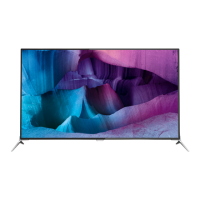
Philips 65PFL7900 - User Manual

Philips 65PFL7900
59 pages
Print Icon
To Next Page IconTo Next Page
Loading...
EN For further assistance, call the customer support service in your
country.
To obtain assistance, contact Philips Customer Care Center;
In the U.S.A., Canada, Puerto Rico, or the U.S. Virgin Islands
1 866 202 5960
México D.F. and Área Metropolitana; 58 87 97 36
Interior de la Republica; 01 800 839 19 89
ES Para obtener más información, llame al servicio de soporte al cliente
de su país.
Para obtener asistencia, comuníquese con Centro de atención al
cliente de Philips;
En los Estados Unidos, en Canadá, Puerto Rico o en las Islas Vírgenes
de los Estados Unidos; 1 866 202 5960
México D.F. y Área Metropolitana; 58 87 97 36
Interior de la Republica; 01 800 839 19 89
FR Pour obtenir de l’aide supplémentaire, communiquez avec le centre
de service à la clientèle de votre pays.
Pour obtenir de l’aide, communiquez avec le centre de service à la
clientèle Philips au;
Dans le États-Unis, au Canada, à Puerto Rico ou aux Îles Vierges
américaines; 1 866 202 5960
México D.F. et Área Metropolitana; 58 87 97 36
Interior de la Republica; 01 800 839 19 89
Register your product and get support at
www.philips.com/welcome
EN
User Manual
ES
Manual del Usuario
FR
Manuel d’Utilisation
65PFL7900
55PFL7900
49PFL7900
Telev isions
7000 series

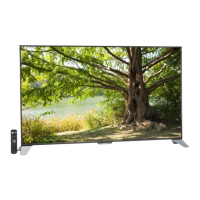
Table of Contents

Questions and Answers

  • J
    Janet BentleyAug 28, 2025
    How to improve poor Bluetooth audio quality on Philips Speaker System?
    • B
      brandimitchellAug 28, 2025
      If the audio quality from a connected Bluetooth device is poor, it might be due to poor Bluetooth reception. Try moving the device closer to the soundbar or removing any obstacles between them.
  • E
    Elizabeth ContrerasAug 28, 2025
    What to do if the buttons on my Philips Speaker System do not work?
    • X
      xburtonAug 28, 2025
      If the buttons on the main unit of your Philips Speaker System do not work, disconnect it from the power supply for a few minutes, then connect it again.
  • M
    Melissa MartinezAug 31, 2025
    Why don't the lights turn on on my Philips Pasta Maker?
    • D
      David MoodySep 1, 2025
      If the indicators on your Philips Pasta Maker do not light up, check if the power plug is correctly plugged into a working outlet.
  • B
    Bryan WilliamsAug 27, 2025
    What to do if my Philips Speaker System is making distorted sound or echo?
    • A
      Ana ParkAug 27, 2025
      If you are experiencing distorted sound or an echo with your Philips Speaker System, and you're playing audio from your TV through the system, ensure that the TV is muted.
  • B
    Brittany WilliamsAug 27, 2025
    Why can't a device connect with my Philips Speaker System soundbar?
    • E
      Edward EricksonAug 27, 2025
      If a device cannot connect with the Philips soundbar: * The device may not support the compatible profiles required for the soundbar. * You have not enabled the Bluetooth function of the device. See the user manual of the device on how to enable the function. * Connect the device correctly. * Disconnect the connected device, and then try again.
  • E
    Emily JohnstonAug 27, 2025
    What to do if my Philips Speaker System has no power?
    • S
      Steven ArnoldAug 27, 2025
      If your Philips Speaker System has no power, check the following: * Ensure that the AC cord is properly connected. * Ensure that there is power at the AC outlet. * Press the power button on the remote control or soundbar to turn the soundbar on.
  • B
    billy32Aug 26, 2025
    How to fix Philips Speaker System buttons on the main unit that are not working?
    • D
      davisdwayneAug 26, 2025
      If the buttons on your Philips Speaker System main unit do not work, disconnect the system from the power supply for a few minutes, and then connect it again.
  • M
    Mackenzie StantonAug 26, 2025
    What to do if my Philips Speaker System remote control does not work?
    • D
      Daniel BuckAug 26, 2025
      If your Philips Speaker System remote control isn't working, try these steps: * First, select the correct source before pressing any playback control button. * Reduce the distance between the remote and the unit. * Ensure the battery is inserted correctly, aligning the polarities (+/-) as indicated. * Replace the battery with a new one. * Aim the remote directly at the sensor on the front of the unit.
  • M
    Mariah FlowersAug 25, 2025
    What to do if a device cannot connect with Philips Speaker System soundbar?
    • S
      Samantha WalkerAug 26, 2025
      If a device can't connect, it might not support the compatible profiles required for the soundbar. Ensure you've enabled the Bluetooth function on the device by checking its user manual. Make sure the device is correctly connected. Also, the soundbar might already be connected to another Bluetooth device; disconnect that device and try again.
  • R
    rebecca42Aug 25, 2025
    Why can't my device connect to my Philips Speaker System soundbar?
    • B
      Brenda AdamsAug 25, 2025
      A device might fail to connect to the soundbar for several reasons: * The device may not support the compatible profiles required for the soundbar. * The Bluetooth function of the device may not be enabled. Refer to the device's user manual to enable it. * The device may not be connected correctly. Ensure the device is correctly connected. * The soundbar may already be connected to another Bluetooth device. Disconnect the connected device and try again.

Philips 65PFL7900 Specifications

General IconGeneral
BrandPhilips
Model65PFL7900
CategoryElectric Shaver
LanguageEnglish

Related product manuals