6.4
Keyboard
Writing Text
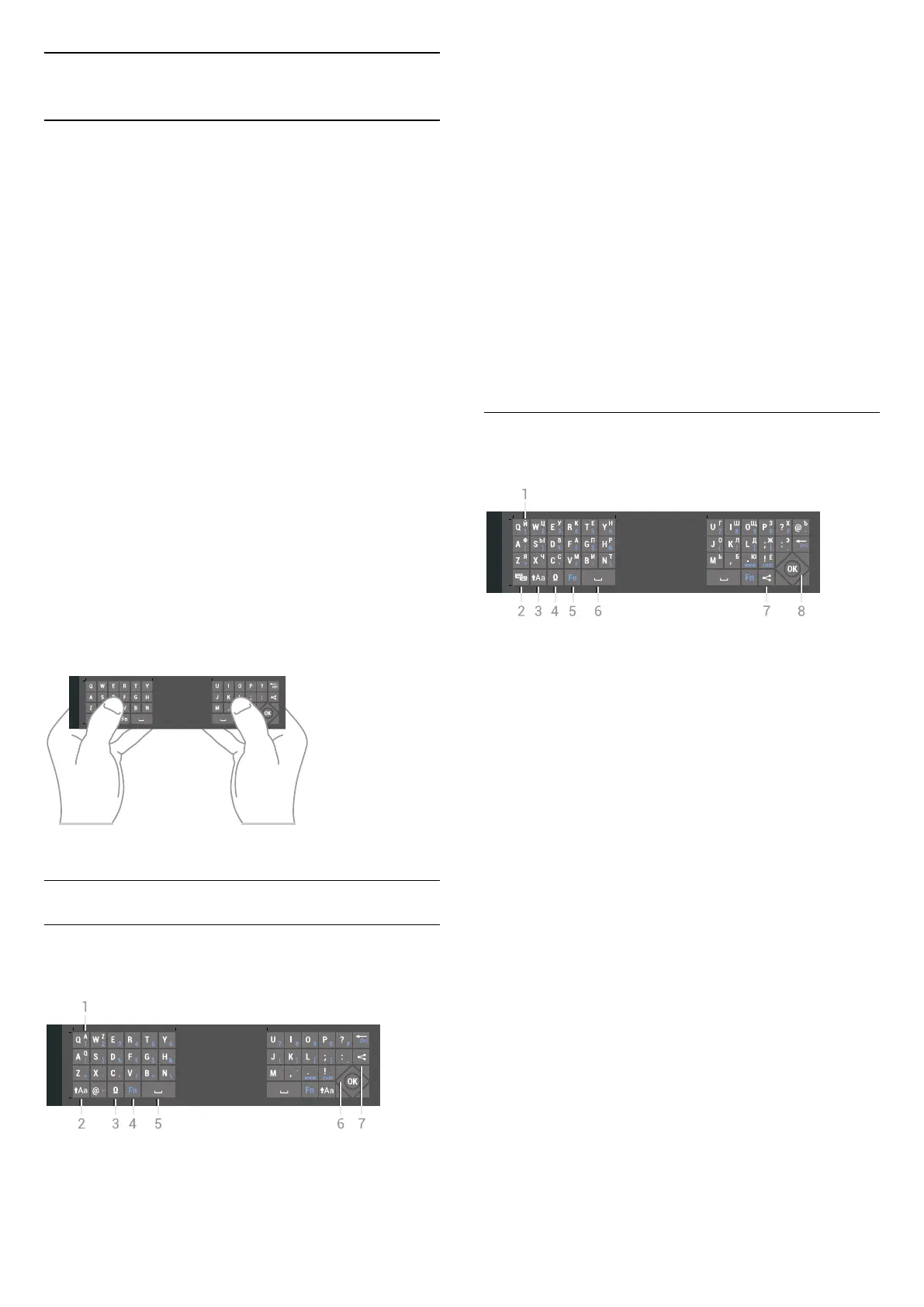
With the keyboard on the back of the remote control,
you can write text in any text field on screen.
To write text…
1 - Select a text field if it is not yet selected.
2 - Turn the remote control keyboard facing upwards
to activate the keyboard keys. Hold the remote
control with two hands and type with both thumbs.
3 - To hide the on screen keyboard, press
BACK.
4 - Press OK to confirm the text.
Onscreen Keyboard
If you use the onscreen keyboard to enter text, you
can configure the keyboard layout to a layout you are
used to.
To open these settings…
1 - Press
HOME, select
General Settings
and press OK.
2 - Press
(right), select Android Settings and press
OK.
3 - Select Preferences >
Keyboard and press OK.
4 - Select Language and press OK. You can set your
language keyboard layout here.
5 - Press
(left) to go back one step or
press
BACK to close the menu.
Key Overview
Qwerty and Azerty
Overview of a Qwerty/Azerty keyboard.*
1 - Azerty character
Character position if the keyboard layout is set to
Azerty.
2 -
Shift
To type uppercase characters.
3 - Ω Special characters
To open the onscreen keyboard to select accented
characters or symbols.
4 - Fn key
To type a number or punctuation character.
5 -
Spacebar
6 - Navigation and OK
7 -
Share this
To share online what you are watching at the
moment.
* Your remote control has a Qwerty / Azerty or a
Qwerty / Cyrillic keyboard, depending on your region.
Qwerty and Cyrillic
Overview of a Qwerty/Cyrillic keyboard.*
1 - Cyrillic characters
Characters available when the keyboard is switched
to Cyrillic.
2 -
Cyrillic keyboard switch
To switch the keyboard to the Cyrillic characters or
back to Qwerty.
3 -
Shift
To type uppercase characters.
4 - Ω Special characters
To open the onscreen keyboard to select accented
characters or symbols.
5 - Fn key
To type a number or punctuation character
6 -
Spacebar
7 -
Share this
To share online what you are watching at the
moment.
8 - Navigation and OK
* Your remote control has a Qwerty/Azerty or a
Qwerty/Cyrillic keyboard, depending on your region.
30





 To Next Page