EasyManua.ls Logo

Philips 710 - Playback and Tape Control; Transcription Features

Philips 710
12 pages
Print Icon
To Next Page IconTo Next Page
To Previous Page IconTo Previous Page
Loading...
Fesr
ronwanos
/
rasr
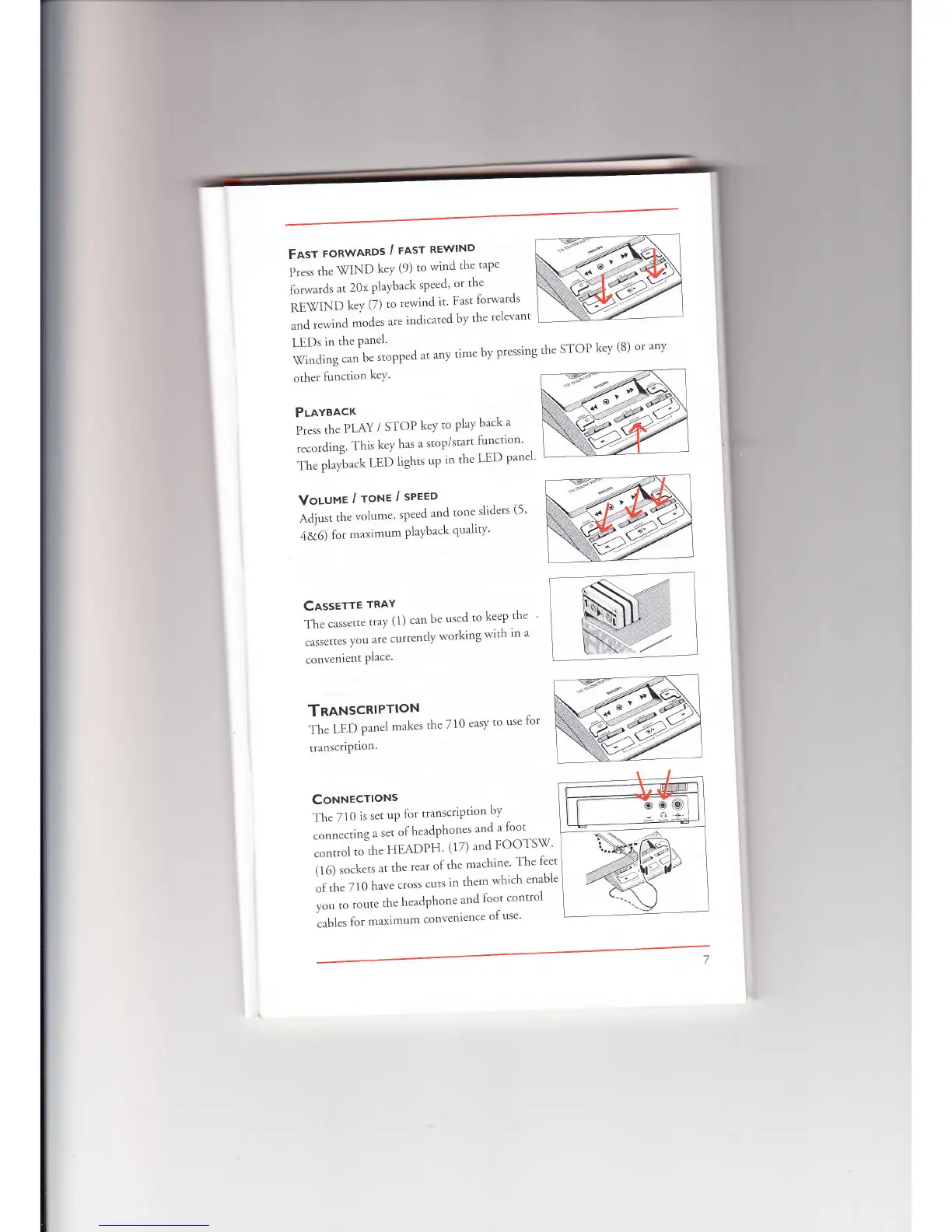
REwIND
press
the
-WIND
key
(9)
to
wind
the
tape
forwards
at
20x
playback
speed'
or
the
**r*,
key
(7)
to
rewind
it'
Fast
lorwards
".ra
..*irta
modes
are
indicated
by
the
relevant
LEDs
in
the
Panel'
\Tinding
can
be
stopped
at
any
time
by
pressing
the
STOP
key
(8)
or
any
other
lunction
keY'
PLavgncr
Pr.r,
,h.
PLAY
/
STOP
keY
to
PlaY
back
a
recording.
This
key
has
a
stop/start
function'
ii.
o[ri*n
tED
lights
up
in
the
LED
panel
Volunr/roNe/sPreo
,qairr,
r.h"
volume'
speed
and
rone
sliders
(5'
-r&6)
[or
maximum
playback
qualiry'
Cnsserrr
tnlv
ii.
."r."*.
tray
(1)
can
be
used
to
keep
the
."r.",,.,
you
are
currently
working
with
in
a
convenient
Place'
TnaNscRlPttot't
in"
,-ao
panel
makes
the
710
easy
to
use
for
transcriPtion'
iln
i:1.11*
itii:ir::
/
CoHHecrtoNs
The
710
is
set
up
for
transcription
by
.orr.,..,i.rg
a
set
olheadphones
and
a
foot
."^rr"f
,.",f-t.
HEADPH'
(17) and
FOOTS\7'
iilj
.."n*,
at
the
rear
of
the
machine'
The
leet
of
the 710
have
cross
cuts
rn
them
which
enable
|"",.
,.r,.
the
headphone
and
loot
control
."b1",
fo,
maximum
convenience
of
use'

Related product manuals