Customer Service Mode (CSM)
Purpose
The Customer Service Mode shows error codes and information on the TV operation
settings. The servicer can instruct the customer to enter CSM by telephone and read off
the information displayed. This helps the servicer to diagnose problems and failures in
the TV set before making a service call.
The CSM is a read-only mode; therefore, modifications are not possible in this mode.
How to enter CSM
To enter CSM, press the following key sequence on the remote control transmitter:
1-2-3-6-5-4
Do not allow the display to time out between entries while keying the sequence.
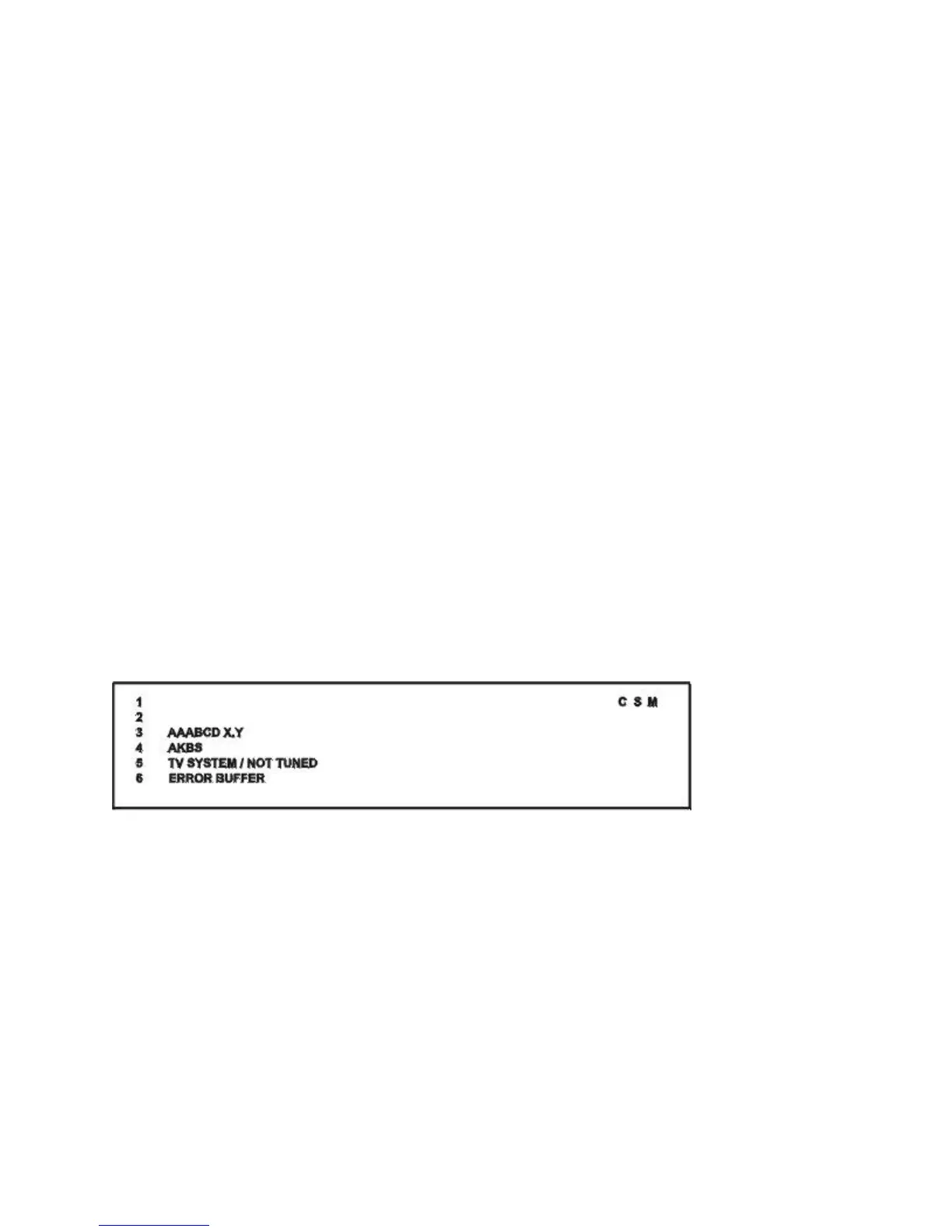
Upon entering the Customer Service Mode, the following screen will appear:
Figure: CSM Menu
Explanation of CSM Menu
1. Indication of the service mode CSM = Customer Service Mode
2. Reserved.
3. Software identification of the main microprocessor (see "Service Default
Alignment Mode" for an explanation)
4. Reserved item.








 To Next Page