•
Packing list
•
Initial setup
•
Specification
Getting started
Initial setup
Philips digital Photo Frame can be placed either vertically or horizontally to fit
the photos on display. Its internal rechargeable battery provides you the
freedom to pass it around and show photos without the power cord. Or, you
can place it somewhere in the room for constant Photo Frame by connecting
it to the main.
A. Removing the protective bag/film on parts
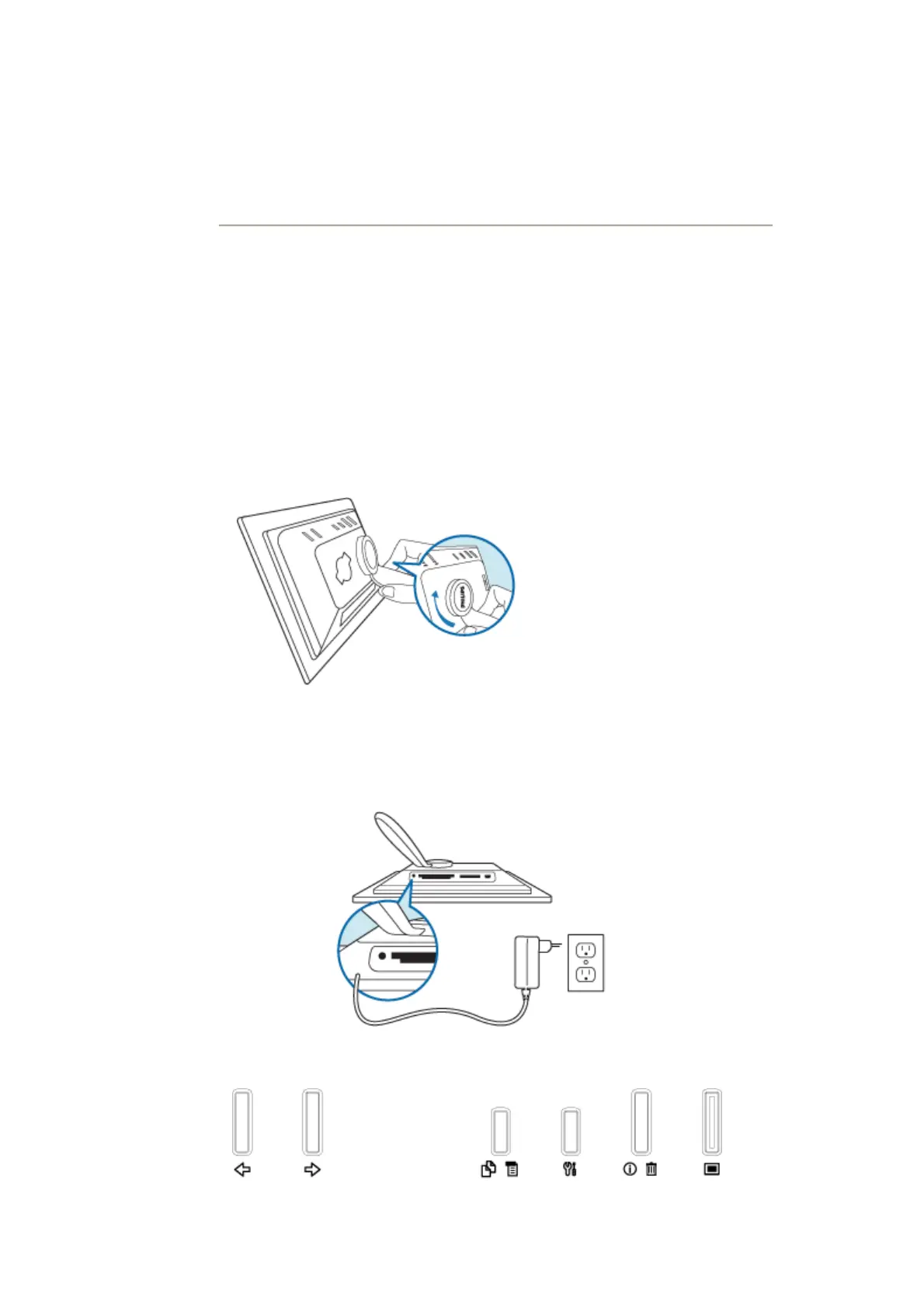
B. Attaching the Photo Frame stand
•
Place head of stand into socket
•
Rotate clockwise until stand locks in-place
C. Connecting to a power source
•
Connect the supplied power cable from Photo Frame to a power outlet .
The internal battery will start charging and the battery LED turn orange.
Locate control keys
•
Use your Photo Frame by pressing the control keys in the back.



 To Next Page