•
Press the to confirm.
Now your selected setting is confirmed.
•
Press to leave this menu.
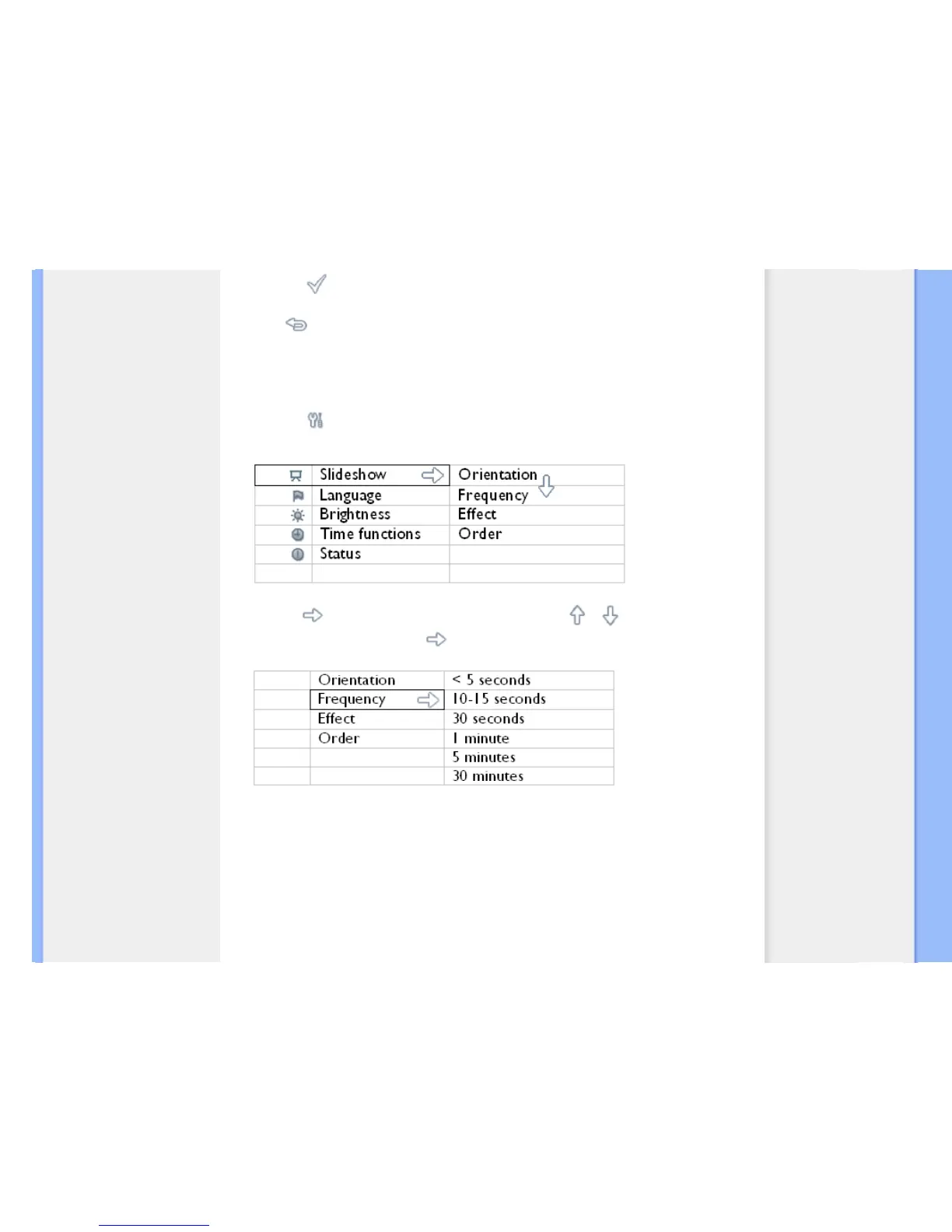
Choosing slideshow frequency
Note: This function applies to all photos.
•
Turn on Photo Display
•
Press the key (the 3
rd
key from the left on the rear of Photo Display).
A menu with general settings for Photo Display will appear.
•
Press the key to select Slideshow settings and use the or key to move to the
Frequency item. Next press the
key again to select Frequency settings.



 To Next Page